What Happens to EE Member Systems During Migration
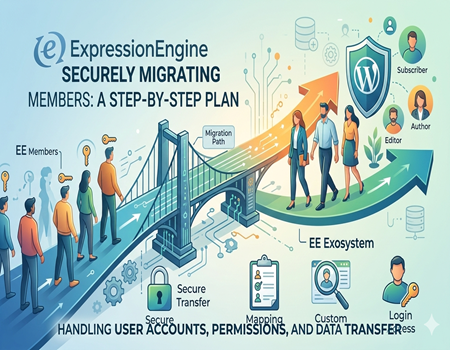
When a business decides to move from ExpressionEngine to WordPress, one of the biggest concerns is the member system. Content and design can be rebuilt, but user accounts are sensitive. If your website has registered users, paid members, private dashboards, or protected content, you cannot afford mistakes during migration.
Many website owners ask the same question: Will we lose our members during migration? The answer is no, but the process must be handled carefully. Member data can be transferred, but it requires structured planning, correct mapping, and technical adjustments.
If you are planning to Migrate website from ExpressionEngine to WordPress, this guide will clearly explain what happens to your EE member system, what can be migrated, what needs rebuilding, and how to ensure a smooth transition without breaking user access.
Let us first understand how the ExpressionEngine member system works.
Understanding the ExpressionEngine Member System
ExpressionEngine includes a built-in member management system that allows websites to register, manage, and control user access. It is flexible and often deeply connected to website templates and content rules.
In ExpressionEngine, members are organized into member groups. Each group has specific permissions. For example, administrators can manage content, editors can publish posts, and subscribers may only access restricted pages. Some websites create premium member groups that can access paid resources.
ExpressionEngine also allows custom member fields. These fields store additional user data such as phone numbers, company names, subscription levels, or profile details. This makes the system highly customizable.
Many websites use front-end login forms integrated directly into templates. Instead of using the control panel login, users log in through custom forms built using EE tags. Some websites also use third-party add-ons for advanced membership features such as subscriptions, billing, or community functions.
Because the member system is tightly connected to templates, permissions, and add-ons, migration becomes more complex than simply exporting a list of users.
Why Member Systems Become Complex During Migration
Migrating member systems is more complicated than moving blog posts. The main reason is that user accounts involve permissions, encrypted passwords, and protected content rules.
First, the database structure of ExpressionEngine is different from WordPress. Both systems store user data differently, so direct transfer is not automatic.
Second, password encryption methods may not match. Even though both platforms use secure hashing, the format may differ. This can prevent direct password compatibility.
Third, member groups in ExpressionEngine do not directly match WordPress user roles. WordPress uses roles such as Administrator, Editor, Author, and Subscriber. These must be mapped carefully.
Fourth, custom member fields must be recreated manually in WordPress.
Finally, if your site uses paid membership add-ons or advanced permission systems, those features may need replacement plugins in WordPress.
Because of these differences, careful planning is required before you Migrate website from ExpressionEngine to WordPress.
What Happens to Member Data During Migration
Member data does not disappear during migration. It can be exported from the ExpressionEngine database safely.
Typically, the following data can be exported:
Usernames
Email addresses
Encrypted passwords
Member group IDs
Custom member field data
Registration dates
However, exporting data is only the first step. After export, this data must be imported into WordPress and properly mapped.
Session data and active login sessions cannot be transferred. Users will need to log in again after migration.
If your site tracks member activity logs, those usually do not transfer automatically unless custom handling is implemented.
If you use subscription records or billing history, those must be migrated carefully depending on how they were stored.
Understanding exactly what data exists in your current system is essential before starting migration.
Mapping ExpressionEngine Member Groups to WordPress Roles
WordPress uses a role-based permission system. By default, it includes Administrator, Editor, Author, Contributor, and Subscriber roles.
These roles may not directly match your ExpressionEngine member groups. For example, you may have Premium Members, Basic Members, VIP Users, or other custom groups.
During migration, each ExpressionEngine member group must be mapped to a suitable WordPress role. In some cases, custom roles must be created to maintain the same permission structure.
Incorrect role mapping can cause serious issues. Users may gain access to restricted content, or they may lose access to areas they previously had permission to use.
This is why role mapping is one of the most critical parts when you Migrate website from ExpressionEngine to WordPress.
Migrating Custom Member Fields
If your ExpressionEngine website collects additional member information, those custom fields must be recreated in WordPress.
For example, if your members have profile details such as company name, subscription expiry date, or user preferences, those fields must be rebuilt.
In WordPress, this can be done using user meta fields or plugins like Advanced Custom Fields.
After creating matching fields, the exported data must be imported into the correct user profiles.
Testing is extremely important at this stage. You must verify that all custom data displays correctly on profile pages and inside the admin dashboard.
Missing or incorrectly mapped fields can cause functional problems.
What Happens to Login and Registration Systems
ExpressionEngine often uses custom front-end login forms built into templates. These forms use EE tags and logic.
In WordPress, the default login system is different. You can either use the default WordPress login page or create custom front-end login forms.
If your site has protected content that only logged-in members can access, you must rebuild content restriction rules in WordPress.
Membership plugins can help manage protected content, subscription access, and private dashboards.
User experience should remain smooth. If the login process changes drastically without explanation, users may feel confused or frustrated.
Clear communication before and after migration helps reduce confusion.
Handling Passwords During Migration
Passwords are the most sensitive part of member migration.
ExpressionEngine stores passwords in encrypted format. WordPress also uses encrypted passwords. However, encryption algorithms may differ.
In many migrations, passwords cannot be transferred in a directly usable form.
The most common and secure solution is forcing all users to reset their passwords after migration. This ensures compatibility and improves security.
Some advanced migrations use custom scripts to maintain password compatibility temporarily, but this requires expert handling.
It is important to notify users in advance. Send emails explaining the system upgrade and provide clear instructions for password reset.
Security should always be prioritized over convenience.
SEO and User Experience Considerations
Member systems can affect SEO if not handled properly.
If protected URLs break or if redirects are missing, search engines may encounter errors.
Make sure private member dashboards are not indexed by search engines.
Ensure redirects are properly implemented if URLs change.
User experience should remain smooth. Members should be able to log in, access their content, and manage their profiles without confusion.
Careful testing ensures both SEO and usability remain strong.
Common Mistakes During Member Migration
Many businesses underestimate the complexity of member system migration.
Common mistakes include failing to map roles correctly, forgetting to migrate custom member fields, ignoring password compatibility issues, and not testing login systems thoroughly.
Another major mistake is not informing users in advance. Clear communication builds trust and reduces support requests.
Avoiding these mistakes requires planning and structured execution.
Step-by-Step Safe Member Migration Checklist
Start with a full database backup. Export member data securely. Audit all member groups and permissions. Map groups to WordPress roles. Recreate custom fields. Import user data carefully. Implement a password reset system. Rebuild login and registration forms. Test restricted content. Inform users before launch. Conduct full testing before going live.
Following this structured checklist reduces risk significantly.
When You Should Hire a Professional Migration Team
If your website has a small user base and simple permissions, migration may be manageable internally.
However, if you have thousands of members, paid subscriptions, ecommerce accounts, or complex permission systems, professional help is strongly recommended.
A professional team can safely Migrate website from ExpressionEngine to WordPress without data loss, downtime, or security risks.
Member systems are sensitive. Even a small mistake can cause login failures or security vulnerabilities.
Professional handling ensures a stable transition.
Final Thoughts
Migrating the ExpressionEngine member system is one of the most important and delicate parts of moving to WordPress.
With careful planning, structured role mapping, proper password handling, and thorough testing, your member data can be transferred safely.
The key is preparation, communication, and security awareness.
When done correctly, your members will continue accessing your website without disruption, while your business gains the flexibility and scalability of WordPress.
Approach the migration strategically, and your upgraded system will be stronger and more future-ready than before.