How to Create a URL Mapping Plan for Migration
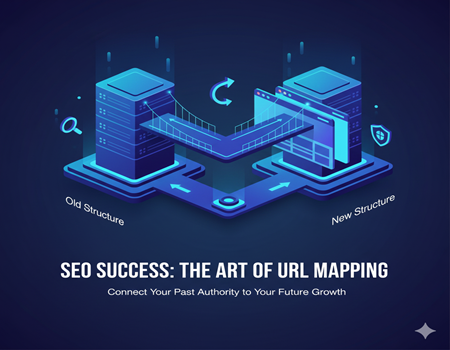
When a website migrates to a new CMS, most attention goes to design, features, and content transfer. But the real factor that decides whether traffic stays or disappears is URL mapping. Simply put, URL mapping tells search engines where every old page has moved on the new website.
Search engines do not understand redesigns. They only understand addresses. If a page changes its address without proper instructions, Google treats it as deleted and replaces it with a completely new page. Years of rankings, backlinks, and authority connected to that URL can vanish overnight.
Many businesses believe redirects can be handled after launch. In reality, migration problems start the moment old URLs stop matching new ones. Without a mapping plan, search engines encounter errors, users land on broken pages, and traffic drops quickly.
A proper URL mapping plan acts like a forwarding address for your website. It ensures every old page points to the correct new page so search engines transfer trust instead of resetting it.
In this guide, you will learn how to create a complete mapping plan step by step — from collecting URLs to testing redirects — so your migration launches smoothly without losing visibility or rankings.
Understanding the Purpose of URL Mapping
Before creating a mapping sheet, it is important to understand why URL mapping matters. Migration is not just moving pages — it is telling search engines how your old website becomes your new website.
How Search Engines Recognize Pages
Search engines identify pages by their URLs, not by design or content alone. Each URL builds its own history over time: rankings, backlinks, engagement signals, and trust. Even if the content stays the same, a new URL looks like a new page to search engines unless you clearly connect the two.
What Happens When URLs Change
When an old page disappears and no replacement is defined, search engines mark it as missing. Rankings attached to that page stop working, and backlinks lose value. If many URLs change at once, search engines may think the entire site is new, which leads to major traffic loss.
Redirect vs Replacement vs Removal
Not every page needs the same treatment:
- Redirect — when a similar page exists in the new structure
- Replacement — when content is merged into a stronger page
- Removal — when the page is no longer useful
Mapping helps decide the correct action for each page instead of applying one rule to all URLs.
Migration Without Mapping = New Website to Google
Without mapping, search engines cannot connect old authority to new pages. Even a perfect redesign then behaves like launching a brand-new website with no history.
Understanding this purpose ensures the mapping plan is treated as an SEO foundation, not just a technical task.
Collect All Existing URLs (Data Gathering Stage)
Before deciding redirects or restructuring pages, you first need a complete list of every URL that exists on your current website. Missing even a small number of URLs can cause traffic loss after migration because search engines and users may still try to access them.
The goal of this stage is to build one master sheet containing every discoverable page.
Crawl the Website
Start by running a full website crawl using a crawler tool. This collects all internally linked pages exactly how search engines find them. Make sure the crawl includes blog posts, categories, tags, images, and downloadable resources.
This step usually reveals pages you forgot existed — old landing pages, outdated campaigns, and archived content.
Export Sitemap URLs
Next, download your XML sitemap. The sitemap shows pages you intentionally allow search engines to index. Compare it with crawl data to identify missing or orphan pages.
Some URLs appear in sitemap but not in navigation — these still need redirects.
Extract URLs from Analytics
Open your analytics platform and export landing pages from the last 12 months. This identifies URLs that users actually visit. Even if a page is not linked anymore, it still matters if it receives traffic.
Extract URLs from Search Console
Search Console provides pages appearing in search results. These URLs may rank even without internal links. Include them because they hold SEO value.
Include Media & PDFs
Many migrations forget documents and media files. PDFs, images, and downloads can rank in search engines and attract backlinks. Add them to the list so they do not break after migration.
Combine into Master Sheet
Combine all collected URLs into a single spreadsheet. Remove duplicates and keep one clean list. Add a column indicating the source (crawl, analytics, or search console).
At the end of this stage, you should have the most important migration asset: a complete record of your website’s existence. This sheet becomes the foundation for every mapping decision.
Classify Pages by Value (Priority Stage)
Once you have the full list of URLs, the next step is deciding which ones matter the most. Not every page deserves equal attention during migration. Some pages carry traffic, rankings, or revenue, while others have little impact. Classification helps you protect critical pages first and avoid wasting effort on low-value content.
High Traffic Pages
Check analytics data and mark pages that receive consistent visitors. These pages already have visibility and user engagement. If they break after migration, the traffic drop will be immediate. Assign them the highest priority in your mapping plan.
Ranking Pages
Some pages may not bring huge traffic but rank for important keywords. These pages support your search presence and brand authority. Even small ranking losses here can affect long-term growth, so they should also be treated as high priority.
Backlink Pages
Identify URLs that other websites link to. Backlinks transfer authority, and losing them weakens your domain strength. Every backlink page must redirect to the most relevant new page, not just the homepage.
Conversion Pages
Pages that generate leads, sign-ups, or sales deserve special care. These pages impact business performance directly. After migration, they should be tested first to ensure forms, tracking, and user flow work correctly.
Low Value Pages
Outdated posts, thin content, or rarely visited pages can be lower priority. Some may be merged or removed instead of migrated individually.
Add a “Priority” column in your spreadsheet: High, Medium, Low.
This simple classification keeps the migration organized and ensures your most valuable SEO and business assets remain protected.
Decide Action for Each URL (Core Mapping Logic)
After classifying pages by importance, the next step is deciding what should happen to each URL in the new website. This is the most critical part of the mapping plan. Every old page must have a clear outcome so search engines understand the relationship between the old structure and the new one.
Think of this stage as assigning a destination to every address.
Keep the Same URL
The safest option is keeping the URL unchanged. If the page topic, content, and purpose remain similar, do not modify the address unnecessarily. Search engines will continue recognizing it, and rankings remain stable.
Even if the design or CMS changes, keeping URLs identical minimizes risk. Whenever possible, prioritize this approach for high-value pages.
Redirect to a New Equivalent Page
Sometimes structure changes are unavoidable. In such cases, redirect the old page to the most relevant new page using a permanent redirect. The new page should match user intent closely.
For example:
Old page: service description
New page: updated service page with the same purpose
Avoid redirecting multiple unrelated pages to one generic page. Search engines may treat it as a soft error and not transfer authority fully.
Merge Similar Pages
Over time, websites create overlapping pages covering similar topics. Migration is the best time to combine them into a stronger resource. Choose one main page and redirect the others to it.
This improves content quality and prevents internal competition in search results.
Remove Pages (410 or 301 Strategy)
Some pages should not exist anymore — expired campaigns, outdated announcements, or irrelevant content. You have two options:
- Redirect to a closely related page if useful
- Return a removal status if no replacement exists
Never leave these pages returning random errors. Planned removal is better than broken links.
Handling Parameters & Filters
Filter URLs and parameter-based pages often create hundreds of unnecessary variations. Decide which versions should remain indexable and which should not. Only important versions should be mapped or redirected.
By the end of this step, every URL in your sheet should have an assigned action: keep, redirect, merge, or remove.
This turns a migration from guesswork into a controlled transition where search engines clearly understand what changed and what stayed the same.
Build the Redirect Mapping Sheet (Execution Step)
Now that every URL has an assigned action, you need to organize the decisions into a clear redirect mapping sheet. This document becomes the working reference for developers and testers during migration. A well-structured sheet prevents confusion and ensures no page is missed.
Create a spreadsheet where each row represents one old URL and its destination.
Required Columns in the Mapping Sheet
Old URL
The exact existing address from your master list. Copy it exactly as it appears, including trailing slashes or parameters. Even small differences matter.
New URL
The destination page after migration. This should always match user intent closely. If multiple pages are merged, all old URLs should point to the chosen primary page.
Redirect Type
Most migrations use a permanent redirect (301). Temporary redirects should not be used unless the change is short-term. Keeping this column documented helps developers implement rules correctly.
Priority Level
Add High, Medium, or Low based on your earlier classification. High-priority pages should be tested first before launch.
Notes
Use this column to explain decisions — merged page, removed content, parameter handling, or special behavior. Clear notes prevent mistakes during implementation.
Organizing the Sheet
Sort the sheet by priority so teams focus on important pages first. Keep the file simple and readable. One clean document is better than multiple scattered files. Everyone involved in the migration should refer to the same sheet.
Estimating Workload
At this stage, businesses often realize how large the migration actually is. The number of redirects, merged pages, and structural changes determines effort and timeline. Many teams calculate this using a CMS Migration Calculator before starting development so they can allocate resources correctly.
The redirect mapping sheet is not just documentation — it is the instruction manual for the migration. If the sheet is accurate, implementation becomes predictable. If it is incomplete, even a technically perfect launch can result in missing pages and lost rankings.
Special Cases You Must Handle Carefully
During migration, some URL situations require extra attention. These cases often look small but can create large SEO issues if ignored. Handling them properly ensures search engines interpret the new structure correctly.
Trailing Slash Differences
Some websites use URLs ending with a slash (/page/) while others do not (/page). Search engines treat these as separate addresses. After migration, choose one format and redirect the other consistently. Inconsistent formatting creates duplicate pages and splits ranking signals.
HTTP to HTTPS
If your website moves from HTTP to HTTPS, every page must redirect securely to its HTTPS version. Mixed versions can confuse search engines and browsers. Always force a single secure version so all authority transfers to one place.
Domain Changes
Changing the domain is one of the highest-risk migrations. Every old URL must redirect to the equivalent URL on the new domain. Avoid redirecting everything to the homepage — this weakens relevance and slows ranking recovery.
Category Restructuring
Sometimes categories are reorganized to improve navigation. When folder paths change, hundreds of URLs may be affected. Map each page individually instead of redirecting entire folders blindly. Accurate mapping preserves topic relevance.
Pagination & Faceted Navigation
E-commerce and large content sites often generate multiple filtered URLs. Decide which versions should remain accessible and which should not. Only important variations should be indexed, while others should consolidate signals to the main page.
These special cases often cause unexpected ranking drops because they affect many pages at once. Careful handling ensures the migration maintains clarity for both users and search engines.
Testing the URL Mapping Before Launch (Validation Stage)
After preparing the mapping sheet, the next step is verifying that redirects actually work before the website goes live. Many migrations fail not because planning was wrong, but because implementation was never tested properly.
Start by uploading redirect rules to a staging environment. Do not wait for launch day. Testing early allows you to fix mistakes without affecting real users or search engines.
Redirect Testing
Open a sample of old URLs from each priority group and confirm they land on the correct new page. High-value pages should be checked individually. If a page lands on the wrong destination, search engines may not transfer its ranking signals.
Crawl Simulation
Run a crawl on the old URL list while pointing it to the staging site. This simulates how search engines will experience the migration. The crawl should show valid redirects instead of errors.
Error Detection
Look for common issues:
- 404 errors
- redirect loops
- redirect chains
Fixing these before launch prevents traffic loss.
Fix Loops & Chains
Each old URL should redirect directly to the final page in one step. Multiple redirect hops slow crawling and weaken authority transfer.
Many organizations involve CMS Migration Services during this stage to validate implementation and confirm the mapping works correctly before making the site public.
Post-Launch Monitoring
After launch, the mapping plan still needs attention. Search engines continue visiting old URLs for weeks, and this period determines whether authority transfers smoothly or problems appear. Monitoring helps you detect issues before they impact rankings significantly.
Start by checking the coverage or indexing reports in your search console. Look for errors showing missing pages. If search engines request URLs not included in your mapping sheet, add redirects quickly so signals are preserved.
Next, review crawl errors regularly during the first month. A few errors are normal, but repeated errors for important pages indicate incorrect mapping. Fix them immediately instead of waiting for rankings to recover on their own.
Track ranking positions and traffic trends. Small fluctuations are expected, but a continuous drop usually means redirect mismatches or missed pages. Compare affected URLs with your mapping sheet to locate gaps.
Finally, monitor backlinks. If external links point to removed pages, update redirects so they connect to relevant content.
Post-launch monitoring completes the migration process and ensures your mapping plan performs as intended.
Conclusion — Migration Is Redirect Management
A successful CMS migration is not defined by a new design or a new platform. It is defined by how well the old website connects to the new one. URL mapping is the bridge that transfers trust, rankings, and traffic from past performance to future growth.
Without a mapping plan, search engines see deleted pages. With a proper plan, they see continuity. Every redirect tells search engines where authority should move, allowing the new website to inherit value instead of rebuilding it from the beginning.
Many migration failures happen because mapping is treated as a small technical step at the end of development. In reality, it should guide the entire migration process from planning to launch and monitoring.
When every URL has a clear destination and is tested carefully, migration becomes predictable rather than risky. The website does not start over — it evolves.
Think of migration as managing redirects, not just moving content. The more structured your mapping plan, the smoother your transition and the faster your website stabilizes after launch.