Technical Debt and CMS Migration: What’s the Link?
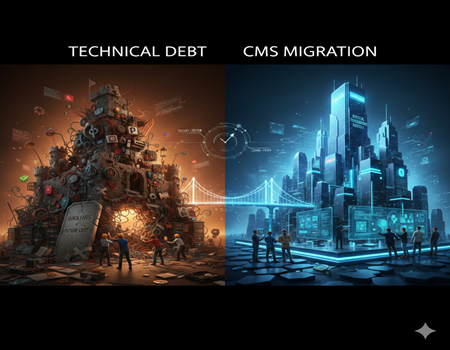
Many businesses today struggle with slow websites, frequent bugs, and rising maintenance costs. At first, these problems may look small. A plugin update fails. A feature stops working. The site becomes slightly slower. So the team fixes it quickly and moves on. But over time, these small fixes start piling up. What seems like a minor issue today can turn into a serious technical challenge tomorrow.
This is where technical debt comes in. Technical debt happens when companies choose quick solutions instead of long-term, scalable ones. It saves time in the beginning, but the cost shows up later in the form of performance issues, security risks, and constant development work. Many businesses don’t even realize they are carrying technical debt until their website becomes difficult to manage.
In many cases, the root cause lies in the CMS. An outdated or poorly structured content management system can slowly accumulate inefficiencies. Too many plugins, custom patches, and temporary fixes can make the system unstable. At some point, fixing issues one by one is no longer enough.
That’s when companies start considering a bigger decision — migration. Instead of patching problems repeatedly, they explore structured solutions like professional CMS Migration Services to rebuild their digital foundation properly.
Understanding the link between technical debt and CMS migration helps businesses make smarter, long-term decisions instead of reacting to problems only when they become urgent.
What is Technical Debt?
Before understanding the connection with CMS migration, it is important to clearly understand what technical debt actually means.
Technical Debt in Simple Words
Technical debt happens when developers choose a quick and easy solution instead of the best long-term solution. It is like borrowing money. You solve your problem today, but you promise to “pay back” the extra work later. The longer you wait, the more expensive it becomes.
In software development, this usually happens because of tight deadlines, budget pressure, lack of planning, or frequent changes in requirements. Instead of building a clean and scalable structure, teams take shortcuts. At first, everything works fine. The website runs. Features are live. Clients are happy.
But after some time, issues start appearing. Small updates break other parts of the system. Fixing one bug creates another. New developers struggle to understand the old code. Slowly, the system becomes harder to manage. That extra effort needed to maintain and improve the system is the “interest” you pay on technical debt.
Technical debt is not always bad. Sometimes taking a shortcut is a smart business decision. The problem starts when it is ignored for too long.
Types of Technical Debt
Technical debt can appear in different forms.
Code Debt happens when code is messy, poorly written, or not documented properly. It works, but it is difficult to maintain.
Architecture Debt occurs when the overall system design is weak. Maybe the CMS was not built to handle high traffic or complex integrations.
Infrastructure Debt involves outdated servers, hosting setups, or tools that are no longer efficient.
CMS or Platform Debt builds when a content management system becomes overloaded with plugins, custom patches, and temporary fixes.
Each type adds pressure to the system and increases long-term risk.
A Real-World Example
Imagine a website built on an old CMS with dozens of plugins installed over the years. Whenever a new feature was needed, another plugin was added. Instead of cleaning old ones, they were left active. Over time, the site becomes slow, security vulnerabilities increase, and updates start conflicting with each other.
This is technical debt in action — invisible at first, but expensive later.
What is CMS Migration?
After understanding technical debt, the next step is to clearly understand CMS migration and why businesses consider it.
CMS Migration Explained
CMS migration simply means moving your website from one content management system to another. It can also mean upgrading from an outdated version of a CMS to a newer and more scalable platform. In simple terms, it is the process of shifting your digital content, design, database, and functionality to a better system.
For example, a company might move from a custom-built CMS to a modern platform that offers better flexibility. Another business may shift from a traditional CMS to a headless CMS for improved performance and omnichannel delivery. Some organizations migrate because their current system no longer supports advanced integrations or modern security standards.
CMS migration is not just about moving content. It involves data mapping, SEO preservation, performance optimization, testing, and ensuring that nothing breaks during the transition.
Why Businesses Migrate
Businesses usually consider migration when their current CMS starts limiting growth. Common reasons include slow performance, frequent technical errors, limited customization options, and high maintenance costs.
Security is another major factor. Older systems may not receive regular updates, increasing vulnerability risks. Integration challenges also push companies toward migration. Modern businesses rely on CRM tools, marketing automation, analytics, and e-commerce platforms. If the CMS cannot integrate smoothly, operations suffer.
Instead of continuously patching issues, many organizations explore structured solutions like professional CMS Migration Services to rebuild their website on a stronger and future-ready foundation.
CMS migration, when planned properly, becomes a strategic move rather than just a technical change.
How Technical Debt Builds Inside a CMS
Technical debt does not appear overnight. It builds slowly inside your CMS as small decisions accumulate over time. What starts as a quick fix can eventually turn into a complex system that is difficult to manage, expensive to maintain, and risky to scale. Let’s understand how this usually happens.
Outdated Plugins and Extensions
Most CMS platforms allow you to install plugins or extensions to add new features. In the beginning, this feels convenient. Need a contact form? Install a plugin. Want better SEO tools? Add another one. Require analytics tracking? One more plugin.
The problem begins when these plugins are not regularly updated or when too many are installed. Some may stop receiving support from developers. Others may conflict with each other. Over time, your website becomes dependent on multiple third-party tools that were never designed to work together perfectly.
This creates instability. A simple update can break core functionality. Fixing one issue may create another. Slowly, your CMS becomes fragile and difficult to manage.
Poor Custom Code Over Time
As businesses grow, they often request custom features. Developers write quick custom scripts to meet urgent requirements. At first, it works well. But if the code is not properly documented or structured, future updates become complicated.
New developers may struggle to understand older code. Small modifications require hours of debugging. Instead of improving performance, teams spend most of their time maintaining old code. This increases development cost and slows down innovation.
Poorly managed custom code is one of the biggest contributors to CMS-related technical debt.
Performance Issues and Page Speed
A CMS overloaded with plugins, heavy themes, and unoptimized code often becomes slow. Page load time increases. Backend operations take longer. Publishing content becomes frustrating for marketing teams.
Slow performance does not only affect user experience. It also impacts search engine rankings and conversion rates. Instead of fixing the core architecture, businesses often apply temporary solutions like caching plugins or server upgrades. These patches may help temporarily, but they do not solve the root problem.
Security Vulnerabilities
Outdated CMS versions and unsupported plugins create serious security risks. Hackers often target known vulnerabilities in older systems. If updates are delayed because of compatibility issues, the website remains exposed.
Security fixes then become reactive rather than proactive. Each new threat adds more pressure to an already unstable system.
Integration Limitations
Modern businesses rely on CRM systems, marketing tools, payment gateways, and analytics platforms. If your CMS was not designed for seamless integrations, adding new tools becomes difficult. Developers may create temporary connectors or workarounds.
Over time, these workarounds add complexity and increase the overall technical debt.
This is how a CMS slowly transforms from a growth tool into a limitation.
The Direct Link Between Technical Debt and CMS Migration
Now that we understand how technical debt builds inside a CMS, the next step is to connect the dots. Why do so many companies start thinking about CMS migration only after technical debt becomes overwhelming? The answer is simple. At some point, maintaining the old system becomes harder than rebuilding it.
When Technical Debt Forces Migration
In the early stages, technical debt feels manageable. A few bugs here and there. Occasional performance issues. Minor security patches. The development team handles it.
But as time passes, maintenance starts consuming more resources than innovation. Developers spend most of their time fixing problems instead of building new features. Updates become risky because one small change can break multiple areas of the site. Even simple improvements take longer than expected.
Costs also begin to rise. You may need specialized developers who understand the old system. Emergency fixes become frequent. Hosting costs increase due to performance inefficiencies. At this stage, businesses realize they are paying continuous “interest” on their technical debt.
Another strong signal appears when scalability becomes impossible. If your website cannot handle growing traffic, new integrations, or expanding product lines, growth slows down. The CMS becomes a bottleneck.
When maintenance costs, security risks, and scalability issues combine, migration stops being optional. It becomes necessary.
Migration as a Strategic Reset
CMS migration, when done correctly, acts like a fresh start. It gives businesses an opportunity to redesign their digital foundation properly. Instead of carrying forward messy code and outdated architecture, they can rebuild with clean structure and better planning.
A new CMS allows for improved performance optimization, stronger security standards, and easier integrations. It can support modern SEO requirements, faster loading times, and better user experiences.
Migration also allows teams to audit existing content and remove outdated or unnecessary elements. Many organizations discover that over the years, they accumulated unused pages, duplicate content, and redundant features. Cleaning this up during migration reduces complexity and improves overall efficiency.
With professional CMS Migration Services, businesses can approach this transition strategically. Instead of simply transferring content, they can redesign workflows, improve architecture, and future-proof their system.
In this sense, migration is not just a technical shift. It is a business decision focused on long-term growth.
When Migration is NOT the Right Choice
However, migration is not always the answer. This is important to understand.
If a website is small, receives low traffic, and has minimal functionality, fixing specific issues may be more practical than migrating. In some cases, technical debt can be reduced by cleaning up plugins, refactoring code, and upgrading the existing CMS version.
Migration also requires planning, time, and investment. Without a clear strategy, businesses may carry old problems into a new system.
The key is evaluation. If the cost of maintaining technical debt keeps increasing and limits growth, migration becomes logical. If issues are minor and manageable, optimization may be enough.
Understanding this balance helps businesses make informed decisions rather than reacting emotionally to short-term problems.
Hidden Cost of Ignoring Technical Debt
Many businesses delay dealing with technical debt because the system still “works.” The website is live. Customers can access it. Sales are coming in. So it feels safe to postpone deeper fixes. But ignoring technical debt comes with hidden costs that slowly impact growth, revenue, and brand reputation.
Higher Maintenance Cost
As technical debt grows, maintenance becomes more expensive. Developers spend more time troubleshooting small issues. Even simple updates require detailed testing because the system is unstable. Over time, you may need senior developers who understand legacy code, and their cost is higher.
Instead of investing in innovation or marketing improvements, your budget gets consumed by ongoing fixes. This continuous expense often exceeds what you might spend on a structured migration.
Lost SEO Rankings
Search engines prioritize fast, secure, and technically optimized websites. A CMS burdened with technical debt often struggles with slow loading speeds, broken links, crawl errors, and poor mobile performance.
These technical issues directly affect rankings. Organic traffic may start declining without a clear reason. Fixing SEO problems on an unstable CMS becomes difficult. Sometimes businesses do not realize that the root cause is the platform itself.
Poor User Experience
Users expect fast, smooth, and secure browsing experiences. If pages load slowly or features fail occasionally, trust decreases. Even small glitches can push potential customers toward competitors.
Technical debt often leads to inconsistent design, outdated layouts, and broken functionalities. Over time, this damages brand credibility.
Revenue Loss
When performance drops, security risks increase, and user experience suffers, revenue eventually gets affected. Conversion rates decline. Bounce rates increase. Customers hesitate to complete transactions on a site that feels unreliable.
At this stage, businesses start comparing ongoing maintenance expenses with the long-term Cost of CMS Migration. In many cases, they realize that investing once in a structured migration is more practical than continuously paying for inefficiency.
Ignoring technical debt may seem cheaper today, but in the long run, it is often the more expensive choice.
How to Know If Your CMS Needs Migration
Not every website with technical debt needs immediate migration. The key is to identify clear warning signs. If multiple issues appear consistently, it may indicate that your CMS has reached its limit.
Here is a practical checklist to help you evaluate your situation.
Frequent Downtime
If your website crashes regularly or becomes unavailable during traffic spikes, your current system may not be scalable. Downtime not only affects user trust but also impacts SEO and revenue.
Slow Backend or Admin Panel
If publishing content, updating products, or making small changes takes too long, your CMS may be overloaded. A slow backend reduces team productivity and increases operational frustration.
Security Patch Challenges
Are you delaying updates because they might break the site? If yes, that is a serious red flag. Unsupported plugins or outdated CMS versions increase vulnerability risks.
Plugin Conflicts
If installing or updating one plugin affects another feature, your system architecture may be too dependent on temporary fixes. Constant compatibility issues are a sign of growing platform debt.
Hard to Scale or Integrate
Modern businesses require smooth integration with CRM tools, marketing automation platforms, payment gateways, and analytics systems. If adding new tools requires heavy customization, your CMS may not be future-ready.
Recurring SEO Technical Errors
Persistent crawl errors, slow loading speed, or structural issues that are difficult to fix can indicate deeper architectural problems.
If you recognize several of these signs, it may be time to explore structured solutions like professional CMS Migration Services. A careful evaluation will help you decide whether optimization is enough or migration is the smarter long-term move.
Best Practices to Reduce Technical Debt During CMS Migration
CMS migration is a great opportunity to reduce technical debt, but only if it is handled carefully. If done without planning, you may transfer old problems into the new system. That defeats the purpose.
Start with a complete technical audit. Identify unused plugins, outdated features, broken pages, and unnecessary integrations. Remove what no longer adds value. Migration should not be a copy-paste process. It should be a cleanup process.
Next, review your database. Clean duplicate entries, optimize media files, and organize content properly. Structured data makes the new CMS more efficient and easier to manage.
Choose a scalable and future-ready platform. Think about long-term growth, integration flexibility, and performance optimization. Avoid selecting a CMS just because it is popular. Select it because it fits your business needs.
Plan content mapping carefully. Ensure URLs, metadata, redirects, and internal links are preserved to protect SEO rankings.
Finally, test everything before going live. A structured approach ensures that migration becomes a solution to technical debt — not the beginning of a new one.
CMS Migration Cost vs Technical Debt Cost
One of the biggest concerns businesses have is cost. Migration feels like a large upfront investment, while maintaining the current system seems cheaper. But when you compare both carefully, the picture becomes clearer.
Technical debt creates ongoing expenses. You continuously pay developers to fix bugs, resolve plugin conflicts, patch security vulnerabilities, and manage performance issues. These costs are not always visible in one invoice, but they accumulate month after month. On top of that, slow performance, SEO drops, and downtime indirectly affect revenue.
CMS migration, on the other hand, is usually a structured, one-time investment. It includes planning, data transfer, testing, SEO preservation, and performance optimization. While the initial amount may seem high, it reduces long-term maintenance stress and improves efficiency.
When businesses evaluate the Cost of CMS Migration, they often realize that staying on a heavily burdened system may actually cost more over time. Migration shifts spending from reactive maintenance to proactive growth.
The real question is not “How much does migration cost?”
The real question is “How much is technical debt costing you every year?”
A strategic comparison helps you make a smarter financial decision.
Conclusion: Strategic Thinking Over Short-Term Fixes
Technical debt and CMS migration are closely connected. What starts as small shortcuts in development can slowly grow into a system that is difficult to manage, expensive to maintain, and risky to scale. Ignoring these issues may feel convenient in the short term, but over time, the impact becomes visible in performance, security, SEO rankings, and revenue.
CMS migration should not be viewed as a sudden reaction to problems. It should be seen as a strategic business decision. When technical debt begins limiting growth, affecting user experience, or increasing maintenance costs, migration becomes an opportunity to reset and rebuild properly.
At the same time, not every situation requires migration. A careful evaluation of your system, goals, and long-term plans is essential. The focus should always be sustainability, scalability, and efficiency.
Businesses that think long term do not just fix issues when they appear. They strengthen their foundation so future growth becomes smoother.
In the end, the real goal is not simply to move to a new CMS.
The goal is to build a digital system that supports your business instead of slowing it down.