CMS Migration for Large Websites (10,000+ Pages)
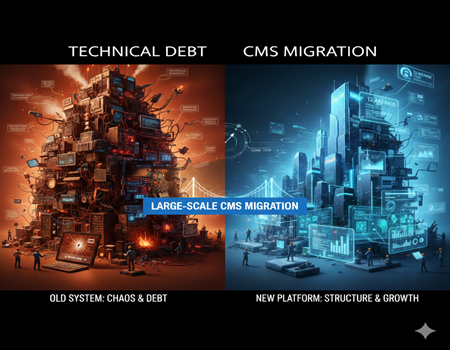
Migrating a website with 50 pages is manageable. Migrating a website with 10,000+ pages is a completely different challenge. The scale changes everything — from planning and testing to SEO protection and data handling.
Large websites usually generate significant organic traffic. They may have thousands of blog posts, product pages, landing pages, category structures, and media files. Even a small mistake during migration can affect search rankings, lead generation, and revenue. When the page count increases, the margin for error becomes very small.
Another major difference is complexity. Large websites often have custom fields, advanced filters, multilingual content, structured data, and multiple integrations. They may connect with CRM systems, marketing automation tools, payment gateways, or enterprise databases. Migration is no longer just about moving content. It becomes a full technical transformation.
There is also the SEO risk. If redirects are not handled properly or metadata is lost, traffic can drop overnight. Recovering rankings for thousands of pages is not easy.
That is why large-scale CMS migration requires structured planning, careful auditing, and strong execution. Many organizations prefer working with experienced CMS Migration Services to reduce risk and protect their digital assets.
When done correctly, migration strengthens performance, scalability, and security. When done without planning, it can create serious business disruption. The difference lies in strategy.
What Makes Large Website Migration So Complex?
Migrating a small website is mostly about moving content and setting up redirects. But when a website has 10,000+ pages, the complexity increases at every level. The challenges are not just technical — they also affect SEO, operations, and business continuity.
Volume of Content
The biggest factor is scale. Large websites often include thousands of blog articles, product listings, category pages, landing pages, resource sections, and archived content. Some pages may be years old but still generate traffic.
Managing this volume manually is almost impossible. Each page may have unique metadata, internal links, images, and structured data. Even tracking which pages need to be migrated, updated, merged, or removed requires a detailed content inventory.
Without proper organization, content can be duplicated, misplaced, or lost during migration.
SEO Sensitivity
Large websites usually depend heavily on organic traffic. Thousands of keywords may be ranking across different categories and blog posts. A single mistake in URL structure, canonical tags, or redirect mapping can impact search visibility.
Search engines take time to reprocess large websites. If technical errors appear after migration, rankings may drop significantly. Recovering lost traffic for 10,000+ pages is far more difficult than fixing issues on a small website.
Data and Database Complexity
Enterprise-level websites often rely on structured databases. They may use custom taxonomies, dynamic filters, product attributes, user-generated content, or multilingual fields.
Migrating this structured data requires careful mapping. If relationships between categories, tags, and content are not preserved, the site structure can break. This affects both user experience and SEO.
Database errors during migration can also lead to missing records or corrupted data.
Integrations and APIs
Large websites rarely operate alone. They connect with CRM platforms, ERP systems, marketing automation tools, analytics platforms, and payment gateways.
During migration, these integrations must be rebuilt and tested. Even a small configuration mistake can interrupt data flow between systems. That is why enterprise CMS migration demands careful coordination across technical and business teams.
When Should a Large Website Consider CMS Migration?
Migrating a large website is a serious decision. It requires time, budget, and planning. So the question is not whether migration is possible. The real question is when it becomes necessary.
Here are some clear situations where a large website should consider CMS migration.
Performance Issues at Scale
As websites grow beyond 10,000 pages, performance becomes critical. If pages load slowly, database queries take longer, or the backend becomes unresponsive, it is a warning sign.
Large content libraries require optimized architecture. If your current CMS struggles to handle traffic spikes, advanced search filters, or large media libraries, patching the system repeatedly may not solve the root problem. Over time, performance limitations start affecting user experience and SEO rankings.
Security Limitations
Older CMS platforms or heavily customized systems often face security challenges. If updates are difficult to apply because they break existing functionality, your site becomes vulnerable.
Large websites are common targets for cyberattacks because they hold more data and traffic. If your CMS cannot meet modern security standards, migration may be the safer long-term option.
Technical Debt Accumulation
Over the years, many large websites accumulate technical debt. Temporary fixes, outdated plugins, unsupported integrations, and messy code structures create instability.
When development teams spend more time maintaining old systems than building new features, growth slows down. If innovation becomes difficult due to platform limitations, it is a strong signal that migration should be evaluated.
Scalability and Growth Barriers
A growing business needs flexibility. You may want to expand internationally, add multilingual support, integrate new tools, or launch new product lines.
If your CMS makes every new feature complex and expensive, it is limiting your growth. At that stage, migration becomes a strategic move rather than a technical upgrade.
The key is proactive evaluation. Waiting until systems completely fail can make migration more risky and urgent.
Major Risks in Migrating 10,000+ Pages
Migrating a large website brings opportunity, but it also carries significant risks. When you are dealing with 10,000+ pages, even small technical mistakes can create large business impact. Understanding these risks in advance helps you plan better and reduce damage.
SEO Ranking Loss
One of the biggest concerns during large-scale CMS migration is SEO loss. Thousands of pages may already be ranking for different keywords. If URL structures change without proper redirects, search engines may treat those pages as new or missing.
Meta titles, descriptions, canonical tags, schema markup, and internal linking structures must be preserved carefully. If metadata gets lost or altered, rankings can drop quickly. Recovering lost visibility for a few pages is manageable. Recovering traffic for thousands of URLs is much harder and may take months.
Broken URLs and Redirect Issues
Redirect management becomes complex when dealing with thousands of pages. Each old URL must correctly map to its new version. If redirect chains are created or pages point to irrelevant destinations, user experience suffers.
Broken links not only frustrate users but also send negative signals to search engines. A poorly executed redirect strategy can cause traffic loss, increased bounce rates, and indexing problems.
Data Loss or Corruption
Large websites rely heavily on structured databases. During migration, data needs to be exported, transformed, and imported into the new system. Any error in this process can result in missing records, formatting issues, or corrupted content.
For example, product attributes, blog categories, author data, or media files may not transfer correctly. Fixing these errors manually after launch can be time-consuming and expensive.
Content Mapping Errors
Content mapping ensures that every page, category, tag, and relationship moves correctly to the new CMS. With thousands of pages, even small mapping mistakes can disrupt navigation or break internal linking structures.
If content relationships are not preserved properly, the site structure becomes confusing for both users and search engines.
Downtime and Business Impact
Extended downtime during migration can directly affect revenue. For e-commerce or lead-generation websites, even a few hours of disruption can mean lost sales.
This is why large-scale CMS migration must be handled carefully, with staging environments and proper testing before going live.
Step-by-Step CMS Migration Plan for Large Websites
Migrating a website with 10,000+ pages cannot be handled casually. It requires a structured, phased approach. A clear roadmap reduces risk, protects SEO, and ensures business continuity. Below is a practical step-by-step framework for large-scale CMS migration.
Pre-Migration Audit
Every successful migration starts with a detailed audit. This is the foundation of the entire project.
Begin with a content audit. Identify all live URLs, archived pages, orphan pages, duplicate content, and outdated sections. Not every page needs to be migrated. Some can be merged, redirected, or removed.
Next, perform a technical audit. Analyze site architecture, internal linking, page speed, crawl errors, and structured data. Understand what is working and what needs improvement.
Finally, conduct an SEO audit. Identify top-performing pages, high-ranking keywords, backlinks, and traffic-driving sections. These assets must be protected during migration.
Without a proper audit, migration becomes guesswork.
Content Inventory and Mapping
Once the audit is complete, create a full content inventory. This includes URLs, metadata, categories, tags, custom fields, media files, and database relationships.
For large websites, this process is usually automated using tools and scripts. Manual tracking is not realistic at this scale.
Content mapping ensures that every old URL has a clear destination in the new CMS. Decide whether:
- The URL structure will remain the same
- A new structure will be implemented
- Certain pages will be consolidated
Metadata such as title tags, meta descriptions, header tags, and schema markup must be preserved carefully. Losing this data can impact SEO performance.
Mapping is one of the most critical stages in large website migration.
Choosing the Right CMS
Selecting the right platform is a strategic decision. Large websites require scalability, flexibility, and strong performance capabilities.
Consider factors like:
- Ability to handle high traffic
- Support for custom content types
- Integration flexibility
- Security standards
- Headless vs traditional CMS architecture
Avoid choosing a CMS based only on popularity. Focus on business needs, long-term growth plans, and technical compatibility.
The right CMS should reduce complexity, not create new technical limitations.
Data Migration Strategy
Data migration should be planned in phases. For 10,000+ pages, batch migration is often safer than moving everything at once.
Use automated scripts to transfer structured data accurately. After each batch, perform validation checks. Compare old and new databases to ensure:
- Content formatting remains intact
- Media files are properly linked
- Categories and tags function correctly
- Internal links are preserved
Testing smaller batches reduces the risk of large-scale data corruption.
It is also important to maintain a backup of the original website before beginning migration. This ensures recovery in case of unexpected issues.
SEO Preservation Plan
SEO protection should never be an afterthought. It must be part of the migration strategy from the beginning.
Create a detailed 301 redirect map for all URLs. Ensure that every old page points to the most relevant new page. Avoid redirect chains.
Update XML sitemaps and submit them to search engines after launch. Verify canonical tags, robots directives, and structured data implementation.
Monitor top-performing pages closely during and after migration. Pay special attention to pages generating the highest traffic or revenue.
Proper SEO planning ensures that traffic fluctuations remain minimal.
Testing and Quality Assurance
Before going live, thorough testing is essential. Set up a staging environment to review the migrated website without affecting live traffic.
Test:
- Page functionality
- Navigation structure
- Forms and integrations
- Mobile responsiveness
- Page speed
- Internal links and redirects
Quality assurance should involve both technical teams and marketing teams. Developers may focus on functionality, while marketers ensure content accuracy and SEO consistency.
Only after comprehensive testing should the new CMS go live.
Large-scale CMS migration is not just a technical shift. It is a structured transformation. With the right planning, careful execution, and continuous monitoring, even a 10,000+ page website can transition smoothly and emerge stronger, faster, and more scalable than before.
SEO Strategy During Large-Scale CMS Migration
When migrating a website with 10,000+ pages, SEO should be treated as a core pillar of the project — not a final checklist item. Large websites often depend heavily on organic traffic. Even small technical mistakes can impact thousands of ranking keywords.
A strong SEO strategy ensures visibility remains stable during and after migration.
Technical SEO Checklist
Before going live, review all essential technical SEO elements.
Make sure title tags and meta descriptions are properly migrated. Check header tag structure (H1, H2, H3) across templates. Ensure canonical tags are pointing to the correct URLs.
Verify robots.txt configuration. Confirm that important pages are not accidentally blocked from search engines.
Structured data and schema markup must also be tested. If your previous CMS used product schema, article schema, or FAQ schema, ensure it is implemented correctly in the new system.
Even small technical gaps can cause crawling and indexing issues at scale.
URL and Redirect Strategy
URL management is critical during large-scale migration.
If URL structures are changing, create a complete 301 redirect map before launch. Each old URL should redirect to the most relevant new version. Avoid redirect loops and long redirect chains.
For websites with thousands of pages, automated redirect mapping tools can help. However, manual validation of high-traffic pages is still important.
A clear redirect strategy protects rankings and preserves link equity.
Monitoring Rankings Post-Migration
Migration does not end at launch. After going live, monitor rankings, crawl errors, and indexing status daily for the first few weeks.
Track organic traffic for key categories and landing pages. Identify unusual drops early so corrections can be made quickly.
Search Console and analytics data become essential during this phase.
Core Web Vitals and Performance
Migration is also an opportunity to improve site speed and performance. Focus on Core Web Vitals, mobile responsiveness, and server response time.
Better performance not only improves rankings but also enhances user experience and conversions.
Cost Considerations for Large CMS Migration
When migrating a website with 10,000+ pages, cost becomes a major discussion point. Large-scale migration is not just a technical shift. It is a structured project that involves multiple teams and phases.
The first component is development cost. This includes CMS setup, custom development, theme creation, database restructuring, and integration rebuilding. Enterprise-level websites often require tailored solutions rather than basic templates.
The second factor is data migration cost. Transferring thousands of pages, media files, metadata, and structured fields requires automation tools and testing cycles. Batch validation and quality checks add to the project scope.
SEO preservation is another cost area. Redirect mapping, metadata protection, crawl testing, and post-migration monitoring require specialized expertise. For large websites, protecting organic traffic is critical because revenue often depends on it.
There is also the cost of testing and quality assurance. Multiple testing environments, security checks, and performance optimization are necessary before launch.
Finally, consider downtime risk and opportunity cost. Poor planning can result in traffic loss or operational disruption, which indirectly impacts revenue.
When evaluating the overall investment, businesses should compare it with the long-term maintenance burden of staying on an outdated system. Reviewing the Cost of CMS Migration in detail helps decision-makers understand that it is not just an expense — it is a strategic investment in scalability and performance.
How Professional CMS Migration Services Help
Migrating a large website with 10,000+ pages is not a simple technical task. It requires coordination between developers, SEO specialists, content teams, and business stakeholders. This is where professional CMS Migration Services play a crucial role.
Experienced migration teams start with detailed audits and risk assessment. They create structured roadmaps, define timelines, and identify potential SEO or data-related risks early. This reduces surprises during execution.
They also use automated tools and tested frameworks to handle bulk data transfer securely. Instead of manually moving thousands of pages, they rely on scripts and validation processes to ensure accuracy. This minimizes data loss and content mapping errors.
SEO protection is another major advantage. Professionals prepare redirect strategies, preserve metadata, monitor rankings after launch, and fix issues quickly if fluctuations occur.
Project management is equally important. Large migrations involve multiple stages and approvals. A dedicated team ensures deadlines are met without compromising quality.
In short, expert support transforms migration from a risky technical shift into a controlled, strategic upgrade.
Best Practices for Migrating 10,000+ Pages Without Losing Traffic
Large-scale CMS migration requires discipline and structured execution. Following best practices can significantly reduce traffic loss and operational disruption.
One effective approach is staged migration. Instead of migrating all 10,000+ pages at once, move sections in controlled batches. This allows teams to test performance, SEO signals, and functionality before full rollout.
Use a parallel staging environment. Build and test the new CMS separately while the old website remains live. This prevents downtime and ensures business continuity.
Implement a gradual rollout strategy if possible. For example, migrate blog content first, then product sections, and finally high-traffic landing pages. This phased approach reduces risk and makes monitoring easier.
After launch, focus heavily on post-migration monitoring. Track organic traffic, keyword rankings, crawl errors, and redirect performance daily during the first few weeks. Fix issues immediately to prevent ranking drops.
Also, maintain clear communication between development and marketing teams. Technical success alone is not enough. SEO and content performance must remain stable.
With proper planning, testing, and monitoring, even a website with 10,000+ pages can migrate smoothly without major traffic loss.
Conclusion: Migration as a Strategic Investment
Migrating a large website with 10,000+ pages is not just a technical upgrade. It is a strategic business decision. When handled properly, it strengthens performance, improves scalability, enhances security, and supports long-term growth.
Yes, the process is complex. It requires detailed audits, structured planning, SEO protection, and careful testing. But staying on an outdated or overloaded CMS can be even more expensive over time. Slow performance, security risks, and limited scalability eventually affect revenue and brand reputation.
Large-scale migration should never be rushed. It should be approached with clarity, expert planning, and long-term vision.
When done correctly, CMS migration becomes more than a system change. It becomes an opportunity to rebuild your digital foundation and prepare your business for the next stage of growth.