MODX Security vs WordPress Security
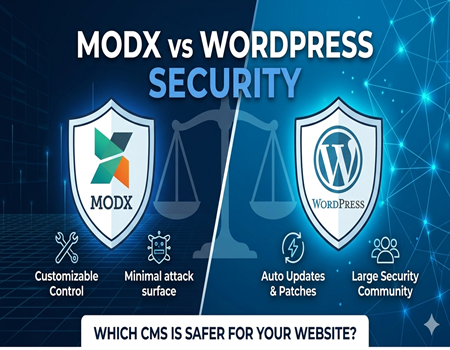
Website security is no longer optional in 2026. With increasing cyber threats, data breaches, ransomware attacks, and automated bots scanning websites daily, choosing a secure content management system (CMS) has become one of the most important business decisions. Whether you run a small blog, a corporate website, or an eCommerce store, your CMS plays a major role in protecting your data and your users.
Two popular CMS platforms often compared for security are MODX and WordPress. Both are open-source systems, but they are built differently and follow different development philosophies. WordPress powers a large percentage of the internet, while MODX is known for its flexibility and developer-friendly architecture. Because of these differences, many website owners ask an important question: Which one is more secure?
The answer is not as simple as choosing one over the other. Security depends on multiple factors such as core architecture, plugin ecosystem, update frequency, hosting environment, and how well the website is maintained. A poorly managed secure platform can still become vulnerable, while a well-maintained system can stay protected for years.
If you are evaluating your options or planning to Migrate website from MODX to WordPress, understanding the security differences between these two platforms is essential. Security should never be an afterthought during migration or website development.
In this detailed comparison, we will explore how MODX and WordPress handle security at the core level, plugin level, and maintenance level. By the end of this guide, you will clearly understand which CMS is safer for your specific business needs and how to protect your website properly regardless of the platform you choose.
Understanding CMS Security Basics
Before comparing MODX and WordPress, it is important to understand what actually makes a CMS secure. Many people assume security depends only on the platform itself, but in reality, website security is a combination of core system design, extensions, server environment, and ongoing maintenance.
Core Security vs Plugin Security
Every CMS has a core system that handles user authentication, database communication, content management, and system updates. If the core code is well-written, regularly updated, and properly maintained, it reduces the chances of vulnerabilities.
However, most modern websites rely heavily on plugins or extensions. These third-party tools add extra features like forms, SEO tools, page builders, and eCommerce functionality. The more plugins you install, the larger your potential attack surface becomes. Even if the core CMS is secure, poorly coded plugins can create vulnerabilities.
Server-Level vs Application-Level Protection
Security works at different levels.
- Server-level security includes hosting firewall protection, malware scanning, SSL certificates, and server configuration.
- Application-level security refers to the CMS itself — how it handles passwords, user roles, permissions, and data validation.
A secure CMS must support both levels effectively. Even the safest platform can become vulnerable if hosted on an insecure server.
User Roles and Access Control
A strong CMS allows detailed role-based access control. This means administrators can limit what users can edit, publish, or configure. Poor role management increases the risk of internal errors or unauthorized access.
Updates and Patch Management
Cyber threats evolve constantly. That is why regular updates and security patches are critical. A secure CMS should release timely updates and make it easy for users to apply them.
When evaluating MODX Security vs WordPress Security, understanding these foundational security principles helps you make a more informed and practical comparison rather than relying on popularity alone.
Overview of MODX Security
MODX is often described as a secure and developer-friendly CMS. One of the main reasons behind this reputation is its flexible and customizable architecture. Unlike highly standardized platforms, MODX gives developers more control over how the website is structured, which can reduce predictable vulnerabilities.
Core Architecture and Security
MODX follows a clean and structured coding approach. It uses secure database handling practices and built-in filtering to reduce risks like SQL injections and cross-site scripting (XSS). Because MODX does not rely heavily on pre-built themes and large third-party ecosystems by default, its attack surface is often smaller compared to more plugin-dependent systems.
Another important point is that MODX does not expose common CMS patterns that automated bots usually target. Many hackers use automated scripts designed specifically for widely used CMS platforms. Since MODX has a smaller market share, it is less frequently targeted by mass automated attacks.
Role-Based Access Control
MODX offers strong user permission management. Administrators can create detailed user roles and restrict access to specific resources, contexts, or backend features. This granular control helps prevent unauthorized changes and reduces internal security risks.
Fewer Installations, Lower Target Rate
Because MODX powers fewer websites globally compared to WordPress, it is less attractive to large-scale attackers. Hackers often focus on platforms that give them maximum impact. This does not mean MODX is immune to attacks, but statistically, it is targeted less often.
Security Strengths
- Flexible and customizable structure
- Strong role and permission management
- Lower visibility to automated bot attacks
- Clean core architecture
Security Limitations
However, MODX security also depends heavily on the developer’s implementation. Since it allows custom coding through snippets and plugins, poorly written custom code can introduce vulnerabilities. Security updates may also require more manual handling compared to beginner-friendly systems.
In short, MODX provides a solid security foundation, especially for developer-managed websites. But like any CMS, its security ultimately depends on proper configuration, updates, and responsible management practices.
Overview of WordPress Security
WordPress is the most widely used content management system in the world. Because of its popularity, it is often criticized for security risks. However, the reality is more balanced. WordPress core itself is built with strong security standards and is continuously monitored and improved by a global community of developers.
WordPress Core Security
The WordPress core software is developed by experienced contributors who follow strict coding standards. Security patches and updates are released regularly. In fact, minor security updates can be installed automatically, which helps protect websites without requiring manual action.
The platform also includes built-in features such as password hashing, user role management, and input validation to prevent common vulnerabilities like SQL injections and cross-site scripting (XSS).
Large Community Support
One of WordPress’s biggest strengths is its massive community. Thousands of developers actively review code, report vulnerabilities, and release patches quickly. If a security issue is discovered, it is often fixed rapidly due to community involvement.
This large ecosystem means there are also many security-focused tools available. Website owners can install firewalls, malware scanners, login protection tools, and backup systems with just a few clicks.
Plugin Ecosystem Impact
However, WordPress security challenges often come from its plugin ecosystem. Because WordPress supports over 50,000 plugins, not all of them are maintained properly. Poorly coded or outdated plugins are one of the most common causes of WordPress vulnerabilities.
The more plugins installed, the larger the potential attack surface. That is why plugin management plays a crucial role in WordPress security.
Common Vulnerabilities
WordPress websites are frequently targeted by:
- Brute force login attacks
- Outdated plugin exploits
- Malware injections
- Weak admin credentials
Importantly, WordPress is not necessarily less secure — it is simply targeted more often due to its popularity.
Security Strengths
- Regular core updates
- Automatic security patches
- Large support community
- Wide range of security plugins
Security Challenges
- High dependency on third-party plugins
- Greater visibility to attackers
- Requires regular monitoring and maintenance
In summary, WordPress offers strong core security, but maintaining it properly is essential. When managed responsibly, WordPress can be highly secure and reliable for businesses of all sizes.
Core Security Comparison: MODX vs WordPress
When comparing MODX Security vs WordPress Security, it is important to evaluate both platforms at the core level. This means looking beyond plugins and focusing on architecture, updates, user management, and overall attack surface.
Default Installation Security
A fresh MODX installation is generally minimal and lightweight. It does not include unnecessary features, which reduces potential vulnerabilities. Since MODX is often developer-configured, its structure can be tightly controlled.
WordPress, on the other hand, is designed for mass adoption. While the default installation is secure, it is more standardized. Because millions of websites follow the same structure, attackers can easily predict common entry points such as the login page.
Update Frequency
WordPress releases frequent updates, including automatic minor security patches. This makes it easier for non-technical users to stay protected.
MODX also provides updates, but they are typically handled more manually. This requires proactive monitoring by developers or administrators.
Code Transparency and Review
Both platforms are open-source, meaning their code is publicly available for review. WordPress benefits from a massive global community constantly reviewing and improving its code. MODX has a smaller but focused developer community.
More contributors can mean faster vulnerability detection, but it also means more third-party extensions to monitor.
Database and File Structure
MODX offers more customization in database handling and content structure. This flexibility can reduce predictable vulnerabilities. WordPress uses a standardized database structure, which makes it easier to manage but also easier for attackers to analyze.
User Management
Both platforms provide role-based access control. MODX offers more granular control in some scenarios, while WordPress provides predefined roles that are simple for beginners.
Quick Comparison Table
Default Setup:
MODX – Minimal and customizable
WordPress – Standardized and beginner-friendly
Update System:
MODX – Manual updates
WordPress – Frequent and automatic minor updates
Attack Surface:
MODX – Smaller due to lower market share
WordPress – Larger due to popularity
Ease of Maintenance:
MODX – Developer-focused
WordPress – User-friendly
In summary, MODX may appear more secure by default due to its lower visibility and customizable structure. However, WordPress offers stronger automated update systems and broader community monitoring. Ultimately, security depends less on the platform itself and more on how well it is maintained and configured.
Plugin & Extension Security Risks
When comparing MODX Security vs WordPress Security, plugin and extension risks play a major role. Most CMS vulnerabilities do not come from the core system — they come from third-party add-ons. Understanding how each platform handles extensions helps you evaluate real-world security risks.
MODX Extras Security
MODX uses “Extras” to extend functionality. The ecosystem is smaller compared to WordPress, which has both advantages and disadvantages.
On the positive side, fewer extras mean fewer poorly coded extensions circulating in the market. The MODX community is developer-focused, so many extensions are built with technical precision.
However, because the ecosystem is smaller, updates and support may not always be as fast or frequent as WordPress plugins. If a security vulnerability is discovered in a MODX extra, fixing it may require manual updates or developer intervention.
Another risk comes from custom snippets. Since MODX allows flexible custom coding, poorly written snippets can introduce security flaws such as improper data validation or unsafe database queries.
WordPress Plugin Ecosystem Risks
WordPress supports tens of thousands of plugins. This massive ecosystem provides flexibility but increases risk. Not all plugins are actively maintained, and some developers may abandon their projects.
Common WordPress security problems include:
- Outdated plugins
- Poorly coded third-party tools
- Plugins downloaded from unofficial sources
- Conflicts between multiple plugins
Because WordPress is so popular, hackers actively scan for known vulnerabilities in outdated plugins. This makes regular plugin updates critical.
Which CMS Handles Plugin Security Better?
MODX benefits from a smaller, more controlled ecosystem, reducing exposure to mass plugin vulnerabilities. WordPress, however, benefits from faster patch releases due to its large community.
If you plan to Migrate website from MODX to WordPress, proper plugin selection becomes extremely important. Installing too many unnecessary plugins increases your attack surface.
Ultimately, both CMS platforms can be secure — but plugin management is the key factor. Choosing reputable extensions, updating them regularly, and removing unused tools are essential practices regardless of the platform you use.
Real-World Attack Risks
To truly understand MODX Security vs WordPress Security, we need to look at real-world attack scenarios. Cyber threats are not theoretical — they happen daily. The difference lies in how frequently each platform is targeted and how well it can defend against common attacks.
Brute Force Attacks
Brute force attacks target login pages by repeatedly guessing usernames and passwords. WordPress websites are commonly targeted because attackers know the default login URL structure. Automated bots constantly scan WordPress sites looking for weak credentials.
MODX websites are less commonly targeted by brute force bots simply because they are less predictable and less widespread. However, weak passwords can still make any CMS vulnerable.
SQL Injection
SQL injection attacks attempt to manipulate database queries. Both MODX and WordPress core systems include built-in protections against SQL injections. Problems usually arise when poorly coded plugins or custom snippets fail to sanitize user input properly.
In WordPress, outdated plugins are often the entry point for SQL injection vulnerabilities. In MODX, custom snippets can become the weak link if not developed securely.
Cross-Site Scripting (XSS)
XSS attacks inject malicious scripts into a website. Again, both CMS platforms include core-level filtering and validation. However, third-party extensions or custom code can bypass these protections if not written carefully.
Malware Injections
Malware attacks often occur through outdated plugins, weak hosting environments, or compromised FTP credentials. WordPress is more frequently targeted due to its popularity, but this does not automatically mean it is less secure.
Does Popularity Equal Insecurity?
WordPress powers a large percentage of websites worldwide. Because of this dominance, attackers focus on it for maximum impact. MODX, being less common, is not attacked as aggressively by automated bots.
However, security is not only about popularity. A well-maintained WordPress website can be extremely secure. Similarly, a poorly maintained MODX website can be compromised.
Ultimately, real-world risk depends more on maintenance practices than on the CMS name itself.
Security Maintenance & Updates
Security is not a one-time setup. It is an ongoing process. No matter how secure a CMS is by design, it must be regularly updated and properly maintained. When comparing MODX Security vs WordPress Security, maintenance plays a crucial role in long-term protection.
Update Process in MODX
MODX updates are generally handled manually through the dashboard or package manager. While this gives developers full control over when and how updates are applied, it also means the responsibility lies entirely with the site owner or developer.
If updates are delayed, known vulnerabilities may remain open. For developer-managed websites, this manual approach is manageable. However, non-technical users may forget or postpone updates, increasing security risks.
Update Process in WordPress
WordPress follows a more automated approach. Minor security patches are often installed automatically. Major updates still require manual confirmation, but the system notifies users clearly when updates are available.
Plugins and themes also display update alerts in the dashboard. This makes it easier for website owners to keep everything current. However, updates should always be tested carefully, especially on larger websites.
Auto Updates vs Manual Control
Automatic updates improve security by closing vulnerabilities quickly. WordPress has an advantage here for non-technical users. MODX offers more manual control, which experienced developers may prefer.
If you plan to Migrate website from MODX to WordPress, understanding this difference is important. WordPress may reduce maintenance effort through automation, but it still requires responsible management.
Ease of Maintenance
For beginners, WordPress is generally easier to maintain due to clear notifications and automatic patches. MODX is more developer-focused and may require deeper technical involvement.
In the end, consistent updates, monitoring, backups, and secure hosting are more important than the CMS itself. Regular maintenance is what truly keeps a website secure over time.
Best Security Practices for Both CMS
No matter whether you choose MODX or WordPress, security depends largely on how well the website is managed. Even the most secure CMS can become vulnerable if basic security practices are ignored. Below are practical and actionable steps that apply to both platforms.
Choose Secure Hosting
Your hosting provider plays a major role in website security. Always select a reliable host that offers:
- Server-level firewall protection
- Malware scanning
- Regular backups
- SSL certificates
- Updated PHP versions
A secure hosting environment protects your website even before CMS-level security comes into play.
Use Strong Login Credentials
Weak usernames and passwords are one of the most common reasons websites get hacked. Avoid using “admin” as a username. Use strong, unique passwords and enable two-factor authentication if available.
Keep Core and Extensions Updated
Regularly update the CMS core, plugins, themes, and extras. Outdated components are the biggest security risk in both MODX and WordPress.
Install Security Tools
For WordPress, use a reputable security plugin that includes firewall protection and malware scanning. For MODX, configure security settings carefully and consider server-level firewalls.
Limit User Access
Give users only the permissions they need. Avoid giving full administrator access unless absolutely necessary. Both MODX and WordPress allow role-based access control.
Use HTTPS and SSL
Always install an SSL certificate. HTTPS encrypts data transferred between users and your server, protecting login details and sensitive information.
Regular Backups
Schedule automatic backups and store them securely. In case of an attack, backups allow you to restore your website quickly.
Good security is about consistency. Whether you are running MODX or WordPress, disciplined maintenance and responsible management are the real foundations of long-term protection.
Which CMS Is More Secure for Your Business?
Choosing between MODX and WordPress from a security perspective depends on your business type, technical expertise, and long-term goals. There is no universal winner — the right choice depends on how the platform is managed and what your website requires.
For Small Business Websites
If you run a small business website or blog and do not have a dedicated developer, WordPress may be easier to manage securely. Automatic updates, security plugins, and a user-friendly dashboard make it simpler for non-technical users to maintain protection.
However, you must actively manage plugins and keep everything updated. Poor plugin management is the biggest security risk in WordPress.
For Developer-Managed Projects
MODX is often preferred by developers who want full control over architecture and customization. Its flexible structure allows tighter security control if implemented correctly. For businesses with in-house technical teams, MODX can be extremely secure.
For eCommerce Websites
Security is critical for online stores handling payments and customer data. WordPress with WooCommerce can be very secure when combined with proper hosting, SSL, and firewall protection. MODX can also support secure eCommerce setups but may require more custom configuration.
For Growing and Scalable Businesses
If scalability, ecosystem support, and easy maintenance are priorities, WordPress offers strong long-term advantages. The large community ensures frequent security updates and rapid vulnerability fixes.
If you are considering whether to Migrate website from MODX to WordPress, security should be evaluated alongside usability, scalability, and maintenance effort.
Final Consideration
A well-maintained WordPress website can be just as secure as MODX. Similarly, a poorly managed MODX site can be vulnerable.
Ultimately, security is less about the CMS name and more about:
- Regular updates
- Strong hosting
- Careful plugin selection
- Responsible management
Choose the platform that matches your technical capability and business goals.
Which CMS Is More Secure for Your Business?
When comparing MODX Security vs WordPress Security, the better option depends on your business needs and technical resources. There is no single platform that is automatically more secure in every situation.
For small businesses and non-technical users, WordPress often feels easier to manage securely. Automatic core updates, clear dashboard notifications, and widely available security plugins make routine maintenance simple. As long as plugins are updated regularly and strong passwords are used, WordPress can be very secure.
For developer-managed websites, MODX offers strong security through customization and tighter control over structure. Since MODX sites are often built with fewer third-party extensions, the attack surface can be smaller. However, this also means security depends heavily on how well the developer writes and maintains the code.
For eCommerce websites, both platforms can be secure if configured properly. The real risk comes from poor hosting, outdated extensions, and weak login practices — not the CMS itself.
If you are thinking about whether to Migrate website from MODX to WordPress, security should be part of the decision, but not the only factor. Maintenance effort, scalability, ease of use, and ecosystem support also matter.
In the end, both MODX and WordPress can be secure. The safer platform is the one that is properly configured, regularly updated, and responsibly managed over time.