How to Own Your Email List After Leaving Substack
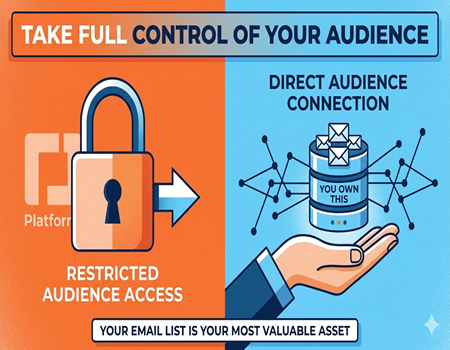
Email lists are one of the most valuable assets for writers, creators, and online businesses. Unlike social media followers, an email list gives you direct access to your audience. You can communicate with subscribers anytime without depending on algorithms or third-party platforms. This is why many creators focus on building and protecting their email lists.
Platforms like Substack have made it very easy for writers to start newsletters and grow subscribers quickly. Many journalists, bloggers, and independent creators use Substack because it combines blogging and email newsletters in one simple platform. However, over time many creators realize the importance of having full control over their audience.
When your audience is tied to a specific platform, your growth and communication can become limited. Platform rules, fees, or feature restrictions can affect how you run your newsletter or website. Because of this, many creators eventually look for ways to move their audience and manage their email list independently.
Owning your email list means you control your subscriber data, your communication strategy, and your future growth. You are not dependent on a single platform to reach your readers. This freedom allows creators to build a long-term brand and create stronger relationships with their audience.
In this guide, you will learn how to own your email list after leaving Substack. We will explain how to export your subscribers, move them to a new platform, and protect your audience data. By the end, you will understand how to keep full control of your email list while growing your newsletter or blog independently.
Why Owning Your Email List Matters
For creators, bloggers, and online businesses, an email list is one of the most valuable digital assets. Unlike social media followers, email subscribers give you direct access to your audience. You can communicate with them anytime without relying on algorithms or third-party platforms that may limit your reach or change their rules.
When your email list is controlled by a platform, you do not fully own that relationship with your audience. If the platform changes policies, increases fees, or limits certain features, your communication with subscribers can be affected. This is why many creators prefer to build and manage their own email lists independently.
Owning your email list means you have full control over how you communicate with subscribers. You can move your list to different email marketing platforms, create personalized campaigns, and build stronger relationships with readers. This flexibility allows creators to adapt their strategy without worrying about losing access to their audience.
Another major advantage of owning your email list is better monetization opportunities. When you control your subscriber data, you can promote products, services, memberships, or courses directly to your audience. This direct communication channel often leads to higher engagement and more reliable revenue compared to relying only on external platforms.
Most importantly, email ownership provides long-term security for creators. Platforms may rise and fall over time, but your email list remains a stable asset that you control. By building and maintaining your own email database, you create a reliable foundation for growing your audience and sustaining your online presence.
Why Many Creators Leave Substack
Many writers start their journey on Substack because it is simple and easy to use. The platform allows creators to publish newsletters and grow an audience without worrying about website setup or technical details. However, as their audience grows, many creators begin to realize that Substack has several limitations.
One common reason creators leave Substack is the lack of customization. The platform offers only basic design options, which makes it difficult to build a unique brand identity. Writers who want more control over their website layout, design, and features often feel restricted by Substack’s limited customization capabilities.
Another major concern is the revenue share model. Substack takes a percentage of the income generated through paid subscriptions. While this may not seem significant at the beginning, the fee can become expensive as a creator’s subscriber base grows. Many writers prefer platforms where they can keep full control over their earnings.
SEO limitations also influence the decision to leave Substack. The platform provides only basic search engine optimization settings, which can make it harder for content to rank well on Google. Creators who want to grow through organic search traffic often look for platforms that offer stronger SEO tools and better control over website structure.
Finally, many creators want full ownership of their content and audience. Building a personal website gives writers greater independence and flexibility. By moving away from platform dependency, creators can control their branding, monetization strategies, and long-term audience relationships.
Can You Take Your Email List from Substack?
Many creators worry that leaving Substack means losing their email subscribers. Since newsletters are built around email audiences, this is an important concern. The good news is that Substack allows creators to export their subscriber list. This means you can download your email contacts and move them to another platform.
Substack gives creators access to their subscriber data through the dashboard. From there, you can export a list of your subscribers in a CSV file format. This file usually includes important information such as subscriber email addresses, subscription status, and the date when someone joined your newsletter.
Having access to this exported file means your audience is not permanently locked inside the platform. You can take this list and upload it to another email marketing tool or website platform. This flexibility allows creators to continue communicating with their audience even after leaving Substack.
However, it is important to follow proper steps when migrating your subscribers. Simply exporting a list and sending emails from a new platform without preparation can sometimes affect email deliverability. Informing your audience about the change and maintaining transparency helps maintain trust with your subscribers.
Because Substack allows subscriber export, creators have the freedom to move their audience whenever they need more control. Whether you want better customization, stronger SEO capabilities, or more monetization options, exporting your email list makes it possible to continue growing your audience on a platform you fully control.
Step 1: Export Your Email Subscribers from Substack
The first step in owning your email list after leaving Substack is exporting your subscriber data. Substack makes this process fairly simple and allows creators to download their subscriber list directly from the dashboard. By exporting this data, you can safely move your audience to another platform without losing contact with your readers.
To begin, log in to your Substack dashboard and navigate to the subscribers section. This area contains the full list of people who have signed up for your newsletter. Here you can see both free subscribers and paid subscribers who receive your content regularly through email.
Once you are inside the subscribers section, you will find an option that allows you to export your list. Substack generates a downloadable CSV file that contains important information about your subscribers. This file usually includes email addresses, subscription type, and other basic details needed for email marketing platforms.
After downloading the file, it is important to store it safely because it represents your entire email audience. This exported list can later be uploaded to another email platform or website system. Many creators use email marketing tools or their own websites to manage subscribers after leaving Substack.
Before moving your subscribers, it is also a good idea to review the list and make sure everything looks correct. Checking the data helps prevent errors when importing the list into a new platform. This step ensures that your transition is smooth and that you maintain communication with your audience without interruption.
Step 2: Choose a Platform to Move Your Email List
After exporting your subscriber list from Substack, the next step is choosing a platform where you will manage your email audience. This decision is important because the platform you choose will affect how you send newsletters, grow your audience, and manage your content in the future.
Many creators move their email lists to dedicated email marketing platforms such as ConvertKit, Mailchimp, or similar tools. These platforms are designed specifically for managing subscribers and sending newsletters. They provide features like audience segmentation, automated email campaigns, and analytics to track open rates and engagement.
Another option is using a publishing platform that combines blogging and email newsletters. Platforms like Ghost allow creators to run a blog while also managing subscribers in the same system. This approach works well for writers who want to publish articles and send newsletters without managing too many separate tools.
However, many creators choose WordPress because it offers the highest level of control and flexibility. With WordPress, you can build a complete website while integrating powerful email marketing tools. Plugins and integrations allow you to connect your website with email platforms and manage subscriber forms, automation, and newsletter campaigns.
WordPress also provides strong advantages for long-term growth. Creators can build SEO-friendly blogs, create landing pages, and develop their own brand website. This flexibility makes it easier to grow an audience through both email newsletters and organic search traffic.
Choosing the right platform depends on your goals, technical comfort, and content strategy. The key is selecting a system that gives you full control over your email list so you can maintain direct communication with your audience.
Step 3: Import Your Email List to a New Platform
After selecting a new platform, the next step is importing the subscriber list you exported from Substack. This process allows you to move your audience to your new email system so you can continue communicating with them. Most email marketing tools support CSV file uploads, which makes transferring subscribers relatively straightforward.
To begin the process, log in to your new email platform and find the option to import contacts. Most tools provide an import feature where you can upload the CSV file downloaded from Substack. Once uploaded, the platform will read the data and prepare it for adding subscribers to your email list.
During the import process, you may need to match fields such as email address, name, and subscription status. This step ensures that the subscriber information is organized correctly inside the new system. Some platforms also allow you to create tags or segments, which helps you manage subscribers more effectively.
Before sending newsletters from the new platform, it is important to verify the subscriber list. This helps remove duplicate or inactive email addresses and improves email deliverability. Clean email lists usually result in better open rates and reduce the chances of messages being marked as spam.
Once the import is complete, it is a good idea to send a welcome email informing subscribers about the change. Let them know that you have moved your newsletter to a new platform and reassure them that they will continue receiving the same valuable content. Clear communication helps maintain trust and keeps your audience engaged.
Move Your Content Along with Your Email List
When leaving Substack, exporting your email subscribers is only one part of the transition. Your published content is also valuable because it represents the work you have already created for your audience. Moving your posts and newsletter archives ensures that readers can still access your content on your new platform.
Many creators choose to migrate their Substack posts to a personal website or blogging platform. This allows them to keep their existing articles, newsletters, and resources available to readers. Maintaining your content archive is important because it preserves your writing history and prevents valuable content from being lost.
Another important reason to move your content is search visibility. If your posts are only available on Substack, your ability to optimize them for search engines may be limited. By moving your content to a platform with stronger SEO capabilities, creators can improve the chances of their articles ranking on Google.
Migrating both content and subscribers also helps create a more complete and professional website. Instead of managing newsletters on one platform and blog posts somewhere else, creators can keep everything in one place. This makes it easier for readers to explore articles, sign up for newsletters, and engage with your content.
If the migration process feels complicated, professional help can make the transition smoother. Many creators use a Substack To WordPress Migration Service to move their posts, subscribers, and content archives safely. This ensures that your audience, articles, and email list remain intact while you build a fully controlled publishing platform.
How WordPress Gives Full Control Over Your Email List
WordPress is one of the most powerful platforms for creators who want full control over their website and email audience. Unlike platforms that keep your content and subscribers inside their system, WordPress allows you to manage everything independently. This means you control how your website works, how you communicate with readers, and how your email list grows.
One of the biggest advantages of WordPress is its ability to integrate with multiple email marketing tools. Creators can connect their website with platforms like Mailchimp, ConvertKit, or other email services. This allows you to collect subscribers through forms, landing pages, and newsletter sign-ups directly on your own website.
Another benefit is the level of customization WordPress provides. With themes and plugins, you can design your website exactly the way you want. You can create dedicated newsletter pages, lead generation forms, and content hubs that encourage readers to join your email list. This flexibility helps creators build stronger audience relationships.
WordPress also supports strong search engine optimization features. By publishing SEO-optimized content, creators can attract new readers through Google search. As more people discover your website, your email list naturally grows through subscription forms and content engagement.
Most importantly, WordPress gives you complete ownership of your content and subscribers. You are not locked into a single platform or revenue model. This freedom allows creators to build a sustainable audience, experiment with different monetization strategies, and maintain direct communication with their readers over the long term.
Best Practices to Protect Your Email List
Your email list is one of the most valuable assets you can build as a creator. It represents a direct connection with your audience and allows you to communicate without relying on social media platforms or third-party algorithms. Because of this, it is important to protect and manage your email list carefully.
One important practice is regularly backing up your subscriber data. Many email platforms allow you to export your subscriber list as a CSV file. Keeping a backup ensures that even if you change platforms or face technical issues, you will still have access to your audience information.
Another good practice is using a reliable email marketing platform instead of relying only on publishing platforms. Dedicated email tools offer better subscriber management, analytics, and deliverability features. These tools help ensure your newsletters reach your audience consistently and allow you to manage your list more effectively.
It is also important to communicate clearly with your subscribers. Whenever you make changes such as moving your newsletter to a new platform, inform your audience in advance. Transparency builds trust and helps prevent subscribers from becoming confused or unsubscribing because of unexpected changes.
Finally, focus on building your email list through your own website whenever possible. When subscribers join through your website instead of a third-party platform, you maintain greater control over your audience. This strategy helps protect your email list and supports long-term growth for your content and brand.
Common Mistakes When Migrating from Substack
Migrating from Substack to another platform can be a smooth process if handled carefully. However, many creators make small mistakes during the transition that can affect their email list, content visibility, or audience trust. Understanding these common mistakes can help you avoid problems and ensure a successful migration.
One common mistake is failing to inform subscribers about the migration. If readers suddenly start receiving emails from a different platform or website, they may become confused or think the email is spam. Sending a clear announcement before and after the move helps subscribers understand the change and keeps them engaged.
Another mistake is not checking the exported subscriber data properly. When you download your email list from Substack, it is important to review the file and ensure all subscriber details are accurate. Uploading incorrect or incomplete data into a new email platform can lead to missing contacts or email delivery problems.
Some creators also forget to move their existing content along with their subscribers. Blog posts and newsletter archives are valuable assets that help maintain your content history. Migrating your content ensures that readers can still access your previous work and helps maintain continuity for your audience.
Ignoring email deliverability is another common issue. Sending newsletters from a new platform without warming up the email list can sometimes trigger spam filters. Gradually introducing emails and maintaining good list hygiene helps improve deliverability and protects your sender reputation.
By planning the migration carefully and avoiding these mistakes, creators can move their audience smoothly while maintaining strong relationships with their subscribers.
Final Thoughts: Take Full Ownership of Your Audience
Building an email list is one of the most valuable things a creator can do. Unlike social media followers, an email list gives you direct access to your audience without depending on changing algorithms or platform policies. When you own your email list, you have the freedom to communicate with your readers whenever you want.
Many creators start their journey on platforms like Substack because it is simple and convenient. However, as their audience grows, they often realize the importance of having more control over their content, branding, and communication channels. Owning your email list allows you to move your audience between platforms without losing the connection you have built.
Taking ownership of your email list also helps support long-term growth. When your subscribers are connected directly to your website or email platform, you can experiment with different content formats, newsletters, products, and monetization strategies. This flexibility allows creators to build a sustainable online presence.
Another advantage is the ability to protect your audience from platform dependency. Relying entirely on one platform can be risky because policies, pricing, or features may change over time. By controlling your email list and website, you ensure that your audience remains accessible regardless of platform changes.
Ultimately, owning your email list gives creators independence and security. It allows you to build a direct relationship with your readers and grow your brand on your own terms while maintaining full control over your content and audience communication.