Migrating DNN Intranets to WordPress
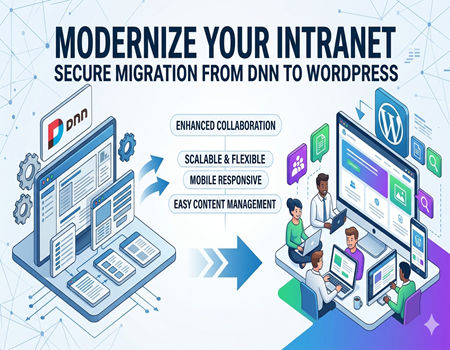
Many organizations still rely on DNN (DotNetNuke) intranets, a platform that was once a strong contender for enterprise content management. While it served its purpose years ago, businesses today face growing challenges with maintenance, customization, and scalability. Legacy DNN systems often slow down innovation, making it difficult to deliver a modern, user-friendly experience for employees.
Migrating to WordPress provides a more flexible and cost-effective solution. Unlike DNN, WordPress offers a robust plugin ecosystem, regular updates, and a large support community. These features allow organizations to easily expand functionality, improve user experience, and stay ahead of evolving business needs without being tied to complex coding or outdated modules.
Here’s the thing: outdated intranets not only frustrate employees but also increase operational risks. Security patches may lag, custom modules might fail after updates, and the platform’s ecosystem can feel isolated. WordPress mitigates these risks with a vast library of trusted plugins, mobile responsiveness, and enhanced security protocols that can be tailored to enterprise requirements.
If you’re considering a migration, it’s essential to understand the benefits beyond just cost savings. WordPress enables better collaboration, seamless integration with other tools, and easier content management. This makes it ideal for organizations that want a scalable, future-ready intranet without the headaches of legacy software.
For companies seeking professional assistance, our DotNetNuke To WordPress Migration Service ensures a smooth transition, preserving your content, user roles, and critical workflows. By planning the migration carefully, businesses can unlock productivity gains and a more engaging intranet experience for employees across the board.
Understanding the Challenges of DNN Intranets
DNN (DotNetNuke) intranets were popular for enterprise content management in the past, but modern organizations face increasing challenges with these legacy systems. One of the major issues is complex architecture. Customizing or updating DNN often requires specialized developers, which increases maintenance costs and slows down business operations. Even minor changes can become time-consuming projects, affecting agility.
Another significant challenge is limited scalability. As businesses grow, DNN intranets often struggle to support more users, departments, and complex workflows. Adding new functionality usually involves creating custom modules that are expensive, prone to bugs, and difficult to integrate with modern APIs or third-party tools. This limitation can stall business growth and reduce efficiency across teams.
Security is also a concern. DNN platforms rely on frequent updates and patches to remain secure. Outdated modules or unsupported features can leave sensitive organizational data vulnerable. Compliance with regulations like GDPR or industry-specific standards is harder to enforce on legacy DNN intranets, increasing operational and legal risks. Organizations must weigh these risks carefully when considering the platform’s long-term viability.
User experience is another pain point. Many DNN intranets feel outdated and unintuitive. Navigation is often clunky, mobile responsiveness is limited, and content management is cumbersome. Employees may struggle to find information efficiently, which can hinder adoption, productivity, and engagement.
Community Support and Operational Bottlenecks
Limited community and support create additional hurdles. While DNN has a dedicated but small user base, finding solutions to unique problems or learning best practices is challenging. Onboarding new developers or employees familiarizing themselves with DNN requires extra effort. Combined with security, UX, and scalability issues, these challenges often create operational bottlenecks that slow down decision-making. Recognizing these pain points is critical before migrating to a modern, flexible intranet like WordPress.
Why WordPress is the Ideal Solution
WordPress has become the go-to platform for modern intranets because it combines flexibility, ease of use, and robust functionality. Unlike DNN, WordPress provides a user-friendly interface that allows content managers to add, edit, or organize information without relying on developers for every change. This reduces operational bottlenecks and empowers teams to manage content efficiently.
Another key advantage is the plugin ecosystem. WordPress offers thousands of plugins that extend functionality—from workflow automation and document management to intranet-specific tools like private forums and employee directories. These plugins are regularly updated, supported, and often more cost-effective than developing custom DNN modules, giving organizations the ability to scale and innovate quickly.
Enhanced Security and Mobile Experience
Security is critical for any enterprise intranet. WordPress allows organizations to implement advanced security protocols, regular updates, and user access controls with ease. Many enterprise-ready plugins focus on login security, activity monitoring, and data protection. Additionally, WordPress themes are mobile-responsive by design, enabling employees to access the intranet seamlessly from smartphones and tablets, which is essential for modern workforces.
Better Collaboration and SEO-Friendly Architecture
WordPress supports multiple users, role-based permissions, and content versioning, enhancing team collaboration. Its SEO-friendly architecture allows organizations to manage internal search, indexing, and content visibility efficiently. Even internal documentation or knowledge bases can benefit from optimized structure, improving discoverability and usability across departments.
Internal Linking Opportunity and Migration Support
For businesses considering migration, professional support ensures smooth transition. Our DotNetNuke To WordPress Migration Service preserves content, workflows, and user permissions while minimizing downtime. By migrating to WordPress, organizations unlock better flexibility, a modern interface, and long-term scalability without the legacy limitations of DNN.
Planning Your Migration – Key Considerations
Migration from DNN to WordPress requires careful planning to ensure smooth transition. The first step is to audit your existing DNN intranet. Assess content, user roles, permissions, and custom modules. Understanding the structure and functionality of your current system helps identify what can be migrated directly and what needs reconfiguration, reducing surprises during migration.
Next, clearly define goals for the new WordPress intranet. Decide whether the focus is improved user experience, enhanced collaboration, mobile accessibility, or future scalability. Having clear objectives ensures the migration process prioritizes the most critical areas first, preventing wasted time and resources on features that may not add real value.
Content Mapping and Structure
A crucial part of planning is mapping DNN content and users to WordPress structure. This involves categorizing pages, modules, documents, and workflows. Plan how user roles will translate into WordPress permissions. Identifying content dependencies and relational data early helps prevent data loss and ensures employees can access the information they need post-migration.
Choosing Themes and Plugins
Selecting the right WordPress themes and plugins is another key consideration. Choose enterprise-ready plugins that replicate DNN functionality or enhance usability. Consider workflow automation, intranet communication tools, document management, and analytics. A thoughtful plugin selection can save significant development time and improve long-term maintainability.
Risk Assessment and Timeline
Before starting, perform a risk assessment. Identify potential data loss, downtime, and SEO impact. Define rollback plans if needed. Establish a realistic migration timeline, including testing, training, and phased launch if necessary. Budgeting appropriately for resources, licensing, and unforeseen challenges ensures the project stays on track.
Professional Support
Even with careful planning, migrations can be complex. Partnering with experts ensures content, user permissions, and workflows are preserved. Our DotNetNuke To WordPress Migration Service provides professional guidance, minimizing downtime, and ensuring a secure, seamless transition. Proper planning reduces operational disruption and positions the organization for long-term success on WordPress.
Step-by-Step Migration Process
Migrating a DNN intranet to WordPress can feel overwhelming, but breaking it down into clear steps simplifies the process. Proper planning and execution help preserve data integrity, maintain user permissions, and ensure a seamless transition. Below is a practical roadmap for a smooth migration.
Step 1: Backup Your DNN Intranet
Before starting, create a full backup of your DNN intranet, including databases, content files, user information, and custom modules. Backups protect against accidental data loss during migration. It’s crucial to store these backups securely, ideally both on-site and off-site, so you can quickly restore the original system if something goes wrong.
Step 2: Audit and Map Content
Next, perform a detailed content audit. Identify all pages, modules, documents, and workflows currently in DNN. Categorize them according to priority and structure. Mapping content ensures that nothing is lost during migration and helps you organize the WordPress site logically. Plan how user permissions and roles will translate into WordPress for seamless access.
Step 3: Select WordPress Themes and Plugins
Choose suitable WordPress themes that match your intranet’s design and branding. Select enterprise-grade plugins for document management, employee directories, communication, and workflow automation. Using reliable plugins reduces the need for custom development and ensures the intranet remains maintainable and scalable in the long term.
Step 4: Content Migration Methods
There are multiple approaches to move content:
- Manual migration: Copy and paste critical pages, ideal for small intranets.
- Automated migration tools: Use scripts or services to migrate large amounts of content efficiently.
- Hybrid approach: Combine automated migration for bulk content with manual checks for complex modules or media files.
Choose the method that balances speed with accuracy, ensuring all content and metadata are preserved.
Step 5: Testing the New WordPress Intranet
After migration, perform comprehensive testing. Check content integrity, module functionality, user roles, and links. Ensure mobile responsiveness, page speed, and security features are working correctly. Include a small group of employees in beta testing to gather feedback on navigation, accessibility, and usability.
Step 6: Go Live and Monitor Performance
Once testing is complete, plan a phased launch if possible. Monitor site performance, server load, and user interactions closely. Address any unexpected issues promptly. Use analytics tools to track engagement and identify areas for optimization. Keep backups handy in case rollbacks are required.
Step 7: Continuous Optimization
Even after migration, continue to optimize the intranet. Update plugins, refine content structure, and gather user feedback regularly. Professional services like our DotNetNuke To WordPress Migration Service can assist with post-launch support, ensuring that your intranet remains secure, fast, and user-friendly.
Common Migration Challenges and How to Overcome Them
Migrating from DNN to WordPress is rewarding, but it comes with challenges. Understanding these obstacles early allows organizations to plan solutions in advance and avoid costly mistakes. Below are the most common challenges and practical ways to overcome them.
Data Integrity Issues
During migration, data loss or corruption can occur, especially when moving large amounts of content or custom modules. To prevent this, maintain multiple backups of DNN content and perform test migrations on a staging site. Validate each module, page, and file after migration to ensure accuracy and completeness.
User Permissions and Roles
Mapping DNN user roles to WordPress can be tricky. DNN allows complex permissions for different modules and pages, which may not directly translate. To overcome this, create a role mapping plan in advance, defining equivalent WordPress roles. Test user access post-migration to ensure employees retain the permissions they need.
Legacy Module Compatibility
Custom DNN modules may not have direct WordPress equivalents. Some functionality might break if migrated directly. The solution is to identify critical modules before migration and find WordPress plugins or develop lightweight custom solutions to replicate functionality. Avoid unnecessary complexity by focusing on essential workflows first.
Content Formatting and SEO Preservation
Migrated content may lose formatting or internal links, affecting usability and SEO. Use migration tools that preserve HTML formatting, images, and metadata. Conduct a SEO audit post-migration to ensure URLs, meta titles, and descriptions are maintained, preserving search engine rankings.
Practical Tips for Smooth Migration
Plan carefully, use staging environments, and involve end-users for testing. Document each step and assign responsibilities. Professional support, such as our DotNetNuke To WordPress Migration Service, can help handle complex scenarios, minimize downtime, and ensure all content, users, and workflows are preserved accurately.
Post-Migration Best Practices
After migrating your intranet from DNN to WordPress, implementing best practices ensures the new platform remains efficient, secure, and user-friendly. These practices help maintain productivity, prevent issues, and fully leverage the capabilities of WordPress for enterprise intranets.
Staff Training and Onboarding
A successful intranet relies on employees understanding how to use it effectively. Conduct training sessions to familiarize staff with the WordPress dashboard, plugins, and workflows. Create user guides or video tutorials for ongoing reference. Well-informed teams are more likely to adopt the new system, reducing support requests and increasing engagement across departments.
Regular Backups and Maintenance
Consistent backups are crucial for safeguarding content and user data. Schedule automatic backups and store them securely both on-site and off-site. Regularly update WordPress core, themes, and plugins to maintain security and performance. Maintenance routines, such as checking broken links and optimizing database performance, ensure the intranet runs smoothly over time.
Security Hardening
WordPress intranets must be secured against potential threats. Implement role-based access control, strong password policies, and two-factor authentication. Use security plugins for monitoring login attempts, malware scanning, and vulnerability assessments. A proactive security approach reduces risk and ensures compliance with internal and external regulations.
Performance Optimization
Optimize site performance by enabling caching, compressing images, and using a reliable hosting environment. Regularly monitor page load speeds and user interactions. Efficient performance enhances employee satisfaction and encourages regular use of the intranet as a productivity tool rather than a cumbersome system.
Continuous Improvement
Gather feedback from employees and monitor usage analytics to identify areas for improvement. Add or adjust plugins, refine workflows, and update content based on team needs. Professional support, such as our DotNetNuke To WordPress Migration Service, can provide post-migration guidance to ensure the intranet remains scalable, secure, and aligned with organizational goals.
Benefits Realized After Migration
Migrating from DNN to WordPress brings tangible benefits that improve productivity, collaboration, and overall employee satisfaction. Organizations quickly notice enhanced content management, as WordPress allows teams to easily create, edit, and organize information without relying on developers for simple updates. This results in faster information sharing and reduced operational delays.
Improved Employee Productivity
With a user-friendly interface and intuitive navigation, employees spend less time searching for information or managing workflows. Role-based permissions and structured content enable staff to access relevant resources efficiently. This improvement in productivity allows teams to focus on higher-value tasks rather than troubleshooting or navigating a complex legacy system.
Enhanced Collaboration and Engagement
WordPress intranets support features like discussion forums, document sharing, and workflow automation, fostering team collaboration. Employees can contribute content, provide feedback, and interact across departments seamlessly. The platform’s mobile responsiveness ensures that employees remain connected and engaged even while working remotely or on-the-go.
Scalability and Future-Proofing
Organizations gain a scalable platform that can grow with their business. Adding new functionalities, integrating third-party tools, or expanding the intranet structure becomes easier. WordPress’s flexibility ensures the intranet can adapt to evolving business needs without the technical constraints faced in legacy DNN systems.
Security and Reliability
WordPress allows for robust security measures, including regular updates, access controls, and monitoring tools. Organizations experience fewer system failures and reduced downtime, ensuring business continuity. Migrated intranets also simplify compliance management for internal and external regulations.
Overall, transitioning to WordPress transforms the intranet into a modern, efficient, and secure platform that boosts engagement, simplifies workflows, and supports future growth, offering clear advantages over legacy DNN systems.
Frequently Asked Questions (FAQs)
How long does a DNN to WordPress migration take?
The timeline depends on the intranet’s size, complexity, and number of custom modules. Small intranets can take a few weeks, while large enterprise systems may require several months. Planning, testing, and phased migration help minimize downtime and ensure content and user permissions are preserved throughout the process.
Can I preserve SEO and URLs during migration?
Yes. WordPress allows you to maintain existing URLs, meta titles, and descriptions. Proper mapping of DNN content to WordPress structure and 301 redirects for any changed URLs ensures minimal impact on internal search or external SEO. Professional services can help safeguard your search rankings during migration.
Is custom DNN functionality replicable in WordPress?
Many DNN custom modules can be recreated using WordPress plugins or lightweight custom development. While some highly specialized features may need tailored solutions, most workflow, document management, and intranet communication tools can be implemented effectively, improving usability and maintainability.
Do I need professional help for migration?
Professional support significantly reduces migration risks. Experts ensure content integrity, correct role mapping, and minimal downtime. Our [DotNetNuke To WordPress Migration Service] guides organizations through each step, providing secure, seamless transition while addressing complex challenges efficiently.
Can WordPress handle large enterprise intranets?
Yes. WordPress is highly scalable and can support large user bases, extensive content libraries, and complex workflows. With the right hosting, plugins, and structured planning, even enterprise-level intranets can run efficiently, providing secure, modern, and collaborative environments for employees.
Conclusion – Take Action for a Smooth Migration
Migrating your intranet from DNN to WordPress transforms your organization’s internal communication, collaboration, and productivity. WordPress provides a modern, flexible, and scalable platform that eliminates the limitations of legacy DNN systems. Employees benefit from intuitive navigation, mobile accessibility, and enhanced security, making the intranet a true productivity tool.
A smooth migration requires careful planning, content mapping, and role alignment. Professional support ensures that critical data, workflows, and user permissions are preserved. Our DotNetNuke To WordPress Migration Service specializes in handling these complex transitions, minimizing downtime, and maximizing efficiency while keeping your intranet secure and user-friendly.
Don’t let outdated intranet systems slow your business growth. Investing in a modern WordPress intranet improves collaboration, boosts engagement, and future-proofs your digital workspace. Schedule a consultation today to assess your migration needs and explore how a seamless transition can empower your team. The time to modernize is now—take action to unlock the full potential of your intranet with WordPress.