What Happens to EE Add-ons During Migration?
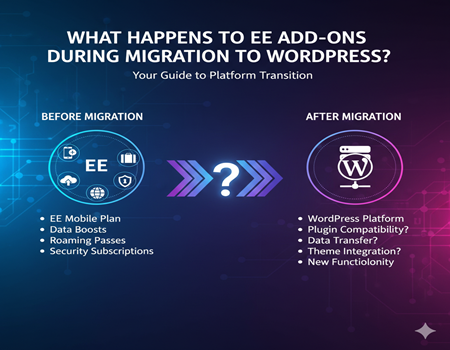
ExpressionEngine has long been a flexible and developer-friendly CMS, and one of its biggest strengths has been its powerful add-on ecosystem. From custom fields and forms to SEO tools and eCommerce features, EE add-ons often handle the core functionality of a website. However, as digital needs evolve, many businesses are now planning to move away from ExpressionEngine in favor of a more scalable and widely supported platform like WordPress.
When you decide to migrate from ExpressionEngine to WordPress, one of the first and most important questions is what happens to these add-ons during the migration process. Unlike content entries or pages, add-ons are tightly bound to ExpressionEngine’s architecture, which means they cannot be transferred directly. Understanding how these add-ons behave, what can be replaced, and what needs to be rebuilt is critical if you want to migrate website from ExpressionEngine to WordPress without losing functionality, data, or SEO performance. This guide explores exactly that.
Understanding EE Add-ons
ExpressionEngine add-ons are the building blocks that extend the core functionality of the CMS. Unlike basic themes or templates, add-ons control how content is created, stored, displayed, and managed across an EE website. These add-ons generally fall into three main categories: modules, plugins, and extensions. Modules handle major features like blogs, forms, or eCommerce systems. Plugins are lightweight tools used inside templates to display or manipulate data. Extensions hook into ExpressionEngine’s core to modify system behavior, such as user permissions or publishing workflows.
Most ExpressionEngine websites rely heavily on these add-ons to deliver custom functionality. For example, SEO settings, advanced custom fields, search filters, and member management are often powered entirely by third-party add-ons. Over time, this creates a tightly coupled system where the site’s logic and data structure depend on how these add-ons were originally built.
This dependency is important to understand before migration because EE add-ons are not standalone features. They store data in custom database tables, use proprietary tags, and follow ExpressionEngine-specific logic. That’s why, during migration, add-ons require careful evaluation rather than a simple export-and-import approach.
Why Add-ons Pose a Challenge During Migration
ExpressionEngine add-ons often become the biggest hurdle during migration because they are built exclusively for the EE ecosystem. Unlike standard content entries, add-ons rely on ExpressionEngine’s internal architecture, template tags, and database structure. This makes it impossible to transfer them directly when you move to WordPress. Each add-on behaves like a mini-application with its own logic, data storage, and dependencies.
Another challenge is that many EE add-ons store data in custom database tables or use serialized formats that do not match WordPress standards. If this data is not mapped correctly, important information such as form submissions, product details, or SEO metadata can be lost. In some cases, the add-on may also control how content is displayed on the front end, meaning the visual layout and functionality must be rebuilt from scratch in WordPress.
Additionally, not every EE add-on has a one-to-one replacement in WordPress. Some features require combining multiple plugins or developing custom solutions. This is why careful planning is essential before you migrate website from ExpressionEngine to WordPress, ensuring that every add-on is evaluated, replaced, or re-engineered without breaking the site’s functionality or user experience.
Common Add-on Types and Their Migration Behavior
ExpressionEngine websites typically rely on a mix of add-ons to manage both content and functionality. During migration, each add-on type behaves differently, depending on how deeply it is integrated into the system. Understanding this behavior helps avoid surprises when you migrate from ExpressionEngine to WordPress.
SEO add-ons are among the most critical. These usually store metadata such as titles, descriptions, canonical URLs, and indexing rules in custom tables. While the add-on itself cannot be migrated, the data can be extracted and mapped to WordPress SEO plugins like Yoast or Rank Math. If handled correctly, SEO performance remains intact.
Form add-ons, used for contact forms, lead generation, or surveys, often store submissions separately from content entries. During migration, form structures are usually recreated using WordPress plugins, while historical submission data may need manual import or archiving.
Gallery and media add-ons manage images, videos, and display layouts. Media files can be migrated, but the presentation logic must be rebuilt using WordPress themes or gallery plugins.
ECommerce add-ons pose a bigger challenge. Product data, orders, and customer information must be carefully mapped to WooCommerce or similar solutions. This process often requires custom scripts to ensure data accuracy.
Membership and user management add-ons store user roles, permissions, and profiles using EE-specific logic. During migration, users can be transferred, but roles and access rules need reconfiguration in WordPress.
Analytics and tracking add-ons usually do not require migration. Instead, tracking codes are reimplemented directly in WordPress. Each add-on type demands a tailored approach to preserve functionality and data integrity.
Planning Add-on Migration
Planning is the most important phase when dealing with ExpressionEngine add-ons during migration. Before any data is moved, every installed add-on must be identified and documented. This includes active add-ons, inactive ones, and even custom-built extensions that may still affect the site’s functionality. Skipping this step often leads to broken features after launch.
The next step is to evaluate what each add-on actually does. Many websites accumulate add-ons over time, and some may no longer be essential. This is the right moment to decide which features should be retained, replaced, or completely removed. For critical add-ons, their data structures, dependencies, and front-end usage must be clearly understood.
Once this audit is complete, each ExpressionEngine add-on should be mapped to a WordPress alternative. In many cases, a single WordPress plugin can replace multiple EE add-ons. In other situations, custom development may be required to match the original functionality.
Proper planning also helps set realistic timelines and budgets. When you plan carefully before you migrate website from ExpressionEngine to WordPress, add-on migration becomes a controlled process rather than a risky experiment, ensuring a smoother transition with minimal functionality loss.
Manual vs Automated Migration for Add-ons
When migrating ExpressionEngine add-ons, there is no one-size-fits-all approach. The choice usually comes down to manual migration, automated tools, or a combination of both. Automated migration tools can help move basic content and standard fields, but they rarely handle complex add-ons effectively. Most EE add-ons use custom logic and database tables that automated tools cannot fully interpret. As a result, relying only on automation can lead to missing data or broken functionality.
Manual migration offers far greater control. It allows developers to analyze how each add-on works, extract the required data, and recreate the same behavior in WordPress using plugins or custom code. This approach is especially important for add-ons handling forms, eCommerce, memberships, or advanced custom fields. Although manual migration takes more time, it significantly reduces the risk of errors.
In many real-world projects, a hybrid approach works best. Automated tools are used for core content, while add-ons are handled manually. This balance helps speed up the process without compromising quality. When you migrate from ExpressionEngine to WordPress, choosing the right migration method for add-ons ensures stability, accuracy, and long-term maintainability of your new WordPress site.
Data Migration Considerations
Data migration is one of the most sensitive aspects of handling ExpressionEngine add-ons. Unlike standard entries, add-on data is often stored in custom database tables with structures unique to each add-on. This makes direct migration impossible without first understanding how the data is organized and connected to the rest of the site. Fields such as form submissions, product details, pricing rules, and SEO metadata require careful extraction and mapping.
Another common challenge is serialized or encoded data. Many EE add-ons store configuration settings or complex values in serialized formats that WordPress does not natively support. If this data is imported without proper conversion, it can become unreadable or unusable. Cleaning and restructuring the data before import is essential to maintain functionality.
Relationships between content and add-on data also need attention. For example, a product entry may be linked to categories, images, or user accounts through an add-on. These relationships must be recreated accurately in WordPress to avoid broken references.
Data validation is equally important. After migration, all imported data should be verified for completeness and accuracy. Missing records, incorrect field mappings, or duplicate entries can cause functional and SEO issues. A structured approach to data handling ensures that when you migrate website from ExpressionEngine to WordPress, valuable add-on data remains intact and usable.
Selecting WordPress Plugins as Replacements
Choosing the right WordPress plugins to replace ExpressionEngine add-ons is a critical step in the migration process. Since EE add-ons cannot be transferred directly, their functionality must be recreated using WordPress-native solutions. The goal is not just to match features, but to ensure long-term stability, performance, and ease of management.
Start by identifying what each add-on actually delivers, rather than focusing on its name. For example, an EE SEO add-on may handle metadata, sitemaps, and redirects, all of which can be covered by a single WordPress SEO plugin. Similarly, form add-ons can be replaced with mature form builders that support data storage and integrations.
Plugin quality matters. Always evaluate plugins based on active installations, update frequency, compatibility with the latest WordPress version, and developer support. Avoid installing multiple plugins to replace one feature if it adds unnecessary complexity.
Testing is essential before final deployment. Plugins should be tested in a staging environment to ensure they work smoothly with the theme and other plugins. When you migrate from ExpressionEngine to WordPress, selecting reliable plugin replacements ensures that add-on functionality is preserved without introducing new technical risks.
Case Study: Migrating a Site with Multiple EE Add-ons
Consider a mid-sized business website built on ExpressionEngine that relied heavily on multiple add-ons for daily operations. The site used an SEO add-on for metadata management, a form add-on for lead generation, a gallery add-on for portfolio displays, and a basic eCommerce add-on for selling digital products. When the decision was made to migrate website from ExpressionEngine to WordPress, handling these add-ons became the most critical part of the project.
The migration process began with a complete add-on audit. Each add-on was reviewed to understand its data structure, dependencies, and front-end behavior. SEO data was extracted and mapped to a WordPress SEO plugin to preserve rankings and indexing. Forms were rebuilt using a WordPress form builder, while historical submissions were archived for reference rather than fully imported.
Media files from the gallery add-on were migrated to the WordPress media library, and the display logic was recreated using a custom theme and gallery plugin. For eCommerce functionality, product and order data were carefully mapped to WooCommerce, ensuring pricing, customer records, and purchase history remained accurate.
After migration, extensive testing was performed to validate functionality, data accuracy, and performance. The result was a faster, more flexible WordPress site with equivalent functionality and improved scalability, achieved without losing critical add-on-driven features.
Post-Migration Testing and Optimization
Once the migration is complete, thorough testing is essential to ensure that all former add-on functionality works correctly in WordPress. Every feature that depended on ExpressionEngine add-ons should be tested individually, including forms, user interactions, galleries, and eCommerce processes. This helps identify broken workflows or missing data early.
Content validation is equally important. Pages should be reviewed to confirm that migrated data appears correctly and displays as intended on different devices and browsers. Performance testing should also be conducted to ensure that new plugins or custom code do not slow down the website.
SEO optimization must not be overlooked. Metadata, URLs, redirects, and indexing settings should be verified to prevent ranking drops. When you migrate from ExpressionEngine to WordPress, careful post-migration testing and optimization ensure a stable launch, improved performance, and a smooth experience for both users and search engines.
Avoiding Common Add-on Migration Mistakes
Migrating ExpressionEngine add-ons can be tricky, and several common mistakes can cause major issues if not addressed. One frequent error is assuming all add-ons can be transferred directly. Many EE add-ons are tightly integrated with the system and require careful mapping to WordPress alternatives.
Another mistake is ignoring dependencies. Some add-ons rely on other modules or custom code, and overlooking these relationships can break functionality. Similarly, skipping a thorough audit may lead to unnecessary plugins being migrated or essential features being lost.
Data handling errors are also common. Failing to validate migrated data, mishandling serialized fields, or overlooking relationships between content and add-ons can create inconsistencies.
To avoid these pitfalls, plan meticulously, audit all add-ons, map each to suitable WordPress plugins, and test everything in a staging environment. This approach ensures a smooth migration and preserves the functionality, user experience, and SEO performance of your site when you migrate from ExpressionEngine to WordPress.
Conclusion
Migrating ExpressionEngine add-ons to WordPress is a complex but manageable process when approached systematically. Add-ons control essential website functions, from SEO and forms to eCommerce and galleries, and cannot simply be transferred like regular content. A careful audit, understanding of each add-on’s role, and mapping to suitable WordPress plugins are crucial first steps.
Data migration requires attention to detail, especially for custom tables, serialized fields, and relationships between content and add-on data. Post-migration testing ensures that functionality, performance, and SEO integrity are maintained. Choosing reliable WordPress plugins and, where necessary, implementing custom solutions guarantees that the migrated site delivers the same or improved user experience.
By following a structured approach, you can successfully migrate website from ExpressionEngine to WordPress while preserving all critical add-on-driven features. Planning, testing, and optimization make the transition smooth and help avoid common pitfalls that can compromise functionality or data integrity.