What Is CMS Migration? (Non-Technical Explanation for Businesses)
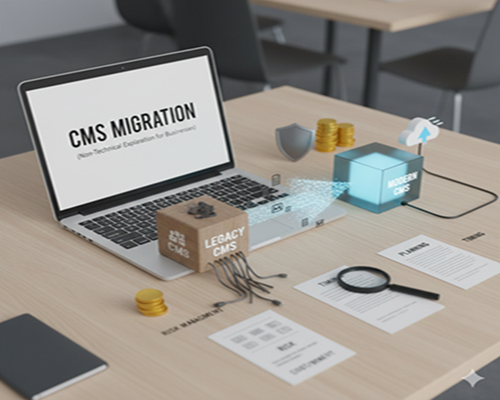
A content management system, or CMS, is the platform that allows businesses to create, manage, and update their website content without needing deep technical knowledge. As businesses grow, their websites often evolve from simple online brochures into powerful tools for marketing, sales, and customer engagement. This growth is one of the main reasons companies start discussing CMS migration.
Many businesses initially choose a CMS based on convenience or low cost. Over time, that system may no longer support new features, faster performance, or modern design expectations. Outdated technology, slow loading speeds, limited customization, and security concerns can quietly hold a business back, even when everything appears functional on the surface.
CMS migration becomes a strategic decision when a business wants better control, improved user experience, and stronger digital performance. It is not just a technical change but a step toward long-term scalability and efficiency. This is where professional CMS migration services play an important role, helping businesses transition smoothly while protecting content, search visibility, and overall website stability.
What Is CMS Migration? (Simple Definition for Business Owners)
CMS migration is the process of moving a website from one content management system to another without disrupting the business’s online presence. For non-technical business owners, it simply means shifting all website content, pages, images, and essential data from an old system to a new, more suitable platform. The goal is to improve performance, usability, and flexibility without changing the brand’s core identity.
A useful way to understand CMS migration is to imagine relocating an office. The furniture, files, and staff remain the same, but the new space is better organized, more efficient, and designed for future growth. Similarly, during CMS migration, the website’s information stays intact while the backend system becomes easier to manage.
Importantly, CMS migration does not mean starting from scratch. With proper planning and execution, businesses can retain their existing content structure, SEO value, and customer experience. When handled professionally, CMS migration ensures continuity while enabling a website to support evolving business goals more effectively.
Why Businesses Decide to Migrate Their CMS
One of the most common reasons businesses choose CMS migration is poor website performance. Slow loading pages, frequent errors, or limited mobile responsiveness can frustrate users and reduce conversions. As customer expectations increase, businesses realize that their existing CMS may no longer deliver the speed and reliability needed to stay competitive in the digital space.
Another major factor is lack of flexibility and scalability. Older CMS platforms often restrict design updates, content expansion, and integration with modern tools. This becomes a serious limitation when a business wants to launch new services, run marketing campaigns, or scale content efforts. A modern CMS provides the freedom to adapt quickly to changing market demands.
Security and maintenance challenges also push businesses toward CMS migration. Outdated systems are more vulnerable to cyber threats and often require constant technical support. Migrating to a newer CMS helps businesses reduce risks, simplify management, and focus more on growth rather than ongoing technical issues.
Businesses choose different types of CMS migration depending on their goals and existing website setup. One common approach is CMS-to-CMS migration, where content is moved from an outdated or limited system to a modern platform that offers better performance and usability. This type of migration is often driven by the need for improved features and easier content management.
Another type is platform upgrade migration, which focuses on moving to a newer version of the same CMS. While the platform remains familiar, the upgrade improves security, speed, and compatibility with modern plugins or tools. This option is popular among businesses that want better functionality without completely changing their workflow.
Some businesses combine CMS migration with a website redesign. In this case, the content is transferred while the visual layout and structure are refreshed to match current branding and user expectations. Hosting-driven CMS migration is also common when businesses change servers for better speed, reliability, or cost efficiency, requiring the CMS to be moved alongside the hosting environment.
What Happens During a CMS Migration? (Step-by-Step Overview)
A CMS migration typically begins with a detailed review of the existing website. This includes analyzing content, page structure, media files, and current performance. The purpose of this step is to identify what should be migrated, updated, or removed so the new CMS remains clean, organized, and aligned with business goals.
The next stage involves planning how content will be structured in the new system. Pages, categories, and navigation are mapped carefully to avoid confusion for users and search engines. Once planning is complete, the actual transfer of content takes place, ensuring text, images, and essential data move accurately without loss.
Before launch, testing plays a critical role. The website is checked for broken links, formatting issues, and usability problems. This structured process is why many businesses rely on professional CMS migration services, as expert handling reduces risk, prevents downtime, and ensures a smooth transition with minimal disruption to operations.
Key Business Benefits of CMS Migration
One of the biggest advantages of CMS migration is improved website performance. Modern CMS platforms are designed to load faster, handle higher traffic, and deliver a smoother browsing experience. Faster websites not only keep visitors engaged but also positively influence search engine rankings and overall digital visibility.
CMS migration also simplifies content management for business teams. Updated systems offer user-friendly dashboards, flexible editing options, and better collaboration features. This allows non-technical staff to update pages, publish content, and manage media without relying heavily on developers, saving both time and operational costs.
Another major benefit is long-term scalability. As businesses grow, their website must support new services, content, and marketing strategies. A modern CMS provides the flexibility to integrate tools, expand features, and adapt to future needs, making CMS migration a smart investment rather than a temporary fix.
CMS Migration Risks (And How Businesses Can Avoid Them)
While CMS migration offers many benefits, it also comes with potential risks if not planned carefully. One of the most common concerns is the loss of search engine rankings. Broken links, missing pages, or improper redirects can negatively impact SEO and reduce website traffic shortly after migration.
Data loss is another risk businesses face during migration. Content, images, or important information may be skipped or transferred incorrectly if the process is rushed. This can affect user experience and create inconsistencies across the website, making it harder to maintain trust with visitors.
Downtime is also a serious concern, especially for businesses that rely on their website for leads or sales. These risks can be minimized through detailed planning, testing, and backup strategies. Working with experienced professionals ensures that the migration process protects both website performance and business continuity.
How Much Does CMS Migration Cost?
The cost of CMS migration varies widely based on several business-specific factors. One of the biggest influencers is the size of the website. Larger websites with hundreds or thousands of pages require more time for content mapping, transfer, and testing, which increases the overall cost.
The amount of custom features and integrations also affects pricing. Websites with complex forms, membership systems, or e-commerce functionality need more attention during migration to ensure everything works properly in the new CMS. Businesses with unique design requirements may also need extra development work.
Another important factor is SEO protection. Migrating a website without maintaining SEO structure can cause traffic drops, which may require additional work to recover. This is why many businesses prefer using a cms migration calculator to estimate costs accurately before starting the project.
When Is the Right Time for Your Business to Migrate CMS?
The best time to migrate your CMS is when your current website starts limiting business growth. If you notice slower page updates, restricted design changes, or difficulty integrating marketing tools, it may be a sign that your CMS no longer fits your needs. Waiting too long can increase operational inefficiency and reduce your ability to compete online.
Businesses should also consider migration when they are planning major growth initiatives, such as launching new products, expanding services, or increasing digital marketing efforts. A modern CMS provides the flexibility needed to support these changes smoothly and quickly.
Additionally, if your website experiences frequent security issues or performance problems, migration becomes more urgent. A strong CMS can protect your business from vulnerabilities and ensure better stability. Planning migration during a slower business period helps reduce disruptions and makes the transition easier for your team.
Do You Need Professional CMS Migration Services?
Many businesses underestimate the complexity of CMS migration and try to manage it internally. While a DIY migration may seem cost-effective at first, it can lead to serious issues like broken links, lost content, and SEO damage. This is especially risky for businesses that rely on their website for leads, sales, or customer support.
Professional CMS migration services bring structured planning, technical expertise, and proven processes. Experts can handle content mapping, redirects, SEO protection, and testing while ensuring minimal downtime. They also help with troubleshooting unexpected problems and ensuring the final website functions correctly across devices.
Ultimately, CMS migration is not just a technical update—it is a strategic business decision. Hiring professional services reduces risk, saves time, and ensures the website continues to support business goals without interruptions. For businesses looking to migrate confidently, investing in expert help is often the most efficient and secure approach.
Final Thoughts: CMS Migration as a Business Growth Decision
CMS migration is more than a technical change—it is a strategic move that supports business growth, improves digital performance, and enhances customer experience. When businesses outgrow their current CMS, migration becomes essential to stay competitive and meet evolving online expectations. A well-planned migration creates a foundation for future growth, better marketing, and stronger user engagement.
The key is to approach CMS migration with a clear strategy, detailed planning, and professional support. This ensures that content, SEO value, and user experience remain intact during the transition. Businesses that successfully migrate their CMS often experience faster websites, easier management, and improved scalability, making the investment worthwhile in the long run.
If you’re considering a CMS migration, it’s important to evaluate your business goals and choose the right time to make the move. With the right team and approach, CMS migration becomes a powerful tool for long-term growth and digital success.