Migrating from Sitecore Without Losing SEO
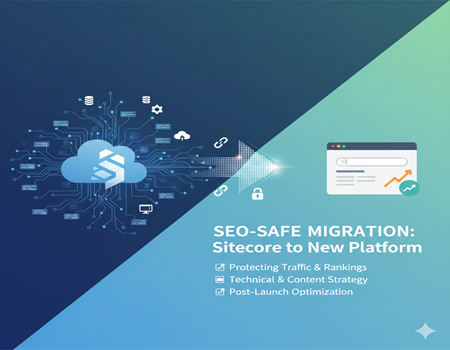
Migrating from Sitecore without losing SEO is one of the biggest concerns for businesses planning a platform change. Your website is not just a collection of pages. It is a source of traffic, leads, and revenue. Over time, search engines build trust in your domain based on content quality, backlinks, technical structure, and user experience. When you migrate from Sitecore, that trust can be disrupted if the process is not handled carefully.
Many companies assume migration is only a technical task. In reality, it is also a critical SEO event. Changes in URL structure, content hierarchy, metadata, and internal linking can directly impact rankings. Even small mistakes, such as missing redirects or incorrect canonical tags, can cause sudden traffic drops.
Search engines need consistency. If pages disappear, URLs change without proper redirection, or important SEO elements are lost, Google may treat your new website as completely different from the old one. This often results in reduced visibility and slower re-indexing.
The good news is that SEO loss during migration is preventable. With proper planning, structured URL mapping, content preservation, and technical validation, businesses can successfully migrate without sacrificing rankings.
In this guide, we will walk through practical strategies to ensure your Sitecore migration protects your organic traffic and even creates new growth opportunities.
Why Businesses Migrate from Sitecore
Before understanding how to protect SEO, it is important to know why businesses decide to move away from Sitecore in the first place. While Sitecore is a powerful enterprise CMS, it is not always the right long-term fit for every organization.
One of the main reasons companies migrate from Sitecore is high licensing and maintenance costs. Sitecore requires significant investment not only in licensing but also in infrastructure and skilled developers. For mid-sized businesses, these costs can become difficult to justify, especially if they are not fully using advanced personalization features.
Technical complexity is another major factor. Sitecore implementations are often heavily customized. Even small content or design updates may require developer support. This slows down marketing teams and reduces agility in fast-moving digital environments.
Businesses also migrate for flexibility and ease of use. Many modern CMS platforms offer user-friendly dashboards, plugin ecosystems, and simplified content management. Marketing teams prefer systems that allow faster publishing and easier SEO optimization without deep technical involvement.
Performance and scalability concerns can also influence migration decisions. Outdated Sitecore versions or poorly optimized implementations may affect site speed and user experience, which directly impacts conversions and search rankings.
Finally, strategic digital transformation plays a role. Organizations often re-evaluate their tech stack to align with new business goals, improve SEO control, or reduce operational complexity.
Understanding these motivations helps in planning an SEO-safe migration strategy that protects organic visibility while achieving business objectives.
Understanding SEO Risks in Sitecore Migration
When migrating from Sitecore without losing SEO, the first step is understanding where things can go wrong. SEO risks during migration are real, and they often happen because teams focus more on design and development than on search visibility.
One of the biggest risks is URL structure changes. In Sitecore, URLs are often based on specific content hierarchies and templates. When moving to a new CMS, the URL pattern may change. If old URLs are not properly redirected, search engines will encounter 404 errors. This leads to loss of rankings and link equity built over time.
Another common issue is the loss of metadata. Meta titles, descriptions, header tags, image alt text, and schema markup may not automatically transfer to the new system. If these elements are missing or overwritten, pages can lose relevance in search results and experience lower click-through rates.
Broken internal links are also a major SEO threat. During migration, changes in URL paths can disrupt internal linking structures. This affects crawlability and weakens the flow of authority across the website.
Redirect mistakes are equally dangerous. Missing redirects, incorrect 302 redirects instead of 301, or redirect chains can confuse search engines. Poor redirect implementation is one of the main causes of traffic drops after migration.
Duplicate content issues may arise if staging environments are indexed or if both old and new versions of the site remain live. This splits ranking signals and creates confusion for search engines.
Finally, crawlability and indexing problems can occur due to incorrect robots.txt configurations, blocked resources, or sitemap errors. If search engines cannot crawl your new site properly, rankings will suffer.
Understanding these SEO risks helps businesses create a structured migration plan that protects organic performance and ensures a smooth transition.
Pre-Migration SEO Audit Checklist
If you want to succeed in migrating from Sitecore without losing SEO, a detailed pre-migration audit is non-negotiable. This is the foundation of an SEO-safe migration. Skipping this step is one of the biggest reasons businesses lose traffic.
Start with a full website crawl using SEO tools. Capture every URL, meta title, meta description, header tag, canonical tag, image alt attribute, and status code. This crawl becomes your master reference file. Without it, you will not know what needs to be preserved.
Next, identify your top-performing pages. Use analytics and search console data to find pages driving the most organic traffic, leads, and conversions. These pages must be handled with extreme care during migration. Any mistake here can directly impact revenue.
Backlink analysis is another important step. Identify pages with strong external backlinks. These URLs carry authority. If they are not redirected correctly, you risk losing valuable link equity that took years to build.
Review your keyword rankings. Export current ranking positions for primary and secondary keywords. This will help you measure performance after migration and quickly detect any major drop.
Conduct a technical SEO audit as well. Check for crawl errors, duplicate content, page speed issues, mobile responsiveness, structured data implementation, and indexation status. Migration is a good opportunity to fix existing technical problems instead of carrying them forward.
Do not forget to review your XML sitemap and robots.txt file. Ensure that important pages are indexable and that no critical resources are blocked.
Finally, document everything clearly. Create spreadsheets for URL mapping, metadata preservation, and redirect planning. A structured documentation process reduces confusion between SEO teams and developers.
A thorough pre-migration SEO audit ensures you move to the new platform with full visibility, control, and a strong plan to protect your organic traffic.
URL Mapping & 301 Redirect Strategy
When migrating from Sitecore without losing SEO, URL mapping and 301 redirects are the most critical steps. This is where most migrations either succeed or fail from an SEO perspective.
Every existing URL on your Sitecore website has built authority over time. Search engines associate backlinks, rankings, and user engagement signals with those URLs. If you change them without proper redirection, you lose that accumulated value.
Start by creating a complete URL mapping document. List all old URLs from your pre-migration crawl and match each one to its new equivalent on the new platform. The goal is simple: every old URL must have a relevant new destination. Avoid sending multiple old URLs to one generic page unless absolutely necessary.
Use 301 permanent redirects, not 302 temporary redirects. A 301 tells search engines that the page has permanently moved and transfers most of the link equity. Incorrect redirect types can delay ranking recovery.
Avoid redirect chains. For example, old URL → intermediate URL → final URL. This weakens SEO signals and slows crawling. Always redirect directly from the old URL to the final new URL.
Testing is equally important. Before going live, test redirect files in a staging environment. After launch, crawl the website again to confirm there are no 404 errors or redirect loops.
This step becomes even more important when businesses plan to Migrate Website From Sitecore to WordPress, as URL structures often change significantly between platforms. Proper mapping ensures you protect organic visibility during the transition.
Remember, redirects are not just a technical task. They are your SEO insurance policy. A detailed URL mapping and 301 strategy protects rankings, preserves backlink authority, and ensures users land on the correct pages without disruption.
Preserving On-Page SEO Elements
When migrating from Sitecore without losing SEO, preserving on-page elements is just as important as managing redirects. Even if your URLs are mapped correctly, losing critical on-page SEO signals can still impact rankings.
Start with meta titles and meta descriptions. These elements influence both rankings and click-through rates. During migration, ensure that every page retains its original metadata unless there is a strategic reason to improve it. Missing or duplicated titles after migration are common issues that can weaken search visibility.
Header tags (H1, H2, H3) must also remain structured and consistent. In some migrations, heading hierarchies break due to theme or template changes. Always validate that each page has one clear H1 and properly structured subheadings.
Image alt text is another important factor. If media files are migrated without preserving alt attributes, you lose both accessibility benefits and image search visibility. Make sure alt text is transferred accurately.
Structured data and schema markup should also be reviewed. If your Sitecore website uses schema for articles, products, FAQs, or breadcrumbs, ensure it is implemented correctly on the new platform. Losing structured data can reduce rich result appearances in search results.
Canonical tags must be configured properly to avoid duplicate content issues. Incorrect canonical implementation can cause important pages to be ignored by search engines.
Finally, review internal linking. Ensure anchor text, contextual links, and navigation links remain intact. Internal linking supports crawlability and distributes authority across your website.
Preserving these on-page SEO elements ensures that your new website maintains its relevance, authority, and search engine trust after migration.
Managing Technical SEO During Migration
Technical SEO plays a critical role when migrating from Sitecore without losing SEO. Even if content and redirects are handled correctly, technical mistakes can prevent search engines from crawling and indexing your new website properly.
Start with site speed optimization. Migration often involves new themes, plugins, or hosting environments. If performance is not optimized, page load times may increase. Slow websites negatively impact both user experience and rankings. Optimize images, enable caching, minimize scripts, and test performance before and after launch.
Mobile responsiveness is equally important. Search engines use mobile-first indexing, which means they primarily evaluate the mobile version of your site. Ensure the new platform delivers a seamless mobile experience across all devices and screen sizes.
Crawl budget management should also be considered. Large websites must avoid unnecessary duplicate pages, broken links, or redirect chains that waste crawl resources. Clean architecture helps search engines discover important pages faster.
Security is another key factor. Ensure HTTPS is properly configured, SSL certificates are active, and all internal links use secure URLs. Mixed content issues after migration can harm trust and rankings.
Be cautious with staging environments. Many traffic losses occur because staging sites are accidentally indexed. Use proper noindex tags or password protection during development, and remove restrictions before going live.
Finally, validate your XML sitemap and robots.txt file after launch. Submit the updated sitemap to search engines to speed up re-indexing.
Strong technical SEO management ensures your migrated website remains accessible, crawlable, secure, and optimized for long-term organic growth.
Content Migration Best Practices
Content is the backbone of your SEO performance. When migrating from Sitecore without losing SEO, how you handle content can directly impact rankings, user engagement, and conversions.
Start with content cleanup before migration. Do not blindly move every page to the new platform. Identify outdated, thin, or duplicate content and decide whether to update, merge, or remove it. Migration is a great opportunity to improve overall content quality instead of carrying old issues forward.
Maintain content hierarchy and structure. Page relationships, categories, and internal linking patterns should remain logical and organized. If your content structure changes drastically, it can affect crawlability and keyword relevance.
Preserve internal linking carefully. Contextual links within blog posts and landing pages pass authority between pages. During migration, ensure that anchor text and internal URLs are updated properly. Broken internal links reduce user experience and weaken SEO signals.
Avoid creating duplicate content unintentionally. Sometimes both old and new URLs remain accessible during transition. Ensure the old environment is properly redirected or deactivated after launch.
Take time to improve high-performing pages. Update outdated statistics, enhance readability, and optimize keywords naturally. Migration is not just about protection; it is also about growth.
Finally, validate formatting. Check headings, bullet points, images, embedded videos, and downloadable files to ensure they display correctly.
Following these content migration best practices helps preserve your SEO strength while improving the overall quality and performance of your website.
Post-Migration SEO Monitoring Plan
Migrating from Sitecore without losing SEO does not end at launch. The post-migration phase is where you confirm whether your strategy worked. Close monitoring during the first 30 to 60 days is essential to protect rankings and traffic.
Start by verifying your website in Google Search Console. Submit the updated XML sitemap immediately after launch. This helps search engines discover and index new URLs faster. Monitor the coverage report for crawl errors, excluded pages, or indexing issues.
Track organic traffic daily during the first few weeks. Small fluctuations are normal, but a sharp drop may indicate redirect issues, blocked pages, or technical errors. Compare traffic with pre-migration benchmarks to measure performance accurately.
Keep a close eye on keyword rankings. Some temporary ranking shifts are expected while search engines process changes. However, if important keywords drop significantly and do not recover, investigate affected pages.
Check crawl errors regularly. Look for 404 pages, redirect loops, or server errors. Fix issues immediately to prevent long-term SEO damage.
Validate analytics and conversion tracking. Ensure Google Analytics, tag managers, and goal tracking are working correctly. Without accurate data, you cannot measure recovery or growth.
Review page speed and mobile performance again after launch. Real-user behavior can reveal performance gaps not visible in staging.
Finally, monitor backlinks. Ensure high-authority backlinks are pointing to redirected URLs properly.
A structured post-migration SEO monitoring plan ensures you quickly detect issues, stabilize rankings, and turn your Sitecore migration into a successful long-term strategy.
Common Mistakes That Cause Traffic Loss
Even with good intentions, many businesses lose traffic during migration because of avoidable mistakes. Understanding these common errors can help you successfully handle migrating from Sitecore without losing SEO.
One of the biggest mistakes is skipping the SEO audit. Without documenting existing URLs, metadata, backlinks, and rankings, teams migrate blindly. This leads to missing redirects and lost optimization elements.
Improper redirect mapping is another major issue. Some businesses redirect all old pages to the homepage instead of mapping them individually. This confuses search engines and results in lost link equity. Redirect chains and incorrect 302 redirects also weaken SEO signals.
Launching without full testing is risky. Many websites go live with broken internal links, missing meta tags, or blocked resources. These technical errors can prevent proper crawling and indexing.
Accidentally blocking search engines is surprisingly common. Incorrect robots.txt settings or leftover noindex tags from staging environments can stop important pages from being indexed.
Ignoring analytics and tracking setup is another costly mistake. If tracking codes are not configured properly after migration, businesses lose visibility into traffic and conversions. This delays problem detection and recovery.
Finally, poor communication between SEO teams and developers often leads to gaps in execution.
Avoiding these mistakes requires structured planning, cross-team collaboration, and detailed testing before and after launch. Prevention is always easier than recovery when it comes to SEO.
Step-by-Step SEO-Safe Migration Framework
To successfully handle migrating from Sitecore without losing SEO, you need a clear and structured framework. A step-by-step approach reduces risk and ensures every critical SEO element is protected.
Step 1: Planning and Audit
Begin with a complete SEO and technical audit. Crawl your existing Sitecore website, export all URLs, metadata, backlinks, rankings, and performance data. Identify high-value pages that drive traffic and conversions. Create a detailed migration plan with defined roles and timelines.
Step 2: URL Mapping and Content Preparation
Map every old URL to a relevant new URL. Prepare a 301 redirect file and validate it carefully. Clean up outdated or thin content before migration. Preserve metadata, header structure, internal links, and structured data.
Step 3: Development and Testing
Set up the new platform in a secure staging environment. Implement redirects, configure technical SEO settings, and test functionality. Run test crawls to detect broken links, missing tags, or performance issues.
Step 4: Launch and Monitoring
After going live, submit the new sitemap, verify indexing, and monitor traffic and rankings daily. Fix crawl errors immediately and ensure analytics tracking is working properly.
Step 5: Optimization and Improvement
Use migration as an opportunity to enhance page speed, improve content quality, and strengthen internal linking.
Following this structured framework ensures your migration protects existing SEO strength while positioning your website for future growth.
Conclusion – Turning Migration Into an SEO Opportunity
Migrating from Sitecore without losing SEO is absolutely possible when approached with the right strategy. Migration is not just a technical shift; it is a critical SEO event that requires planning, precision, and continuous monitoring. From conducting a detailed pre-migration audit to implementing accurate 301 redirects and preserving on-page SEO elements, every step matters.
Businesses that treat SEO as a priority during migration protect their organic traffic, maintain search visibility, and avoid revenue loss. More importantly, migration can become an opportunity to clean up outdated content, improve technical performance, and strengthen overall website structure.
With proper planning, collaboration between SEO and development teams, and structured post-launch monitoring, you can turn what feels like a risky transition into a growth opportunity. A well-executed migration does not just maintain rankings — it builds a stronger foundation for long-term digital success.