What Happens to Personalization & Integrations After Sitecore Migration
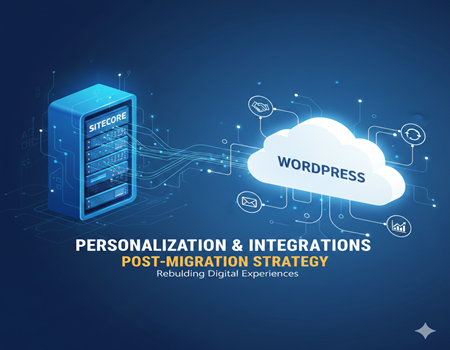
Migrating from Sitecore is a big decision. For many businesses, the biggest concern is not just moving content — it’s protecting the advanced personalization and integrations built over the years. Companies often ask: Will we lose our personalized experiences? What happens to customer data? Will our CRM and marketing tools still work the same way?
These concerns are valid. Sitecore is known for its powerful personalization engine, behavioral tracking, and deep integration capabilities. It allows businesses to deliver tailored content based on user profiles, browsing behavior, and engagement history. Over time, these personalized journeys become deeply embedded in marketing and sales strategies.
However, as organizations evolve, many choose to migrate due to high licensing costs, complex infrastructure, or the need for a more flexible and scalable content management system. While migration can improve performance, reduce costs, and simplify operations, it also raises important questions about what happens behind the scenes.
The good news is this: personalization and integrations do not simply disappear after a Sitecore migration. But they do require planning, mapping, and rebuilding in the new environment.
In this guide, we will break down exactly what happens to personalization and third-party integrations after migration, the risks involved, and how businesses can ensure a smooth transition without losing data, functionality, or customer experience.
Why Businesses Migrate from Sitecore
Sitecore is a powerful enterprise-level CMS, but it is not the right long-term fit for every organization. Over time, many businesses begin evaluating alternatives due to operational, financial, and technical challenges.
One of the biggest reasons companies migrate from Sitecore is high licensing and maintenance costs. Sitecore requires significant annual licensing fees, along with infrastructure expenses such as dedicated hosting environments, database management, and performance optimization. For growing businesses, these costs can become difficult to justify.
Another major factor is technical complexity. Sitecore often requires specialized developers with .NET expertise. Even small content updates or personalization adjustments may depend on technical teams. This can slow down marketing initiatives and reduce agility. Businesses today want faster campaign launches, easier content publishing, and more control for non-technical teams.
Infrastructure management is also a concern. Traditional Sitecore setups can involve complex server configurations, upgrades, and ongoing security management. Many organizations now prefer lighter, more flexible CMS platforms that support cloud-based hosting and simpler deployment models.
There is also a growing shift toward flexible and scalable ecosystems. Companies are increasingly adopting WordPress, headless CMS solutions, or composable digital experience platforms that allow easier integrations with CRMs, marketing automation tools, analytics platforms, and eCommerce systems.
Performance and speed play an important role as well. Modern businesses prioritize fast-loading websites, better SEO performance, and improved user experience. In some cases, migration is driven by the need to simplify architecture and optimize site speed.
Ultimately, migrating from Sitecore is not about abandoning personalization or integrations. It is about finding a more efficient, cost-effective, and scalable way to deliver digital experiences while maintaining marketing capabilities.
Understanding Sitecore Personalization
Before discussing what happens after migration, it is important to understand how personalization works inside Sitecore and why it is considered so powerful.
Sitecore’s personalization engine is built around data-driven experiences. It allows businesses to display different content to different users based on predefined rules, behavioral signals, and audience segmentation. Instead of showing the same page to everyone, Sitecore dynamically adjusts banners, calls-to-action, offers, and even entire page components.
One of the core elements behind this capability is rules-based personalization. Marketers can create conditions such as location, device type, referral source, campaign history, or previous interactions. For example, a returning visitor who downloaded a whitepaper might see a demo request banner, while a first-time visitor sees a general introduction offer.
Another important component is contact profiling and segmentation. Sitecore assigns profile values to users based on their browsing behavior and engagement patterns. Over time, the system builds detailed visitor profiles. These profiles help categorize users into audience segments, which then trigger personalized content experiences.
At the heart of this system is the Experience Database (xDB). This database stores interaction data, engagement scores, goals, and behavioral history. It tracks user journeys across sessions, making personalization more accurate and contextual. Businesses use this data to refine targeting strategies and improve campaign performance.
Sitecore also supports marketing automation workflows. These workflows allow businesses to design automated journeys based on user actions. For example, if a visitor fills out a form, they can automatically enter a nurturing sequence with personalized content recommendations.
While this ecosystem is powerful, it is also complex. Personalization logic, data tracking, automation workflows, and integrations are tightly connected. That complexity is exactly why migration requires careful planning. Without proper mapping, businesses risk losing behavioral insights and tailored experiences built over time.
What Happens to Personalization After Sitecore Migration?
When a business migrates from Sitecore to another CMS, personalization does not automatically transfer to the new platform. This is one of the most important realities to understand before starting the migration process.
Sitecore’s personalization engine is deeply connected to its internal architecture, including rules engines, contact profiles, and the Experience Database (xDB). These components are platform-specific. That means when you move away from Sitecore, the personalization logic, behavioral rules, and segmentation structures do not simply “move” with your content.
The first major impact is on behavioral data. Historical visitor data stored inside xDB cannot be directly imported into most new CMS platforms in its original format. If this data is not exported properly before migration, businesses may lose valuable customer insights, engagement scoring models, and audience segmentation history.
Second, personalization rules need to be rebuilt from scratch in the new environment. For example, if you had rules like “Show Product A banner to returning visitors from email campaigns,” that logic must be re-created using the personalization capabilities of the new CMS or external tools. This requires careful documentation of existing rules before migration begins.
Another key factor is audience segmentation mapping. In Sitecore, segments may be based on custom profile values, goals, or engagement points. After migration, these segments must be translated into new audience definitions, often using CRM data, marketing automation platforms, or analytics tools.
Tracking infrastructure also changes. Sitecore uses its own tracking and engagement scoring system. After migration, tracking may rely on tools like Google Analytics 4, tag managers, or third-party personalization engines. Without proper tracking replacement, personalization efforts can become less accurate.
However, this does not mean personalization disappears. It simply shifts from being platform-native to being strategy-driven. With proper planning, businesses can replicate — and sometimes even improve — personalization experiences by using modern tools that integrate with the new CMS.
The key takeaway is this: personalization is not automatically preserved during migration. It must be audited, documented, mapped, and intentionally rebuilt to ensure a smooth and effective transition.
Rebuilding Personalization in the New CMS
After migrating from Sitecore, personalization must be intentionally rebuilt within the new CMS ecosystem. The good news is that modern platforms offer flexible ways to recreate — and sometimes enhance — personalized experiences without the heavy infrastructure of Sitecore.
The first step is adopting a strategy-first approach. Instead of trying to replicate every rule exactly as it was, businesses should evaluate which personalization efforts truly drive conversions. Identify high-impact elements such as returning visitor banners, dynamic CTAs, geo-targeted offers, and lead-stage messaging. This ensures you rebuild what actually matters.
If the new platform is WordPress, personalization can be implemented using advanced plugins and integrations. Tools like personalization engines, dynamic content plugins, or marketing automation integrations allow content to change based on user behavior, referral source, device type, or logged-in status. Unlike Sitecore’s tightly integrated system, WordPress often relies on modular solutions — which can actually increase flexibility.
Another effective method is CRM-driven personalization. Instead of storing behavioral data within the CMS itself, many organizations now centralize user data inside CRM systems like Salesforce or HubSpot. This allows websites to display personalized content based on lifecycle stage, lead score, or previous interactions across multiple channels.
Marketing automation tools also play a critical role. Platforms such as HubSpot, Marketo, or ActiveCampaign can manage segmentation, workflows, and triggered experiences. The CMS then simply acts as a delivery layer, pulling in personalized content based on predefined criteria.
For more advanced setups, businesses may adopt headless personalization solutions. These use APIs to dynamically serve content across multiple channels, not just the website. This approach supports omnichannel strategies and offers greater scalability for growing enterprises.
It is important to rebuild tracking infrastructure at the same time. Implement event tracking, goal tracking, and audience segmentation using analytics platforms like GA4 or server-side tracking solutions. Without reliable data collection, personalization will not perform effectively.
Ultimately, migration provides an opportunity to simplify personalization architecture. Instead of being dependent on one monolithic system, businesses can create a more flexible, integrated ecosystem that supports growth, agility, and long-term digital strategy.
What Happens to Third-Party Integrations?
Personalization is not the only concern during Sitecore migration. Third-party integrations are equally critical. Most enterprise websites built on Sitecore are deeply connected with external systems such as CRM platforms, marketing automation tools, payment gateways, ERP systems, and analytics software. When migration begins, these integrations must be carefully reviewed and reconfigured.
Unlike content, integrations do not automatically move to the new CMS. Sitecore integrations are often built using custom APIs, connectors, or middleware layers. Once the platform changes, these technical connections may break if they are not properly mapped and rebuilt.
One of the most important integrations is the CRM system. Many organizations sync form submissions, lead scores, and user behavior data directly from Sitecore into tools like Salesforce or HubSpot. After migration, new API connections must be configured to ensure leads continue flowing without disruption. Even small configuration errors can cause data loss or duplication.
Marketing automation platforms are another major area of concern. Automated email workflows, segmentation rules, and campaign triggers often depend on Sitecore tracking events. If event tracking changes during migration, workflows may stop functioning correctly. It becomes essential to redefine triggers using the new tracking setup.
Payment gateways and eCommerce integrations also require attention. Transaction tracking, order confirmations, and backend synchronization with ERP systems must be thoroughly tested. A broken integration here can directly impact revenue.
Additionally, businesses may rely on custom APIs to pull product data, pricing, inventory, or account information from external systems. These APIs need to be reconnected and validated in the new environment.
The key risk during migration is not the loss of integrations themselves, but the interruption of data flow between systems. Without proper planning, campaigns may fail, sales teams may miss leads, and reporting accuracy can suffer.
However, with structured integration mapping and testing, businesses can ensure that all critical systems continue to communicate smoothly after the migration process is complete.
Integration Mapping & Audit Before Migration
Before migrating from Sitecore, conducting a detailed integration audit is essential. Many businesses underestimate how many systems are connected to their website. Without proper documentation, important integrations can be overlooked, leading to broken workflows and data loss after migration.
The first step is creating a complete integration inventory. List every external system connected to Sitecore. This includes CRM platforms, marketing automation tools, payment gateways, ERP systems, analytics tools, customer support software, APIs, and third-party plugins. Even small integrations, such as newsletter forms or chat tools, should be documented.
Next, map the data flow between systems. Identify what data is being sent, where it is stored, and how frequently it syncs. For example, does form submission data go directly into the CRM? Are user events triggering email automation? Is product data pulled from an ERP in real time? Understanding these workflows helps prevent disruptions during migration.
It is also important to document API dependencies. Some integrations may rely on custom-built APIs or middleware layers. Developers should review authentication methods, endpoints, and response structures to ensure compatibility with the new CMS.
Testing strategy is another critical component. Plan for a staging environment where integrations can be rebuilt and validated before going live. Test form submissions, transaction flows, email triggers, CRM syncing, and tracking events. Run parallel testing if possible to compare results between the old and new systems.
Finally, create a migration checklist with ownership assigned to technical and marketing teams. Clear accountability reduces confusion and ensures nothing is missed.
A structured integration audit minimizes risk, protects business continuity, and ensures that personalization and automation efforts remain intact after migration.
Common Mistakes During Sitecore Migration
Sitecore migration is a complex process, and even well-planned projects can face challenges. However, many problems occur because of avoidable mistakes. Understanding these common errors can help businesses protect personalization, integrations, and overall website performance.
One of the biggest mistakes is ignoring existing personalization logic. Many teams focus only on content migration and design updates, forgetting to document rules-based personalization, audience segments, and behavioral triggers. When these elements are not mapped before migration, personalized experiences disappear after launch.
Another common issue is failing to export behavioral data from Sitecore’s xDB. Historical engagement data, user profiles, and scoring models are valuable marketing assets. If this data is not backed up or integrated into CRM and analytics platforms before migration, it may be permanently lost.
Breaking CRM and marketing automation sync is another major risk. Form submissions, lead scoring, and workflow triggers often depend on event tracking. If event names or tracking methods change during migration, automation sequences can stop working without immediate detection.
SEO tracking disruption is also a frequent mistake. During migration, tracking codes, goal tracking, and conversion pixels may be removed or incorrectly implemented. This can cause inaccurate reporting and make it difficult to measure performance after launch.
Poor staging and testing is another critical error. Launching without thorough testing of integrations, personalization rules, and data flows can lead to broken forms, missing transactions, and reduced user experience.
Finally, rushing the migration without a clear roadmap increases risk. Migration should never be treated as just a technical task. It requires coordination between marketing, development, analytics, and operations teams.
Avoiding these common mistakes ensures a smoother transition and protects both business performance and customer experience.
SEO & Analytics Impact After Migration
When migrating from Sitecore, SEO and analytics performance must be carefully managed. Even if personalization and integrations are rebuilt successfully, poor handling of tracking and search optimization can negatively impact traffic and conversions.
One of the first areas to review is tracking implementation. Sitecore uses its own engagement tracking system, but after migration, businesses often rely on tools like Google Analytics 4, Google Tag Manager, or server-side tracking solutions. All tracking codes must be correctly implemented in the new CMS. Missing scripts can result in incomplete data and inaccurate reporting.
Conversion tracking is another critical factor. Goals such as form submissions, downloads, purchases, or demo requests need to be reconfigured. If event names or triggers change during migration, conversion data may stop recording. This can mislead marketing teams and affect campaign optimization.
Redirect management also plays a key role in SEO performance. If URLs change during migration, proper 301 redirects must be implemented to preserve rankings and avoid broken links. Failing to manage redirects can lead to traffic drops and crawl errors.
Data layer rebuilding is equally important. If the previous website used a structured data layer to pass information to analytics and advertising platforms, this must be recreated in the new system. Without a proper data layer, personalization signals and marketing attribution may become unreliable.
Additionally, structured data and on-page SEO elements such as meta tags, header hierarchy, and canonical tags must be preserved. Overlooking these elements can weaken search visibility.
Finally, conduct a full analytics audit after launch. Compare traffic, conversion rates, and engagement metrics against pre-migration benchmarks. Monitoring performance closely in the first few weeks helps identify and fix issues quickly.
A well-planned migration protects both personalization and SEO performance, ensuring the website continues to generate measurable business results.
How to Ensure a Smooth Transition
A successful Sitecore migration requires more than just moving content to a new platform. To protect personalization, integrations, and performance, businesses must follow a structured transition plan.
The first step is conducting a comprehensive technical and marketing audit. Document all personalization rules, audience segments, integrations, APIs, tracking events, and automation workflows. This creates a clear blueprint of what needs to be rebuilt. Without this documentation, critical functionality may be overlooked.
Next, create a personalization mapping sheet. List every active personalization rule in Sitecore and define how it will be recreated in the new CMS or through external tools like CRM systems and marketing automation platforms. Prioritize high-impact personalization elements that directly influence conversions.
Data backup is equally important. Export behavioral data, engagement metrics, contact profiles, and historical performance reports before migration begins. Even if the data cannot be fully imported into the new system, maintaining access to it helps guide future marketing strategies.
A staging environment should always be used before launch. Rebuild integrations, tracking systems, and personalization logic in this controlled setup. Test form submissions, CRM syncing, payment flows, automation triggers, and analytics tracking. Parallel testing—running the old and new systems side by side—can help identify discrepancies.
Another critical strategy is implementing a soft launch approach. Instead of a sudden full rollout, businesses can release the new site in phases or monitor traffic closely in the first few days. This allows teams to quickly address unexpected issues.
Cross-team collaboration is essential throughout the process. Developers, marketing teams, SEO specialists, and analytics experts must work together. Migration is not just a technical task—it impacts customer experience and revenue.
When executed with planning, documentation, and testing, migration becomes an opportunity to streamline systems, improve performance, and create a stronger digital foundation for future growth.
When to Redesign vs. Rebuild
During a Sitecore migration, businesses often face an important strategic decision: should they simply rebuild the existing website on a new platform, or take the opportunity to redesign and transform the digital experience?
A rebuild approach focuses on maintaining the current structure, content layout, and user journeys while shifting to a new CMS. This option is typically faster and less expensive. It works well when the existing website performs strongly, the brand identity is stable, and the primary goal is reducing costs or simplifying infrastructure.
However, migration can also serve as a catalyst for a full redesign and digital transformation. If the website feels outdated, conversion rates are low, or personalization strategies are not delivering expected results, redesigning during migration can create long-term value. Instead of copying old limitations into a new system, businesses can rethink user experience, content structure, and engagement strategy.
Cost is an important consideration. A redesign requires more time, planning, and investment. But in many cases, rebuilding outdated personalization logic or inefficient workflows may cost more in the long run. A transformation-focused migration can improve performance, SEO structure, mobile optimization, and scalability.
Future growth should guide this decision. If the company plans to expand product lines, enter new markets, or implement advanced marketing automation, a redesign may better support scalability.
Ultimately, migration is not just about changing platforms. It is about aligning technology with business goals. Choosing between rebuild and redesign depends on performance data, growth plans, and long-term digital strategy.
Conclusion
Migrating from Sitecore can feel risky, especially when personalization and integrations are deeply embedded into your marketing ecosystem. However, migration does not mean losing these capabilities. It simply means they must be intentionally rebuilt and optimized within a new environment.
Personalization logic, audience segments, behavioral tracking, and third-party integrations do not automatically transfer during migration. They require careful documentation, mapping, and testing. Businesses that treat migration as a strategic transformation — not just a technical move — are far more likely to succeed.
In fact, migration often creates an opportunity to simplify complex architectures, reduce dependency on heavy infrastructure, and adopt more flexible tools. By rebuilding personalization through CRM systems, marketing automation platforms, and modern tracking solutions, organizations can create a more scalable and agile digital ecosystem.
The key is preparation. Conduct audits, export data, rebuild integrations carefully, and monitor performance after launch. With the right strategy, migration can improve efficiency, reduce costs, and enhance user experience at the same time.
If you are planning to Migrate Website From Sitecore to WordPress, it is essential to approach the process with a structured roadmap. Focus on preserving what drives results while modernizing what limits growth.
When handled correctly, Sitecore migration is not the end of personalization — it is the beginning of a smarter, more flexible digital strategy built for the future.