Migrating ExpressionEngine Blogs to WordPress
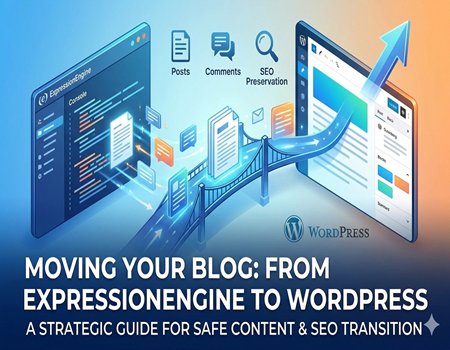
Migrating a blog from ExpressionEngine to WordPress is not just a technical update. It is a strategic move that affects your content, SEO rankings, user experience, and long-term growth.
Many businesses started their blogs on ExpressionEngine years ago. At that time, it was a powerful and flexible platform. But today, WordPress dominates the content management space because of its simplicity, massive plugin ecosystem, SEO flexibility, and community support.
However, blog migration creates many concerns. Will blog posts lose formatting? What happens to comments? Will URLs change? Can SEO rankings drop? Will images break?
These are valid questions.
If you are planning to Migrate website from ExpressionEngine to WordPress, especially your blog section, this guide will walk you through the entire process step by step. You will learn how to migrate safely, preserve SEO value, maintain content structure, and avoid common mistakes.
Let us start by understanding how ExpressionEngine blogs work.
Understanding How ExpressionEngine Blogs Work
In ExpressionEngine, blogs are usually built using channels. A channel acts as a container that stores blog entries. Each entry includes a title, body content, custom fields, categories, and publish date.
Blog posts are displayed through templates. These templates use ExpressionEngine tags to pull dynamic content from the database. Categories help organize blog posts, and sometimes custom fields are used for additional data like featured images, author information, or summary text.
ExpressionEngine also has its own comment system. Comments are tied to specific entries and stored in the database.
URL structures are typically defined through template settings. For example, blog URLs might include the year, month, and title, depending on configuration.
Because blog display is tightly connected to templates, migration requires both content transfer and structural rebuilding.
In WordPress, blogs work differently. WordPress was originally built as a blogging platform. Blog posts are a default content type. Categories and tags are built into the system. Comments are native. SEO plugins are widely available.
This structural difference means migration is not just copying posts. It involves rebuilding blog logic inside WordPress.
Why Migrate ExpressionEngine Blogs to WordPress?
There are strong reasons why businesses choose to migrate.
First, WordPress makes publishing easier. The editor is user-friendly and requires minimal technical knowledge.
Second, SEO optimization becomes easier. Plugins like Rank Math and Yoast allow you to manage meta titles, descriptions, schema, and sitemaps easily.
Third, the plugin ecosystem is massive. You can extend your blog with advanced features like email marketing integration, content locking, analytics tracking, and performance optimization.
Fourth, WordPress reduces long-term development costs. Finding WordPress developers is easier compared to ExpressionEngine specialists.
Finally, WordPress offers better scalability. As your blog grows, WordPress can support thousands of posts without complex configuration.
Because of these advantages, many companies decide to Migrate website from ExpressionEngine to WordPress to strengthen their content marketing strategy.
Pre-Migration Planning Checklist
Proper planning prevents future problems.
Start by taking a complete backup of your ExpressionEngine database and files. This ensures you can restore everything if needed.
Next, export your blog content. This includes blog entries, categories, comments, authors, and custom fields.
Conduct a full SEO audit. Document your current URL structure, meta titles, meta descriptions, canonical tags, and internal linking structure.
Create a list of all blog categories. Map how they will translate into WordPress categories.
Review your tag system if you use one. Decide whether to recreate tags in WordPress.
Organize your media files. Check where images are stored and ensure they are accessible for transfer.
If your blog uses custom fields, document them carefully. These must be recreated in WordPress.
Planning may feel time-consuming, but it prevents SEO loss and structural errors later.
Step-by-Step Process to Migrate ExpressionEngine Blogs to WordPress
Now let us move into the actual migration process.
First, set up your WordPress environment. Install WordPress on a staging server rather than your live domain. Configure basic settings, especially permalink structure. Try to match your existing blog URL format if possible.
Next, prepare your WordPress blog structure. Create categories that match your ExpressionEngine categories. If custom fields are needed, set them up before importing posts.
Then export your blog entries from ExpressionEngine. This usually involves exporting database tables containing channel entries and related data.
After export, prepare the data for WordPress import. Data may need formatting adjustments. Titles, content, publish dates, authors, and categories must be properly structured.
Import blog posts into WordPress using a migration tool or custom import process. After import, verify that all posts display correctly.
Check formatting carefully. Sometimes HTML formatting from ExpressionEngine may require cleanup.
Now migrate comments. Match comments to correct blog posts and verify author names and timestamps.
Transfer media files such as images and downloadable attachments. Upload them into the WordPress media library and update image paths if needed.
Finally, rebuild blog templates inside your WordPress theme. Create a blog archive layout and single post layout that closely matches your previous design.
At this stage, your content should be visible and structured correctly inside WordPress.
Preserving SEO During Blog Migration
SEO preservation is critical during blog migration.
The first priority is maintaining URL structure. If possible, configure WordPress permalinks to match your old blog URLs exactly. This reduces the need for redirects.
If URLs must change, implement 301 redirects. Redirect every old blog URL to its corresponding new URL. This ensures search engines transfer ranking value properly.
Next, migrate meta titles and meta descriptions. Import them into your WordPress SEO plugin.
Update internal links inside blog posts if URL structures change. Broken internal links can hurt user experience and SEO.
Rebuild your XML sitemap in WordPress and submit it to Google Search Console after launch.
Check structured data and schema markup. If your old blog used schema, recreate it in WordPress using SEO plugins.
SEO migration is one of the most important parts when you Migrate website from ExpressionEngine to WordPress, especially for content-heavy blogs.
Handling Categories, Tags, and Taxonomies
ExpressionEngine categories must be mapped properly to WordPress categories.
Make sure each blog post is assigned to the correct category after import.
If your old blog used nested categories, recreate the same hierarchy in WordPress.
Tags should also be reviewed. Avoid creating unnecessary tags that can cause thin content pages.
Clean taxonomy structure helps maintain SEO clarity and improves user navigation.
Common Blog Migration Challenges
Several challenges may appear during migration.
Formatting issues may occur if HTML from ExpressionEngine does not translate perfectly.
Images may break if file paths are not updated correctly.
Duplicate URLs can cause SEO problems if redirects are not handled properly.
Pagination differences between platforms may affect blog archive pages.
Comment migration may sometimes misalign timestamps or authors.
Being aware of these challenges allows you to test thoroughly and fix issues before going live.
Testing Checklist Before Going Live
Before launching your new WordPress blog, perform detailed testing.
Review every blog post manually to ensure formatting is correct.
Check all categories and archive pages.
Test comment submission functionality.
Run page speed tests to ensure performance remains strong.
Verify all redirects work correctly.
Confirm SEO metadata is properly applied.
Test your blog on mobile devices.
Once everything is tested, you can confidently move to the live environment.
When to Hire Professional Migration Services
If your blog has hundreds or thousands of posts, custom fields, advanced SEO structure, or heavy traffic, professional migration support may be necessary.
Large content databases increase the risk of errors.
Complex URL structures require careful redirect mapping.
SEO-critical websites cannot afford ranking loss.
A professional team can safely Migrate website from ExpressionEngine to WordPress without data loss, downtime, or SEO damage.
Expert handling ensures your blog remains stable and optimized.
Final Thoughts
Migrating ExpressionEngine blogs to WordPress is a strategic upgrade that can significantly improve your content management experience.
The process requires careful planning, structured execution, and strong focus on SEO preservation.
When done properly, your blog becomes easier to manage, more scalable, and better optimized for search engines.
WordPress provides flexibility, powerful tools, and long-term growth opportunities.
Approach the migration step by step. Audit your content. Preserve SEO value. Test everything carefully.
With the right strategy, your transition from ExpressionEngine to WordPress can be smooth, safe, and highly beneficial for your digital future.