Common MODX Migration Challenges (and Fixes)
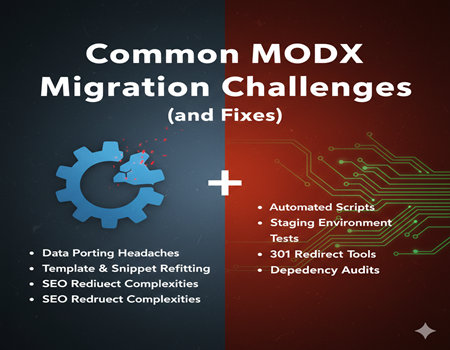
Migrating a website from MODX to another platform can be a complex process, especially for businesses with custom-built features and extensive content. MODX is a developer-focused CMS, known for its flexibility and control over templates, chunks, and snippets. While these features allow highly customized websites, they also make migration more challenging compared to platforms like WordPress, which have standardized structures and larger ecosystems.
For marketing teams and business owners, the challenges of MODX migration are often unexpected. Content may not transfer seamlessly, URLs can break, and interactive features may stop functioning. SEO performance, user experience, and website speed can also be affected if the migration is not carefully planned. These risks highlight the importance of understanding the potential pitfalls before starting the process.
At the same time, migration presents an opportunity. Moving to a more user-friendly and scalable platform can improve content management, streamline marketing operations, and provide access to a wider range of plugins and integrations. This is why many organizations eventually choose to convert their website from MODX to WordPress—a platform that balances flexibility with usability.
In this guide, we will explore the most common MODX migration challenges and provide practical fixes. By understanding these issues upfront, businesses can plan a smoother migration that minimizes downtime, preserves SEO value, and supports long-term growth.
Understanding MODX Architecture and Its Impact on Migration
Before starting a migration, it’s crucial to understand how MODX structures content and functionality. MODX is built around templates, chunks, and snippets, which provide developers with full control over design and content logic. Templates define page layouts, chunks store reusable code or content blocks, and snippets execute custom functionality. While this structure allows for highly customized websites, it also makes migration more complex.
Unlike platforms like WordPress, which use standardized post types, themes, and plugins, MODX websites often have unique content models and custom coding solutions. This means content, pages, and features cannot always be directly transferred without proper mapping or reconfiguration. Without careful planning, content can break, formatting may be lost, or dynamic functionality may fail after migration.
Understanding the MODX architecture early allows businesses to identify which elements are standard and which require custom handling. This knowledge helps determine the scope of work, the tools needed, and potential risks during migration. By analyzing templates, snippets, and chunks in advance, organizations can ensure a smoother transition and lay the groundwork for a successful process when they decide to convert a website from MODX to WordPress.
Challenge 1: Content and Data Structure Differences
One of the most common challenges businesses face when migrating from MODX is handling content and data structure differences. MODX websites are highly customizable, allowing developers to create unique templates, chunks, and custom content types. While this flexibility is a strength for developers, it can make content migration complex. Unlike WordPress, which uses standardized post types, pages, and blocks, MODX structures often require careful mapping to ensure content transfers correctly.
Without proper planning, common issues include broken page layouts, missing content, or misaligned formatting. Media files, embedded elements, and dynamic content may also fail to display correctly if not properly migrated. Marketing teams can experience delays in publishing campaigns or updates, as technical teams work to fix these issues post-migration.
The best fix is to perform a detailed content audit before migration. Identify all content types, page structures, and custom elements, then map them to WordPress equivalents. Using migration tools or custom scripts can automate much of the process while minimizing errors. It’s also crucial to validate the migrated content on a staging site, ensuring that everything appears correctly before going live.
By proactively addressing content and data structure differences, businesses can avoid downtime, maintain SEO performance, and ensure that the transition to WordPress is smooth. This is a key step when you convert a website from MODX to WordPress.
Challenge 2: SEO Preservation
One of the biggest concerns during a MODX migration is preserving SEO performance. MODX websites often have custom URLs, metadata, and internal linking structures that may not directly translate to WordPress. If these elements are not carefully handled, businesses risk losing search engine rankings, organic traffic, and online visibility. Broken links, missing meta tags, or changes in URL structure can significantly impact SEO, especially for content-heavy websites or established domains.
Maintaining SEO requires a detailed pre-migration plan. Every URL, title tag, meta description, header structure, and image alt text should be documented. Mapping old URLs to new WordPress URLs using 301 redirects ensures that search engines and users are directed to the correct pages. This also preserves link equity and prevents traffic loss.
Internal links within the content should also be updated to match the new URL structure. Additionally, XML sitemaps, robots.txt, and schema markup need to be recreated or adapted for the WordPress environment. Plugins like Yoast SEO or Rank Math can help manage metadata, monitor SEO health, and automate certain SEO tasks post-migration.
Regular SEO monitoring after migration is essential. Tracking search rankings, indexing status, and organic traffic helps identify issues early and allows for quick fixes. By addressing SEO challenges proactively, businesses can ensure a seamless transition, maintain their online authority, and maximize the benefits when they convert a website from MODX to WordPress.
Challenge 3: Functionality and Feature Replacement
Another major challenge when migrating from MODX is replicating custom functionality and features. MODX allows developers to create highly tailored solutions using snippets, plugins, and custom code. Forms, dynamic content displays, interactive elements, and other unique functionalities often don’t have direct equivalents in WordPress. This can result in broken features or loss of capabilities if not planned properly.
Marketing teams and site owners may find that features they rely on for campaigns or user engagement, such as contact forms, booking systems, or custom widgets, stop working after migration. Rebuilding these functionalities without careful planning can delay launch timelines and increase costs.
The solution is to identify all custom features before migration and evaluate WordPress equivalents. WordPress has a large ecosystem of plugins, many of which can replace MODX functionality without extensive coding. In cases where no plugin exists, custom development may be required, but with WordPress, developers generally work faster due to standardized architecture.
It’s also recommended to test all features in a staging environment. Forms, dynamic displays, interactive modules, and integrations should be thoroughly validated to ensure they function as expected. By proactively addressing functionality replacement, businesses can avoid surprises and ensure a smooth user experience when they convert a website from MODX to WordPress, preserving both performance and usability.
Challenge 4: Media and Asset Migration
Migrating media and assets is a common challenge when moving a website from MODX to WordPress. MODX allows flexible media storage, but its folder structures, file paths, and references are often customized. During migration, images, videos, PDFs, and other assets may break or fail to display correctly if not handled carefully. Broken media not only affects user experience but can also impact SEO and overall website functionality.
One common issue is that embedded images or linked files in content may point to old paths that no longer exist after migration. This can lead to missing visuals on key pages, landing pages, or blog posts. Another challenge is ensuring that large media libraries are transferred efficiently without loss of quality.
To fix these issues, it’s important to audit all media before migration. Organize assets in a clear folder structure and plan how each file will map to WordPress media libraries. Using migration tools or scripts can help automate file transfers while maintaining proper links. After migration, verify that all images, videos, and downloadable files display correctly and update any broken links.
By carefully planning media and asset migration, businesses can ensure that their visual content remains intact, user experience is preserved, and the transition to WordPress is smooth when they convert a website from MODX to WordPress.
Challenge 5: Design and Template Migration
Design and template migration is one of the most critical challenges when moving a website from MODX to WordPress. MODX allows developers to create fully customized templates with unique layouts, reusable chunks, and dynamic components. While this flexibility is powerful, it often means that templates do not have a direct equivalent in WordPress. Without careful planning, the site’s design and branding may break during migration, resulting in inconsistencies and poor user experience.
WordPress uses themes and page builders to manage design. Migrating MODX templates requires mapping each page layout to WordPress templates or building custom themes that replicate the original design. This includes ensuring header and footer consistency, maintaining responsive layouts for mobile devices, and preserving styling elements such as typography, colors, and spacing. Dynamic content and widgets also need to be recreated using WordPress-compatible tools or plugins.
A practical solution is to start with a staging environment where templates and design elements can be recreated and tested before going live. Page builders like Elementor, WPBakery, or custom child themes can help replicate complex layouts without sacrificing flexibility. Testing responsiveness and visual consistency across devices is essential to ensure a seamless experience.
By addressing design and template challenges proactively, businesses can maintain brand identity, user engagement, and functionality. This step is vital for a smooth and successful process when they convert a website from MODX to WordPress.
Challenge 6: Testing and Quality Assurance
Testing and quality assurance (QA) are critical steps in any MODX migration, yet they are often overlooked. After migrating content, media, templates, and functionality to WordPress, there is a risk of broken pages, missing elements, or malfunctioning features. Without thorough testing, these issues can harm user experience, SEO performance, and overall website credibility.
A common problem is that interactive elements, forms, and custom plugins may not work as expected. Internal links, redirects, and navigation menus can also break if not properly configured. Even small issues, like missing images or misaligned formatting, can impact conversions and engagement.
The best approach is to use a staging environment to perform rigorous testing before launching the migrated website. QA should include checking page layouts, functionality, internal links, media files, forms, and responsiveness across different devices and browsers. Tools like link checkers, performance analyzers, and SEO crawlers can help identify issues early.
Iterative testing is also important. Issues should be logged, fixed, and re-tested until the website works seamlessly. By prioritizing testing and quality assurance, businesses can avoid downtime, maintain SEO rankings, and provide a smooth experience for visitors, ensuring a successful migration when they convert a website from MODX to WordPress.
Challenge 7: Performance Optimization Post-Migration
After migrating a website from MODX to WordPress, performance optimization becomes a critical focus. Even if content, design, and functionality transfer correctly, a site may still experience slow page loads, unoptimized images, or inefficient database queries, which can negatively impact user experience and SEO rankings. MODX sites often rely on custom caching or server-side optimizations, whereas WordPress requires different techniques and tools to achieve optimal performance.
Common issues include slow page speed due to unoptimized images, outdated plugins, or poorly configured themes. Additionally, large databases migrated from MODX can cause delays if not cleaned or indexed properly. Without addressing these performance factors, visitors may face longer load times, higher bounce rates, and reduced conversions.
To fix these issues, WordPress offers a variety of performance plugins for caching, image compression, and database optimization. Choosing a reliable hosting provider, using a content delivery network (CDN), and implementing lazy loading for images can further enhance speed. Testing performance on both desktop and mobile ensures a smooth experience across devices.
By proactively focusing on post-migration performance optimization, businesses can improve page speed, maintain SEO value, and provide a seamless user experience. This step is essential for long-term success when they convert a website from MODX to WordPress.
Challenge 8: Training and Adoption
Migrating a website from MODX to WordPress often introduces a learning curve for marketing teams and content editors. MODX is developer-focused, meaning day-to-day content updates, page edits, and campaign launches typically required technical knowledge. After migration, teams must adapt to WordPress’s interface, workflows, and plugin ecosystem, which, although more user-friendly, still requires training to use effectively.
Without proper guidance, teams may struggle with tasks like creating pages, managing media, configuring SEO settings, or using new plugins for forms and analytics. This can slow down marketing operations and reduce the efficiency gains intended by migration.
The solution is to provide structured training sessions and resources. Tutorials, step-by-step guides, and hands-on workshops help users get familiar with WordPress dashboards, page builders, and content management workflows. Role-based access and permissions can also streamline adoption by ensuring users see only the tools they need.
By investing in training and support, businesses ensure that marketing teams can fully leverage WordPress capabilities. Smooth adoption enhances productivity, reduces errors, and ensures a successful transition when they convert a website from MODX to WordPress.
When to Convert Website from MODX to WordPress
Deciding when to convert a website from MODX to WordPress depends on both technical limitations and business needs. Many organizations start with MODX due to its flexibility and developer-friendly environment. However, as marketing teams grow and campaigns become more complex, MODX’s reliance on custom development can slow content updates, reduce agility, and increase costs. When marketers cannot quickly publish content, optimize for SEO, or implement new features without developer support, it’s often a clear sign that migration is needed.
Another reason businesses choose to migrate is the scalability and ecosystem offered by WordPress. With thousands of plugins and integrations, WordPress allows marketing teams to connect analytics tools, CRM platforms, automation systems, and more without heavy technical intervention. This accelerates campaign launches and improves overall efficiency.
SEO preservation and improved content management are additional motivators. WordPress makes it easier to maintain metadata, manage URLs, and optimize content for search engines, helping businesses retain traffic during migration.
Finally, cost efficiency plays a role. MODX maintenance, custom development, and updates can be expensive, while WordPress provides a more predictable and manageable long-term solution. For organizations seeking agility, efficiency, and growth-focused functionality, choosing to convert a website from MODX to WordPress becomes a strategic decision that supports marketing, scalability, and long-term success.
Final Thoughts: Ensuring a Smooth MODX to WordPress Migration
Migrating from MODX to WordPress presents several challenges, from content structure differences to functionality replication, SEO preservation, and performance optimization. Each step requires careful planning, testing, and collaboration between developers and marketing teams. Addressing these challenges proactively ensures that the migration process is smooth and minimizes disruption to business operations.
WordPress offers a user-friendly interface, extensive plugin ecosystem, and scalable architecture, making it ideal for marketing-driven organizations. Marketing teams can create content, manage campaigns, optimize SEO, and integrate third-party tools independently, reducing reliance on developers. At the same time, WordPress enables businesses to maintain design consistency, improve site performance, and preserve critical assets and functionality during migration.
Proper training and adoption for content editors, thorough QA testing, and performance optimization are key components of a successful transition. Businesses that carefully plan their migration strategy can reduce risks, maintain search rankings, and ensure a seamless user experience.
For organizations looking to improve efficiency, scale operations, and empower marketing teams, deciding to convert a website from MODX to WordPress is a strategic move that supports long-term growth, flexibility, and digital success.