Migrating Enterprise Portals from DNN
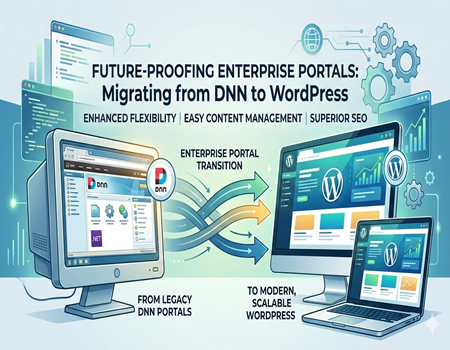
Enterprise portals play an important role in how organizations manage information, connect teams, and deliver digital services to users. These portals often support complex operations such as content management, document sharing, user authentication, and internal collaboration. For many years, businesses relied on DotNetNuke (DNN) to build and manage these enterprise-level web portals.
DNN gained popularity because it was built on the Microsoft .NET framework and offered strong customization capabilities. Many organizations used it to create corporate websites, intranet portals, partner platforms, and large content-driven applications. With role-based permissions and modular architecture, DNN provided the flexibility enterprises needed at the time.
However, the digital landscape has changed significantly. Modern businesses now require platforms that are easier to manage, highly scalable, and capable of supporting advanced digital marketing, SEO, and integrations. As a result, many organizations are now exploring the option of migrating enterprise portals from DNN to more flexible platforms like WordPress.
WordPress has evolved into a powerful content management system that supports enterprise websites, large portals, and high-traffic platforms. It offers a user-friendly interface, a massive ecosystem of plugins, and strong SEO capabilities. These advantages make WordPress a preferred choice for companies looking to modernize their digital infrastructure.
Migrating an enterprise portal from DNN is not a simple process. It requires careful planning, proper data migration, design restructuring, and SEO preservation. Many organizations therefore choose professional DotNetNuke To WordPress Migration Service providers to ensure the transition is secure, smooth, and free from data loss or downtime.
Understanding DNN (DotNetNuke) as an Enterprise CMS
DotNetNuke, commonly known as DNN, is a web content management system built on the Microsoft .NET framework. It was designed to help organizations create and manage dynamic websites, enterprise portals, and intranet platforms. Over the years, DNN became a popular choice for businesses that relied heavily on Microsoft technologies.
One of the key strengths of DNN is its modular architecture. The platform allows developers to extend functionality by adding modules that perform specific tasks. These modules can manage content, forms, user management, and other features. This flexibility made DNN suitable for organizations that needed customized portal solutions.
Another important feature of DNN is its role-based access control system. Enterprise portals often require different levels of access for administrators, employees, partners, and customers. DNN allows administrators to assign permissions based on user roles, which helps maintain security and organized content access across large teams.
DNN is also widely used for building corporate intranets and internal communication portals. Companies can create private sections where employees access documents, training resources, announcements, and internal applications. This ability to build secure internal environments has made DNN a reliable platform for enterprise-level digital systems.
Despite these advantages, many businesses are now facing challenges with DNN. The platform often requires experienced .NET developers to manage and customize it, which can increase development costs. In addition, the ecosystem around DNN is smaller compared to modern CMS platforms.
Because of these limitations, organizations are increasingly considering migration to more flexible systems like WordPress. During this transition, many companies rely on professional DotNetNuke To WordPress Migration Service providers to move their enterprise portals while maintaining functionality, security, and content structure.
Why Enterprises Are Migrating Away from DNN
Over the years, many organizations have started reconsidering their reliance on DNN for managing enterprise portals. While the platform once served businesses well, changing digital requirements have made companies look for more flexible and scalable content management systems. As technology evolves, enterprises prefer platforms that are easier to manage and capable of supporting modern digital strategies.
High Development and Maintenance Costs
One of the major reasons enterprises move away from DNN is the cost of development and maintenance. Since DNN is built on the .NET framework, organizations often need experienced .NET developers to customize or maintain their portals. Hiring specialized developers can significantly increase operational costs, especially for businesses managing large and complex websites.
In addition to development costs, maintaining a DNN portal often requires ongoing technical support. Updates, module compatibility issues, and system management can make the platform expensive for long-term use. For many companies, shifting to a platform with a larger developer community becomes a practical decision.
Limited Ecosystem and Flexibility
Another challenge with DNN is its relatively smaller ecosystem. Compared to modern CMS platforms, DNN offers fewer plugins, extensions, and third-party integrations. This limitation can slow down the process of adding new features or implementing modern marketing and analytics tools.
Businesses today rely on digital marketing, automation tools, SEO plugins, and CRM integrations to grow online. Platforms with large ecosystems make these integrations easier, while DNN often requires custom development for similar functionality.
Demand for Modern Digital Experience
Enterprises today expect their websites and portals to deliver fast performance, mobile responsiveness, and user-friendly content management. Many teams prefer platforms where content editors and marketing teams can manage pages without relying heavily on developers.
Because of these evolving needs, many organizations are now planning to migrate their portals to modern CMS platforms like WordPress. To ensure a smooth transition, companies often choose professional DotNetNuke To WordPress Migration Service providers who can handle data transfer, design migration, and system integration efficiently.
Why WordPress Is the Preferred Platform for Enterprise Portals
Many enterprises are now choosing WordPress as their preferred platform when migrating from DNN. Over the years, WordPress has evolved from a blogging platform into a powerful content management system capable of supporting large websites, enterprise portals, and high-traffic digital platforms. Its flexibility and ease of use make it attractive for organizations looking to modernize their online presence.
Flexibility and Scalability
One of the biggest advantages of WordPress is its flexibility. The platform allows businesses to build everything from simple websites to complex enterprise portals. With thousands of plugins and themes available, organizations can easily add new features without extensive custom development.
WordPress is also highly scalable. Many global brands and high-traffic websites run on WordPress because the platform can handle large amounts of content and users. With the right hosting environment and optimization strategies, enterprises can build powerful and reliable portals that grow with their business needs.
Easy Content Management for Teams
Another major reason enterprises prefer WordPress is its user-friendly interface. Content editors, marketing teams, and administrators can manage pages, publish content, and update information without needing advanced technical knowledge. This reduces dependency on developers and allows organizations to maintain their websites more efficiently.
WordPress also supports multiple user roles and permissions, making it suitable for large teams working on the same portal. Departments can manage their own content sections while administrators maintain overall control of the platform.
Strong SEO and Marketing Capabilities
Modern enterprises focus heavily on search visibility and digital marketing performance. WordPress offers strong SEO capabilities through well-structured code, customizable URLs, and powerful SEO plugins. These features make it easier for organizations to optimize their portals for search engines and attract more organic traffic.
Because of these advantages, many companies decide to migrate their existing DNN portals to WordPress. To manage the transition smoothly and securely, businesses often rely on professional DotNetNuke To WordPress Migration Service providers who can handle complex enterprise migrations without disrupting operations.
Key Challenges in Migrating Enterprise Portals from DNN
Migrating an enterprise portal from DNN to another platform is a complex process. Unlike small websites, enterprise portals often contain large databases, multiple integrations, and customized modules. Because of this complexity, organizations must carefully plan the migration to avoid data loss, downtime, or disruption to business operations.
Large Content and Database Migration
Enterprise portals typically contain thousands of pages, documents, media files, and user records. Moving this large amount of data from DNN to a new platform requires proper extraction, mapping, and validation. If the migration process is not handled correctly, important content can be lost or misplaced.
Another challenge is maintaining the structure of the original portal. Enterprise websites often have complex navigation systems and multiple content categories. During migration, it is important to recreate this structure accurately so users can still find information easily.
Custom Modules and Functionalities
Many DNN portals rely on custom-built modules that perform specific tasks. These modules may manage forms, workflows, document systems, or internal tools. When migrating to a new platform, these features cannot simply be copied. Instead, they must be rebuilt using plugins, custom development, or alternative solutions.
This step requires careful analysis of how each module works and how the same functionality can be recreated. Without proper planning, businesses may lose important features that support their daily operations.
User Roles, Permissions, and Integrations
Enterprise portals often include complex permission systems that control who can access certain areas of the website. These roles and permissions must be carefully transferred to the new platform to maintain security and workflow processes.
In addition, many enterprise portals connect with other systems such as CRM platforms, internal databases, or third-party applications. Ensuring that these integrations continue to function after migration is another major challenge.
Because of these technical complexities, many organizations prefer working with experienced professionals who provide DotNetNuke To WordPress Migration Service. Expert migration teams can manage data transfer, rebuild functionalities, and ensure the new portal operates smoothly after launch.
Step-by-Step Process for Migrating Enterprise Portals from DNN
Migrating an enterprise portal from DNN requires a structured and carefully planned approach. Since enterprise portals often contain large datasets, custom modules, and multiple integrations, the migration process must be handled step by step. A well-planned migration ensures that content, functionality, and performance remain intact during the transition.
Portal Audit and Migration Planning
The first step in the migration process is conducting a complete audit of the existing DNN portal. This includes reviewing the site structure, modules, content types, user roles, and integrations. Understanding how the portal currently operates helps define a clear migration strategy.
During this phase, businesses also identify outdated modules, unnecessary pages, and features that need improvement. A detailed migration plan ensures that the new WordPress portal is more efficient, organized, and scalable.
Content and Database Migration
Once the planning stage is complete, the next step is extracting data from the DNN portal. This includes pages, blog posts, documents, images, and user data stored in the database. The extracted data is then carefully mapped to the appropriate structure within WordPress.
Proper data mapping is important because DNN and WordPress use different database architectures. Ensuring that content fields, categories, and metadata are correctly transferred helps maintain the integrity of the portal’s information.
Rebuilding Design and Functional Features
After migrating the core data, the design and functional components of the portal need to be recreated in WordPress. This includes rebuilding page layouts, navigation structures, and custom modules. In many cases, WordPress plugins can replace features that previously required custom DNN modules.
Developers may also create custom themes or modify existing ones to match the original branding and user experience. This step ensures that the new portal maintains a familiar interface while benefiting from improved flexibility.
Testing and Final Deployment
Before launching the migrated portal, thorough testing is essential. The new WordPress site is usually deployed on a staging environment where developers test content accuracy, user permissions, integrations, and overall performance.
Once everything is verified, the portal is moved to the live environment. A careful launch process ensures minimal downtime and smooth user access. Many organizations rely on professional DotNetNuke To WordPress Migration Service providers to handle these technical steps and ensure a secure, well-executed migration.
Preserving SEO During DNN to WordPress Migration
When migrating an enterprise portal from DNN to WordPress, protecting existing SEO performance is extremely important. Many enterprise websites already rank for valuable keywords and generate consistent organic traffic. If SEO is not handled carefully during migration, businesses can experience ranking drops, traffic loss, and broken pages.
Maintaining URL Structure
One of the most critical SEO factors during migration is preserving the existing URL structure. Search engines have already indexed the current URLs, and sudden changes can lead to broken links or lost rankings. Whenever possible, the same URL format should be maintained on the new WordPress portal.
If some URLs must change, proper redirects should be implemented. Redirects guide both users and search engines from the old pages to the new ones, helping preserve search visibility and ensuring a smooth browsing experience.
Migrating Metadata and Page Structure
Another important step is transferring all SEO-related metadata from the DNN portal. This includes page titles, meta descriptions, image alt tags, and header structures. These elements help search engines understand page content and determine rankings.
It is also important to maintain the original content hierarchy. Page categories, internal links, and navigation structures should remain consistent to avoid confusing search engines or users.
Improving Performance and Mobile Experience
Migration also provides an opportunity to improve site performance. Faster loading pages, better mobile responsiveness, and optimized images can enhance user experience and improve search rankings. WordPress offers several tools and plugins that help optimize these technical SEO factors.
After migration, it is essential to monitor search performance and fix any issues quickly. Businesses often work with professionals offering DotNetNuke To WordPress Migration Service to ensure SEO elements are preserved and the new portal continues to perform well in search results.
Enterprise Features That Must Be Rebuilt in WordPress
Enterprise portals built on DNN often include advanced features designed to support internal operations, collaboration, and secure information access. When migrating to WordPress, these enterprise-level functionalities must be carefully rebuilt to ensure the new portal continues to support business workflows and user requirements.
Membership and Role-Based Access
Many enterprise portals rely on membership systems where different users have different access levels. Employees, administrators, partners, and customers may all have separate permissions within the portal. During migration, these roles must be recreated in WordPress using user role management features or specialized plugins.
Proper role configuration ensures that sensitive information remains protected while authorized users can easily access the resources they need. This is particularly important for organizations that manage private portals or internal knowledge systems.
Document Management and Collaboration Tools
Enterprise portals often act as centralized platforms where teams access important documents, reports, and training materials. In DNN portals, document libraries and file management systems are commonly used for this purpose.
When migrating to WordPress, similar document management features must be implemented so teams can continue sharing and accessing files efficiently. Modern WordPress solutions can also improve collaboration by offering better search, organization, and file access controls.
Integrations and Custom Workflows
Many enterprise portals are connected to other business systems such as CRM platforms, internal databases, or customer service tools. These integrations must be carefully rebuilt during migration to ensure the portal continues to function as expected.
Custom workflows used for approvals, submissions, or internal processes may also need to be recreated. For complex enterprise portals, organizations often rely on professional DotNetNuke To WordPress Migration Service providers to rebuild these features while ensuring the new platform remains secure and scalable.
Why Businesses Choose Professional DNN Migration Experts
Migrating an enterprise portal from DNN to WordPress is a technically demanding process. Enterprise websites usually contain complex databases, custom modules, and sensitive business data. Because of these factors, many organizations prefer working with experienced migration experts rather than attempting the process internally.
Handling Complex Enterprise Systems
Enterprise portals are often connected with multiple internal systems such as customer databases, document repositories, and business applications. Migrating these interconnected systems requires technical expertise and careful planning. A small mistake during migration can cause data loss or disrupt business operations.
Professional migration experts understand how to analyze the existing portal and create a safe migration strategy. They carefully move content, users, and system configurations while maintaining the functionality of the enterprise platform.
Reducing Downtime and Operational Risks
For large organizations, website downtime can impact customers, employees, and partners. If the migration process is not handled properly, the portal may experience technical errors or accessibility issues. Experienced migration teams follow structured workflows and testing processes to minimize these risks.
They also use staging environments where the new portal is tested before going live. This ensures that all pages, integrations, and user permissions work correctly before the final launch.
Faster and More Secure Migration Process
Another benefit of hiring migration experts is speed and efficiency. Experienced teams have already handled similar migration projects, which allows them to complete the process more quickly. They also implement security best practices to protect sensitive enterprise data during migration.
Many organizations choose specialized providers that offer DotNetNuke To WordPress Migration Service to manage the entire transition. These experts ensure that content, design elements, and essential features are transferred accurately while maintaining the performance and stability of the new WordPress portal.
Conclusion: Future-Proofing Enterprise Portals with WordPress
Enterprise portals are essential for managing digital operations, internal communication, and large volumes of business content. While DNN has served many organizations well in the past, changing technology demands have encouraged businesses to explore more flexible and scalable platforms. Modern enterprises now require systems that support easy content management, better integrations, and improved digital experiences.
WordPress has emerged as a powerful alternative for enterprise portals. Its flexible architecture, large plugin ecosystem, and user-friendly interface allow organizations to manage complex websites more efficiently. Teams can publish content easily, integrate modern tools, and scale their digital platforms without heavy development dependencies.
Migrating an enterprise portal from DNN to WordPress requires careful planning and execution. Businesses must ensure that important content, user roles, and system integrations are transferred correctly. Maintaining SEO performance and preserving existing website structure are also critical during the transition.
With the right migration strategy, organizations can successfully modernize their enterprise portals and create a more future-ready digital platform. Many companies choose expert DotNetNuke To WordPress Migration Service providers to handle this complex process, ensuring a smooth migration while protecting business data, website functionality, and long-term performance.