Replacing MODX Snippets with WordPress Plugins
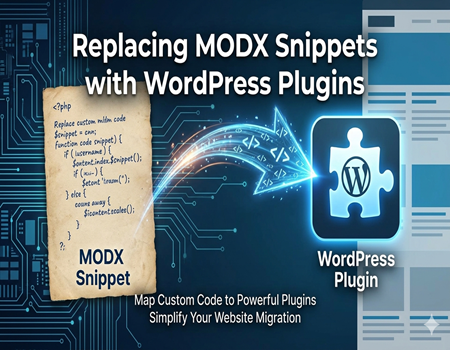
Migrating from MODX to WordPress is becoming a common choice for businesses and website owners who want a more flexible and user-friendly content management system. While MODX offers powerful customization through snippets, WordPress provides a plugin-based ecosystem that simplifies functionality without heavy coding. This shift, however, brings one major challenge—replacing MODX snippets effectively.
MODX snippets are often deeply integrated into the website’s structure, handling tasks like forms, dynamic content, and custom logic. When moving to WordPress, these snippets don’t transfer directly, which can create confusion and functionality gaps if not handled properly. Many users struggle to identify the right alternatives and end up either overusing plugins or missing important features.
This guide is designed to solve that exact problem. You’ll learn how to replace MODX snippets with the right WordPress plugins, understand the mapping process, and avoid common mistakes during migration. Whether you are a developer or a business owner, having a clear strategy is essential for a smooth transition.
If you’re planning a complete shift, exploring MODX to WordPress Migration Services can also help ensure that your website’s functionality, performance, and SEO remain intact throughout the process.
What Are MODX Snippets?
MODX snippets are small pieces of reusable PHP code that help extend the functionality of a MODX website. They are commonly used to perform dynamic operations like fetching data, processing forms, or integrating third-party services. Instead of relying on built-in features, developers use snippets to create custom behavior tailored to specific project needs.
One of the main advantages of MODX snippets is their flexibility. Developers can write and modify code directly, allowing full control over how a website functions. This makes MODX highly customizable, especially for complex projects where standard solutions are not enough. However, this flexibility also means that managing and maintaining snippets requires technical knowledge.
Snippets are often used for tasks like handling contact forms, displaying dynamic content, managing user interactions, or connecting with APIs. For example, a snippet can pull data from a database and display it on a page based on user input. This level of customization is powerful but can become complicated when scaling or migrating a website.
Understanding how MODX snippets work is important before moving to WordPress. Since WordPress follows a different approach using plugins and built-in features, identifying what each snippet does will help you choose the right replacement. This step is crucial to ensure that no important functionality is lost during migration.
Why Snippets Don’t Work in WordPress
MODX and WordPress are built on completely different architectures, which is why snippets from MODX cannot be directly used in WordPress. In MODX, snippets are a core part of how functionality is added, allowing developers to insert custom PHP code anywhere within the site. WordPress, on the other hand, relies on a structured system of plugins and themes.
In WordPress, most functionality is handled through plugins that are designed to work within its ecosystem. Instead of inserting raw code like snippets, users install plugins that already provide specific features such as forms, SEO tools, or dynamic content handling. This makes WordPress more user-friendly but less dependent on manual coding.
Another key difference is how both platforms manage content and logic. MODX gives developers more direct control through code, while WordPress separates functionality into organized components. Because of this, simply copying a snippet into WordPress will not work and may even break the site.
To successfully migrate, it’s important to understand that snippets need to be replaced, not transferred. Identifying their purpose and finding the right WordPress alternative ensures your website continues to function smoothly without unnecessary complications.
Understanding WordPress Alternatives
When moving from MODX to WordPress, it’s important to understand that WordPress offers multiple ways to replace snippet functionality. Instead of relying on custom PHP code for every feature, WordPress provides built-in systems like plugins, shortcodes, and theme functions. These options make it easier to manage and scale your website without heavy development work.
Plugins are the most common alternative to MODX snippets. They are ready-made tools designed to handle specific tasks such as forms, SEO, security, and performance. With thousands of plugins available, you can usually find a solution for almost any functionality that was previously handled by a snippet, without writing custom code.
Shortcodes are another useful feature in WordPress. They allow you to add dynamic elements inside pages or posts using simple tags. Many plugins provide shortcodes, which means you can easily insert complex functionality into your content without technical expertise. This makes content management more flexible compared to manual coding in MODX.
For more advanced needs, WordPress also allows custom code through the theme’s functions.php file or custom plugins. This option is similar to using snippets but follows WordPress coding standards. It is ideal when you need highly specific functionality that plugins cannot provide.
Understanding when to use plugins, shortcodes, or custom code is key to a successful migration. Choosing the right approach helps maintain performance, reduces complexity, and ensures your website remains easy to manage in the long run.
Mapping MODX Snippets to WordPress Plugins
Step 1: Identify the Purpose of Each Snippet
Before replacing anything, you need to clearly understand what each MODX snippet is doing. Many websites use multiple snippets for different tasks, and skipping this step can lead to missing functionality. Review your MODX setup and list all snippets along with their purpose, such as form handling, dynamic content display, or API integration.
Step 2: Categorize Snippets Based on Functionality
Once you have identified the snippets, group them into categories. For example, separate snippets related to SEO, forms, navigation, or custom logic. This makes the migration process more organized and helps you find suitable WordPress alternatives faster. Categorization also prevents confusion when dealing with complex websites.
Step 3: Find the Right WordPress Plugin
After categorizing, the next step is to look for plugins that match each function. WordPress has a large plugin ecosystem, so most features already have reliable solutions available. Instead of trying to replicate code manually, focus on choosing well-supported plugins that align with your website’s needs and long-term goals.
Step 4: Configure and Test Each Replacement
Installing a plugin is not enough—you must configure it properly to match the original snippet’s behavior. This includes setting options, adjusting layouts, and testing outputs on different pages. Proper testing ensures that the replaced functionality works smoothly and does not affect user experience or site performance.
Step 5: Optimize and Avoid Plugin Overload
While WordPress makes things easier with plugins, using too many can slow down your website. Always choose multi-functional or lightweight plugins where possible. If multiple snippets perform similar tasks, try to replace them with a single efficient plugin to maintain speed and performance.
Step 6: Plan Before Full Migration
Mapping snippets to plugins should be done before fully migrating your website. A clear plan helps avoid last-minute issues and ensures that all essential features are accounted for. If the process feels complex, using professional MODX to WordPress Migration Services can help streamline everything and reduce risks during the transition.
Common MODX Snippets and Their WordPress Replacements
Form Handling Snippets
Form-related snippets in MODX are commonly used to collect user data, manage contact requests, or process inquiries. These snippets often include validation, email notifications, and database storage. While powerful, they require manual setup and ongoing maintenance, especially when handling more complex form logic or integrations.
In WordPress, this functionality is easily handled by form plugins that provide drag-and-drop builders and pre-built templates. These plugins simplify form creation, validation, and submissions without coding. They also offer additional features like spam protection, integrations, and analytics, making them a more efficient alternative to custom MODX form snippets.
SEO Snippets
MODX snippets are often used to manage SEO elements like meta tags, structured data, and XML sitemaps. Developers usually create custom logic to optimize pages, which gives flexibility but requires continuous updates to keep up with changing SEO standards and search engine requirements.
WordPress replaces this with dedicated SEO plugins that handle everything from meta titles to advanced optimization features. These plugins provide real-time suggestions, automate technical SEO tasks, and ensure your site follows best practices. This reduces manual effort and helps maintain consistent optimization across all pages.
Custom Content Snippets
Custom content snippets in MODX are used to display dynamic data, create reusable content blocks, or pull information from databases. These are often tailored for specific layouts or business needs, making them highly flexible but also dependent on custom coding.
In WordPress, similar functionality can be achieved using custom post types and custom fields. This allows you to structure content in a more organized way while maintaining flexibility. Instead of writing code for each dynamic element, you can manage and update content directly from the dashboard.
Navigation and Menu Snippets
Navigation in MODX is often controlled through snippets that dynamically generate menus based on site structure. These snippets can be customized for different layouts and user experiences, but they require manual adjustments when the website structure changes.
WordPress offers a built-in menu management system that allows you to create, edit, and organize navigation easily. You can control menus visually without coding, assign them to different locations, and update them anytime. This makes navigation management much simpler compared to MODX snippet-based systems.
API and Integration Snippets
MODX snippets are frequently used to connect with external APIs, fetch data, or integrate third-party services. These require custom coding and careful handling to ensure data accuracy and security. Managing these integrations can become complex, especially for large websites with multiple external connections.
WordPress provides a wide range of integration plugins that handle API connections and third-party services efficiently. These plugins are designed to work seamlessly within the WordPress ecosystem, reducing the need for manual coding. For highly specific integrations, custom development can still be used alongside plugins for better control.
When You Need Custom Development Instead of Plugins
While WordPress plugins can replace most MODX snippets, there are situations where plugins may not be enough. Some MODX snippets are highly customized and built specifically for unique business requirements. In such cases, finding an exact plugin alternative becomes difficult, and relying only on plugins may limit functionality or flexibility.
Custom development is the right choice when your website requires advanced logic, unique workflows, or specific integrations that plugins cannot handle. Instead of forcing multiple plugins to achieve one task, writing custom code in WordPress ensures better performance and cleaner implementation. This approach also helps avoid unnecessary plugin conflicts and reduces site load time.
Another important factor is scalability. If your website is expected to grow or handle complex operations in the future, custom development provides more control. Developers can build solutions that are tailored to your needs while following WordPress standards, making the site easier to manage and update over time.
Choosing between plugins and custom development depends on your project requirements. A balanced approach—using plugins for common tasks and custom code for advanced needs—ensures a stable, fast, and scalable website after migration.
Challenges During Snippet Replacement
Replacing MODX snippets with WordPress plugins is not always a straightforward process. One common challenge is feature mismatch, where a plugin may not fully replicate the exact functionality of a snippet. This can lead to compromises or the need for additional customization to achieve the desired results.
Another issue is plugin overload. Since WordPress relies heavily on plugins, users may install too many in an attempt to replace every snippet individually. This can negatively impact website performance, increase loading time, and create compatibility issues between plugins.
Data handling can also become a concern during migration. Some snippets process or store data in specific ways that are not directly supported in WordPress. Ensuring that all data is transferred correctly and continues to function as expected requires careful planning and testing to avoid errors or data loss.
Best Practices for Smooth Migration
A smooth migration from MODX to WordPress starts with a complete audit of all existing snippets. Before replacing anything, document what each snippet does and how it impacts your website. This clarity helps you choose the right plugins or custom solutions without missing important functionality during the transition.
It’s also important to avoid installing unnecessary plugins. While WordPress offers many options, using too many can slow down your website and create conflicts. Focus on reliable, well-supported plugins that serve multiple purposes. Keeping your setup lightweight ensures better performance and easier long-term maintenance.
Always test every replacement carefully before making your site live. Check functionality, design consistency, and performance across different devices. Backup your website before making major changes so you can quickly restore it if something goes wrong during migration.
If the process feels complex or time-consuming, considering professional MODX to WordPress Migration Services can be a smart decision. Experts can handle technical challenges efficiently, ensuring your website retains its functionality, performance, and SEO value without unnecessary risks.
Why Professional Help Matters
Migrating from MODX to WordPress is not just about moving content—it involves carefully replacing snippets, maintaining functionality, and ensuring performance stays intact. Without proper technical understanding, it’s easy to break features or overlook important elements that affect user experience and SEO.
Professional experts bring experience and a structured approach to the migration process. They can accurately map MODX snippets to the right WordPress plugins or custom solutions, reducing errors and saving time. This is especially important for websites with complex structures or custom-built functionalities.
Choosing reliable MODX to WordPress Migration Services ensures that your website transition is smooth and risk-free. Professionals handle everything from planning to execution, including testing and optimization. This allows you to focus on your business while ensuring your website remains fully functional, secure, and ready for growth.
Conclusion
Replacing MODX snippets with WordPress plugins may seem challenging at first, but with the right approach, it becomes a manageable and rewarding process. Understanding how snippets work, identifying their purpose, and mapping them to suitable WordPress alternatives are the key steps to ensuring a smooth transition without losing important functionality.
WordPress offers a flexible and user-friendly ecosystem that simplifies website management while still allowing customization when needed. By carefully selecting plugins and using custom development where required, you can maintain performance, scalability, and ease of use after migration.
Planning ahead, testing thoroughly, and following best practices will help you avoid common issues during the process. If you want to ensure everything is handled efficiently, opting for MODX to WordPress Migration Services can provide the expertise needed to complete the migration successfully and keep your website future-ready.