Replacing Sitecore Personalization in WordPress
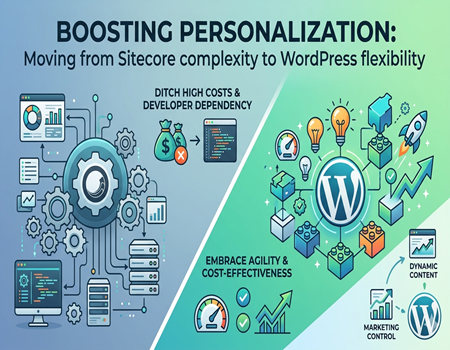
In today’s digital world, personalization has become a key part of successful marketing. Users expect websites to understand their needs and show relevant content based on their behavior. This is where platforms like Sitecore have been widely used, as they offer advanced personalization features for enterprise-level businesses.
However, many companies are now facing challenges with Sitecore. It is powerful, but it comes with high licensing costs, complex setup, and heavy dependency on developers. For growing businesses or marketing teams, managing such a system can become difficult and time-consuming.
This is why WordPress is gaining popularity as a strong alternative. It is flexible, cost-effective, and easy to manage. With the right tools and plugins, WordPress can also deliver personalized experiences without the complexity of enterprise platforms.
The main question is — can WordPress really replace Sitecore personalization? And if yes, how can businesses achieve similar results without compromising performance or user experience?
In this blog, we will explore how you can replace Sitecore personalization in WordPress step by step. You will learn about the tools, strategies, and best practices needed to build a powerful and scalable personalization system using WordPress.
What is Sitecore Personalization?
Sitecore personalization is a feature that allows websites to show different content to different users based on their behavior, preferences, and interactions. Instead of showing the same content to everyone, Sitecore helps businesses create customized experiences that improve engagement and conversions. It is widely used by large enterprises that need advanced marketing automation.
At its core, Sitecore tracks user activity such as pages visited, time spent, clicks, and previous interactions. Based on this data, it builds user profiles and segments audiences into different groups. For example, a returning visitor might see different content compared to a new visitor, making the experience more relevant.
One of the key strengths of Sitecore personalization is its rules-based system. Marketers can define conditions like “if a user visits a product page twice, show a special offer.” This allows businesses to deliver targeted messages without manually changing content every time, making marketing efforts more efficient.
Sitecore also supports AI-driven personalization, where the system automatically analyzes user data and adjusts content in real time. This helps businesses optimize user journeys and improve performance without constant manual effort. It is especially useful for large websites with high traffic and diverse audiences.
For example, an eCommerce website using Sitecore can show personalized product recommendations based on a user’s browsing history. This increases the chances of conversion and improves overall user experience, which is why personalization is considered a powerful marketing strategy today.
Why Businesses Are Moving Away from Sitecore
High Cost and Licensing Issues
One of the biggest reasons businesses are moving away from Sitecore is its high cost. The platform comes with expensive licensing fees, which can be a major burden, especially for small and mid-sized companies. Along with licensing, there are additional costs for hosting, upgrades, and ongoing maintenance that increase the overall investment.
Complex Setup and Management
Sitecore is a powerful platform, but it is not easy to set up or manage. It requires technical expertise and proper configuration to work effectively. Many businesses struggle during implementation, and even after setup, managing the platform can be complicated for non-technical users, making daily operations difficult.
Heavy Developer Dependency
Another major issue is the dependency on developers. Even small updates or changes often require technical support. Marketing teams cannot easily make changes on their own, which slows down the process. This lack of independence reduces productivity and makes it harder to execute campaigns quickly.
Lack of Flexibility for Marketing Teams
In today’s fast-paced digital environment, marketers need flexibility to test and launch campaigns quickly. Sitecore often slows this down due to its complex workflows. Simple tasks like updating content or running A/B tests can take more time than expected, which affects overall marketing performance.
Performance and Maintenance Challenges
Over time, Sitecore systems can become heavy, especially with large amounts of data and personalization rules. This can impact website speed and performance if not managed properly. Continuous maintenance, monitoring, and updates are required, which increases operational workload and technical effort.
Shift Towards Simpler Alternatives
Because of these challenges, many businesses are now looking for simpler and more cost-effective solutions. Platforms like WordPress offer more flexibility, easier management, and lower costs. This shift is driven by the need for faster execution, better control, and improved return on investment.
Why WordPress is a Strong Alternative
Cost-Effective and Open-Source
One of the biggest advantages of WordPress is that it is open-source and free to use. Unlike Sitecore, there are no heavy licensing fees involved. Businesses only need to invest in hosting, themes, and plugins, which makes it a much more budget-friendly option for companies of all sizes.
Easy to Use and Manage
WordPress is known for its user-friendly interface. Even non-technical users can easily manage content, update pages, and make changes without developer support. This gives marketing teams more control and helps them execute campaigns faster without waiting for technical assistance every time.
Huge Plugin Ecosystem
Another major strength of WordPress is its vast plugin ecosystem. There are thousands of plugins available that can add advanced features like personalization, analytics, CRM integration, and automation. This flexibility allows businesses to build a system that fits their exact needs without complex development.
Faster Implementation and Flexibility
Compared to Sitecore, WordPress can be implemented much faster. Businesses can launch their website or migrate existing systems in a shorter time. If you are planning a smooth transition, choosing a reliable Sitecore To WordPress Migration Service can make the process easier and reduce risks during migration.
Better Control for Marketing Teams
WordPress gives full control to marketing teams, allowing them to create, edit, and optimize content quickly. They can run experiments, update landing pages, and test different strategies without technical delays. This improves agility and helps businesses respond faster to market changes.
Scalable and Performance-Friendly
With the right hosting and optimization, WordPress can handle large traffic and scale as your business grows. It also offers better performance flexibility, allowing businesses to optimize speed and user experience. This makes WordPress a practical and powerful alternative to complex enterprise platforms.
Can WordPress Replace Sitecore Personalization?
Yes, With the Right Approach
The short answer is yes, WordPress can replace Sitecore personalization if you use the right tools and strategy. While Sitecore offers built-in advanced features, WordPress provides flexibility through plugins and integrations. This allows businesses to create personalized experiences without relying on a complex and expensive system.
WordPress may not offer everything out-of-the-box like Sitecore, but it gives you the freedom to build exactly what you need. By combining different tools, businesses can achieve similar results in terms of targeting, segmentation, and content customization, often with more control and lower cost.
Comparing Capabilities
Sitecore is designed for large enterprises with deep personalization needs, including AI-driven automation and advanced data handling. WordPress, on the other hand, is more modular. You can add features like behavior tracking, dynamic content, and CRM integration using plugins based on your requirements.
This modular approach is actually an advantage for many businesses. Instead of paying for features you may not use, you can select only the tools that match your goals. This makes WordPress more efficient and easier to manage, especially for growing teams.
Understanding Limitations and Flexibility
It is important to be realistic about limitations. WordPress may require multiple plugins to match Sitecore’s capabilities, and initial setup can take some effort. However, once configured properly, it becomes much easier to manage and scale compared to a complex enterprise platform.
For most businesses, WordPress offers a practical balance between functionality and simplicity. It may not be as advanced as Sitecore in every aspect, but it provides enough power to deliver effective personalization while staying flexible, affordable, and user-friendly.
Key Features Needed to Replace Sitecore Personalization
User Segmentation and Behavior Tracking
To replace Sitecore personalization, the first important feature is user segmentation. This means dividing your audience into different groups based on their behavior, interests, or demographics. For example, new visitors, returning users, or users interested in specific products can be targeted differently to improve engagement.
Behavior tracking is equally important. You need to track actions like page visits, clicks, time spent, and user journeys. This data helps you understand what users are looking for and allows you to create more relevant experiences. In WordPress, this can be done using analytics tools and tracking plugins.
Dynamic Content and Personalization
Dynamic content display is a key part of personalization. It allows you to show different content to different users based on their behavior or profile. For example, a returning visitor might see a special offer, while a new user sees a welcome message.
This feature helps improve user experience and increases the chances of conversion. In WordPress, dynamic content can be achieved through personalization plugins that allow rule-based targeting. This makes it easier to deliver the right message to the right audience at the right time.
A/B Testing and Optimization
A/B testing is another essential feature when replacing Sitecore personalization. It allows you to test different versions of a page, headline, or offer to see what performs better. This helps businesses make data-driven decisions instead of guessing what works.
By continuously testing and optimizing, you can improve conversion rates and user engagement. WordPress offers various tools and plugins that make A/B testing simple, even for non-technical users, giving marketing teams more control over performance.
CRM and Marketing Integration
To create a complete personalization system, integration with CRM and marketing tools is necessary. This allows you to connect user data across different platforms like email marketing, automation tools, and customer databases.
With proper integration, you can create more personalized campaigns based on user history and interactions. WordPress supports multiple integrations, making it easier to build a connected ecosystem that delivers consistent and targeted user experiences across all channels.
Best WordPress Tools for Personalization
Dynamic Content and Personalization Plugins
One of the most popular tools for personalization in WordPress is If-So Dynamic Content. It allows you to show different content based on user behavior, location, traffic source, or device. For example, you can display a different message for users coming from ads versus organic search, improving relevance.
Another useful plugin is OptinMonster, which focuses on personalized popups and offers. You can target users based on their actions, such as exit intent or time spent on a page. This helps capture leads and increase conversions by showing the right message at the right moment.
CRM and User Data Integration
WP Fusion is a powerful tool that connects your WordPress website with CRM systems. It helps you track user activity and store that data in your CRM. Based on this data, you can create personalized experiences like showing specific content to logged-in users or sending targeted email campaigns.
HubSpot for WordPress is another strong option for integration. It provides tools for tracking user behavior, managing contacts, and automating marketing efforts. This makes it easier to build personalized journeys without needing multiple separate platforms, especially for businesses already using HubSpot.
Analytics and Behavior Tracking Tools
To make personalization effective, you need accurate data. Google Analytics is essential for understanding user behavior, including traffic sources, page performance, and user journeys. This data helps you identify what content works best and where improvements are needed.
For more advanced tracking, tools like Hotjar can be used to analyze user interactions through heatmaps and session recordings. This gives deeper insights into how users engage with your website, allowing you to optimize personalization strategies more effectively.
A/B Testing and Optimization Tools
A/B testing tools are important for improving personalization results. Tools like Nelio A/B Testing allow you to test different versions of pages, headlines, or layouts directly within WordPress. This helps you understand what resonates best with your audience and improves conversion rates.
By continuously testing different elements, businesses can refine their personalization strategy over time. This ensures that decisions are based on real data rather than assumptions, leading to better performance and user experience.
Combining Tools for Better Results
The real power of WordPress personalization comes from combining multiple tools. Instead of relying on a single platform, you can use plugins for dynamic content, CRM integration, analytics, and testing together. This creates a flexible and scalable system tailored to your business needs.
With the right combination, WordPress can deliver a personalization experience similar to Sitecore. It allows businesses to stay agile, reduce costs, and still provide highly relevant content that improves engagement and conversions.
Step-by-Step: How to Replace Sitecore Personalization in WordPress
Identify Personalization Goals and Use Cases
The first step is to clearly define what kind of personalization you need. Identify your key use cases, such as showing different content to new and returning users, recommending products, or targeting users based on behavior. This helps you focus on what actually matters instead of trying to replicate every Sitecore feature.
Once your goals are clear, you can prioritize features that will have the biggest impact on your business. This makes the transition more practical and ensures that your personalization strategy is aligned with your marketing objectives.
Migrate Content and Set Up Tracking
The next step is to migrate your website content and user data from Sitecore to WordPress. This includes pages, blogs, media, and any important customer data. A structured migration process helps avoid data loss and ensures continuity in user experience.
At the same time, set up tracking tools like Google Analytics or other behavior tracking systems. This is important because personalization depends on user data. Without proper tracking, it becomes difficult to understand user behavior and create targeted experiences.
Install Tools and Create Segments
After migration, you need to install the necessary WordPress plugins for personalization. Choose tools for dynamic content, CRM integration, and A/B testing based on your requirements. Avoid adding too many plugins at once, as it can affect performance.
Once your tools are ready, start creating user segments. Group users based on behavior, interests, or demographics. For example, you can create segments like first-time visitors, repeat users, or users interested in specific services. This allows you to deliver more relevant content.
Build, Test, and Optimize
Now it’s time to implement personalization by creating dynamic content and targeted campaigns. Start simple, such as showing different banners or messages for different user groups. Gradually expand to more advanced personalization as you gain insights.
Testing is a crucial part of this process. Use A/B testing to compare different variations and see what works best. Continuously monitor performance and optimize your strategy based on data. This ensures that your personalization efforts improve over time and deliver better results.
Common Challenges & How to Solve Them
One common challenge while replacing Sitecore personalization is data migration. Moving content, user data, and personalization rules from Sitecore to WordPress can be complex. If not handled properly, it may lead to data loss or inconsistencies. To solve this, businesses should follow a structured migration plan and test everything carefully before going live.
Another issue is plugin conflicts and performance problems. Since WordPress relies on multiple plugins for personalization, using too many tools can slow down the website or create compatibility issues. The best approach is to use only essential plugins, choose reliable tools, and regularly monitor website performance to ensure smooth functioning.
Tracking accuracy is also a concern for many businesses. Personalization depends heavily on user data, and if tracking is not set up correctly, it can lead to poor targeting. To avoid this, businesses should properly configure analytics tools, test tracking events, and regularly verify data to ensure accurate insights.
There is also a learning curve when shifting from Sitecore to WordPress. Teams that are used to Sitecore may initially find it challenging to adapt to a new system. However, WordPress is generally easier to learn, and with basic training, marketing teams can quickly become comfortable managing personalization.
Lastly, maintaining consistency in personalization can be difficult in the beginning. Without a clear strategy, efforts can become scattered. To solve this, businesses should define clear goals, start with simple use cases, and gradually expand their personalization strategy for better and more consistent results.
Cost Comparison: Sitecore vs WordPress
One of the biggest differences between Sitecore and WordPress is the overall cost. Sitecore is a premium enterprise platform that comes with high licensing fees. Businesses often need to pay for yearly licenses, along with additional costs for hosting, upgrades, and technical support, making it a significant investment.
In contrast, WordPress is open-source and free to use. Businesses only need to pay for hosting, themes, and plugins based on their requirements. This makes it a much more cost-effective solution, especially for small and mid-sized companies that want to manage their budget efficiently without compromising on functionality.
Development costs are also higher with Sitecore. Since it is a complex platform, businesses need experienced developers for implementation, customization, and maintenance. Even small changes may require technical expertise, which increases ongoing expenses over time.
With WordPress, development is generally simpler and more affordable. Many tasks can be handled without coding, and there is a large community of developers available at different price points. This reduces dependency on expensive technical resources and makes it easier to manage the website.
From a return on investment perspective, WordPress often provides better value for money. Businesses can achieve strong personalization and marketing results without heavy costs. This makes WordPress a practical choice for companies looking for flexibility, scalability, and long-term savings.
Real-World Use Case
A mid-sized eCommerce company was using Sitecore for personalization but started facing challenges with high costs and slow execution. Their marketing team struggled to launch campaigns quickly because even small updates required developer support. This slowed down their growth and made it harder to compete in a fast-moving market.
The company decided to switch to WordPress to gain more flexibility and reduce costs. They migrated their website content and integrated tools for behavior tracking, CRM, and dynamic content. With the help of the right plugins, they recreated key personalization features like user segmentation and targeted offers.
After the migration, the marketing team gained full control over the website. They were able to create and update campaigns without technical dependency. This improved their speed and allowed them to test different strategies more frequently, leading to better optimization and faster decision-making.
Within a few months, the company started seeing positive results. Website performance improved, and page load times became faster. Personalized offers based on user behavior helped increase engagement, and conversion rates also showed noticeable improvement compared to their previous setup.
In addition, the overall cost of managing the platform was significantly reduced. The company no longer had to pay high licensing fees or maintain a complex system. This allowed them to invest more in marketing and growth, making WordPress a more efficient and scalable solution for their needs.
When Should You Replace Sitecore?
Not every business needs to replace Sitecore, but there are certain situations where switching to WordPress makes more sense. If your company is struggling with high licensing costs and ongoing maintenance expenses, it may be a strong signal that your current setup is not cost-efficient anymore.
Another key situation is when your marketing team lacks flexibility. If launching campaigns, updating content, or testing ideas takes too much time due to developer dependency, it can slow down growth. In such cases, moving to a simpler and more user-friendly platform like WordPress can improve speed and productivity.
Businesses with smaller teams or limited technical resources also benefit from switching. Managing Sitecore often requires dedicated developers, while WordPress allows non-technical users to handle most tasks بسهولة. This reduces operational complexity and makes daily management easier.
Additionally, if your personalization needs are not extremely advanced, WordPress can handle most requirements effectively. With the right plugins and tools, businesses can still deliver targeted user experiences without the need for a complex enterprise system.
Overall, if your goal is to reduce costs, improve agility, and simplify operations while maintaining effective personalization, replacing Sitecore with WordPress can be a smart and practical decision.
Conclusion
Replacing Sitecore personalization with WordPress is not only possible but also practical for many businesses today. While Sitecore offers advanced enterprise-level capabilities, it often comes with high costs and complexity. WordPress, on the other hand, provides a flexible and cost-effective way to achieve similar personalization results.
With the right combination of plugins, tools, and strategy, businesses can create personalized user experiences without relying on a heavy system. WordPress allows marketing teams to move faster, make changes easily, and test different ideas without technical delays. This improves overall efficiency and performance.
If you are planning to make the switch, working with a reliable Sitecore To WordPress Migration Service can help ensure a smooth and risk-free transition. Proper planning, data migration, and setup are important to maintain consistency and avoid issues during the process.
In the end, the decision depends on your business needs. If you are looking for a scalable, user-friendly, and budget-friendly solution, WordPress is a strong alternative. It helps you stay competitive while delivering personalized experiences that meet modern user expectations.