Alternatives to DotNetNuke for Modern Websites
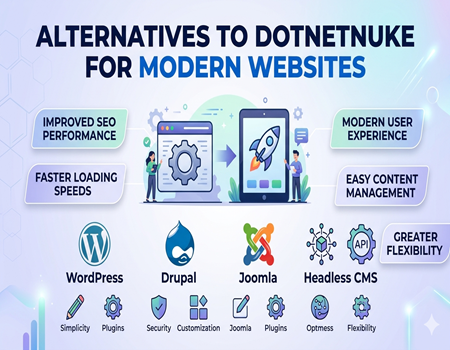
For years, DotNetNuke (DNN) has been a trusted content management system for businesses running on the Microsoft ecosystem. Many organizations used it to build secure and scalable websites. However, as digital needs have evolved, the expectations from a modern CMS have changed significantly in terms of flexibility, performance, and ease of use.
Today, businesses are looking for platforms that are faster, easier to manage, and more adaptable to changing marketing trends. Compared to modern tools, DNN often feels complex and limited, especially for teams that want quick updates, better design control, and strong SEO capabilities without heavy technical dependency.
This shift has led many companies to explore better and more efficient alternatives that align with current web standards. Platforms like WordPress and others are gaining popularity due to their simplicity, customization options, and strong community support, making them suitable for both small and large-scale websites.
If you are still using DNN and facing limitations, it might be the right time to consider upgrading your platform. Many businesses are now opting for Dot Net Nuke (DNN) to WordPress Migration Services to ensure a smooth transition while preserving their data, SEO value, and overall website performance.
Why Businesses Are Moving Away from DNN
One of the biggest reasons businesses are moving away from DotNetNuke is its outdated interface and user experience. Compared to modern CMS platforms, DNN often feels complicated and less intuitive, especially for non-technical users. Managing content, making quick edits, or updating pages can become time-consuming tasks, which slows down overall workflow and productivity.
Another major issue is the platform’s limited flexibility. DNN operates within a .NET-based environment, which means businesses often need specialized developers for customization or updates. This dependency increases development costs and reduces agility, making it harder for companies to respond quickly to market changes or implement new features.
SEO and performance limitations also play a key role in this shift. Modern websites require fast loading speeds, mobile optimization, and advanced SEO capabilities to rank well on search engines. While DNN can handle basic SEO, it lacks the ease and advanced tools that newer platforms provide, making it harder for marketing teams to achieve desired results efficiently.
Scalability and integration challenges further add to the problem. Businesses today rely on multiple tools such as CRM systems, marketing automation platforms, and analytics software. Integrating these tools with DNN can be complex and sometimes limited, whereas modern CMS platforms offer seamless integrations with a wide range of third-party services.
In real-world scenarios, many agencies and businesses struggle with maintaining and upgrading DNN websites. Frequent updates, security concerns, and the need for technical expertise make it less appealing over time. As a result, companies are increasingly shifting toward more flexible and user-friendly alternatives that better support growth and digital transformation.
Key Features to Look for in a Modern CMS
Choosing the right content management system is important for long-term website success. A modern CMS should be easy to use, even for non-technical users. Businesses need a platform where content updates, page creation, and basic changes can be done quickly without relying heavily on developers, saving both time and operational costs.
Another essential feature is strong SEO capability. A good CMS should allow easy optimization of meta tags, URLs, headings, and images. It should also support fast loading speeds and mobile responsiveness, which are critical factors for search engine rankings and overall user experience in today’s competitive digital landscape.
Flexibility and customization are also key factors to consider. A modern CMS should offer a wide range of plugins, themes, or extensions that allow businesses to expand functionality as needed. Whether it’s adding contact forms, eCommerce features, or analytics tools, the platform should make integration simple and efficient.
Security and regular updates play a major role in maintaining a reliable website. A good CMS should provide regular updates, security patches, and a strong community or support system. This ensures that the website remains safe from vulnerabilities and performs smoothly over time without major disruptions.
Finally, scalability is something businesses cannot ignore. As your website grows, the CMS should be able to handle increased traffic, content, and functionality without affecting performance. A future-ready platform helps businesses expand without the need for frequent migrations or major technical changes.
Top Alternatives to DotNetNuke for Modern Websites
WordPress – The Most Popular Choice
When it comes to modern CMS platforms, WordPress stands out as the most popular and widely used option. It powers a large portion of websites globally and is known for its simplicity and flexibility. Even users with minimal technical knowledge can easily manage content, update pages, and customize their websites.
One of the biggest advantages of WordPress is its massive plugin ecosystem. From SEO tools to security enhancements and design customization, there is a plugin available for almost every requirement. This makes it highly adaptable for different industries, whether you are running a blog, business website, or an eCommerce store.
Another strong point is its SEO-friendly nature. WordPress allows easy optimization of meta tags, URLs, and content structure. With tools like Yoast SEO, businesses can improve their search engine rankings without needing deep technical expertise. This is especially beneficial for marketing teams looking to grow organic traffic.
Due to its flexibility and ease of use, many companies are shifting towards WordPress. If you are planning a transition, opting for Dot Net Nuke (DNN) to WordPress Migration Services can help ensure a smooth process while preserving your data and SEO performance.
Drupal – Powerful for Complex Websites
Drupal is another strong alternative for businesses that need high levels of customization and control. It is known for its robust architecture and is often used for complex, large-scale websites such as government portals, enterprise platforms, and educational institutions.
One of Drupal’s key strengths is its flexibility. Developers can create highly customized solutions tailored to specific business needs. It also offers strong security features, making it a preferred choice for organizations that handle sensitive data or require strict compliance standards.
However, Drupal does come with a steeper learning curve compared to other CMS platforms. It usually requires technical expertise for setup and maintenance. While this may not be ideal for beginners, it is a powerful solution for businesses that have dedicated development resources and need advanced functionality.
Joomla – Balanced CMS Option
Joomla is often considered a middle-ground option between WordPress and Drupal. It offers more built-in features than WordPress while being less complex than Drupal. This makes it suitable for users who want a balance between flexibility and ease of use.
Joomla provides strong content management capabilities along with built-in multilingual support. This makes it a good choice for businesses targeting multiple regions or languages. It also supports a variety of extensions that help enhance functionality and improve website performance.
While Joomla is more user-friendly than Drupal, it still requires some level of technical understanding compared to WordPress. For businesses that want more control without dealing with high complexity, Joomla can be a practical alternative to DNN.
Webflow – No-Code Visual Builder
Webflow is gaining popularity as a no-code solution for modern website development. It allows users to design and build websites visually using a drag-and-drop interface, making it ideal for designers and creative agencies.
One of the main advantages of Webflow is its design flexibility. Users can create highly customized layouts without writing code, while still having access to advanced styling options. It also includes hosting and CMS features in one platform, simplifying website management.
Webflow is especially useful for businesses that prioritize design and user experience. However, it may not be as flexible as open-source CMS platforms when it comes to complex integrations or large-scale applications. Still, for modern and visually appealing websites, it is a strong alternative.
Shopify – Best for eCommerce Websites
For businesses focused on online selling, Shopify is one of the best alternatives available. It is a fully hosted platform designed specifically for eCommerce, making it easy to set up and manage an online store without technical expertise.
Shopify offers built-in features such as payment gateways, inventory management, and shipping options. This eliminates the need for multiple integrations and simplifies store management. It also provides a variety of themes and apps to enhance the user experience and functionality.
While Shopify is excellent for eCommerce, it may not be the best fit for content-heavy or highly customized websites. However, for businesses looking to quickly launch and scale an online store, it is a reliable and efficient solution.
Headless CMS (Strapi / Contentful) – Future-Ready Option
Modern businesses are increasingly adopting headless CMS solutions like Strapi and Contentful. These platforms separate the backend content management from the frontend presentation, allowing developers to deliver content across multiple platforms such as websites, mobile apps, and IoT devices.
The biggest advantage of a headless CMS is flexibility. Developers can use any frontend technology while managing content centrally. This makes it ideal for businesses looking to build scalable and future-ready digital experiences.
Headless CMS platforms are also known for their performance and API-first approach. However, they typically require technical expertise to set up and manage. For companies with development teams and a need for multi-channel content delivery, headless CMS solutions offer a powerful alternative to traditional platforms like DNN.
How to Choose the Right Alternative for Your Business
Choosing the right CMS depends on your business needs, goals, and technical capabilities. Every platform offers different strengths, so it is important to match the CMS with your website type. For example, a simple business website or blog may work best on WordPress, while complex enterprise solutions may require more advanced platforms.
Budget is another important factor to consider. Some platforms are open-source and cost-effective, while others involve monthly subscriptions or higher development costs. Businesses should evaluate both short-term and long-term expenses, including maintenance, hosting, and customization, before making a final decision.
Technical expertise also plays a key role in CMS selection. If your team does not have strong development knowledge, choosing a user-friendly platform is essential. Easy-to-manage systems reduce dependency on developers and allow faster updates, which is crucial for marketing and content teams.
Scalability should never be overlooked when selecting a CMS. As your business grows, your website should be able to handle increased traffic, content, and features. A flexible platform ensures that you can expand without facing performance issues or needing frequent migrations in the future.
Lastly, consider your long-term goals and integration needs. Whether you need eCommerce features, marketing tools, or third-party integrations, the CMS should support your growth strategy. Making the right choice now can save time, money, and effort while ensuring a smooth digital journey ahead.
When Should You Migrate from DNN
If your website feels difficult to manage or requires constant developer support for small changes, it may be a sign to move away from DotNetNuke. Modern businesses need quick updates and flexibility, but DNN often slows down workflows, especially for non-technical teams handling regular content updates and marketing activities.
Performance issues are another strong indicator. Slow loading pages, limited optimization options, and difficulty in improving site speed can impact both user experience and search engine rankings. In today’s competitive digital space, even small delays can result in lost traffic and reduced engagement.
SEO limitations can also hold your website back. If you find it hard to optimize meta tags, URLs, or implement advanced SEO strategies, your current CMS may not be meeting modern requirements. This directly affects your visibility on search engines and your ability to attract organic traffic.
Lastly, if your business is growing but your website cannot scale accordingly, migration becomes necessary. Whether it’s adding new features, integrating tools, or handling increased traffic, a modern CMS can support your growth more efficiently and help you stay competitive.
DNN to Modern CMS Migration: What You Should Know
Migrating from DotNetNuke to a modern CMS is not just about changing platforms, but also about ensuring a smooth transition without losing important data or website performance. One of the biggest challenges during migration is transferring content, media files, and user data while keeping everything structured and intact.
Another critical aspect is maintaining your SEO value. Existing URLs, meta data, and search rankings should be preserved during the migration process. If not handled properly, businesses may experience a drop in traffic and visibility. This is why proper planning and execution are essential before starting the migration.
Technical complexities can also arise, especially when dealing with custom modules or features built within DNN. These elements need to be carefully mapped or rebuilt in the new CMS to ensure functionality remains consistent. Without expert handling, this process can lead to broken features or performance issues.
To avoid these risks, many businesses choose professional Dot Net Nuke (DNN) to WordPress Migration Services. With the right approach, migration can be smooth, secure, and beneficial in the long run, helping businesses unlock better performance, flexibility, and growth opportunities.
Conclusion
Modern websites demand speed, flexibility, and ease of management, which older platforms like DotNetNuke often struggle to provide. As business needs continue to evolve, relying on a CMS that limits growth and innovation can hold you back in a competitive digital environment.
Exploring alternatives such as WordPress, Drupal, or other modern platforms can open new opportunities for better performance, improved SEO, and easier content management. These platforms are designed to meet current standards and help businesses stay ahead with minimal technical complexity.
Making the decision to switch may seem challenging, but it can bring long-term benefits. With the right planning and support, businesses can successfully transition to a more powerful and scalable CMS that aligns with their goals and future growth.
If your current website is limiting your potential, now is the right time to consider a change. Moving to a modern CMS not only improves efficiency but also ensures that your website is ready to adapt to future digital trends and user expectations.