How to Move Email Subscribers from Substack
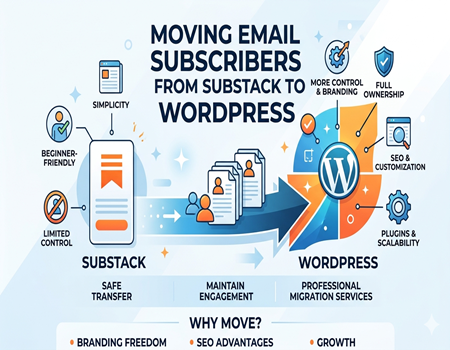
Many creators start their newsletter journey on Substack because it is simple, beginner-friendly, and quick to set up. But as their audience grows, many realize they want more control over branding, SEO, monetization, and subscriber management. That is why more publishers are now moving their email audience to self-hosted platforms like WordPress.
Your email subscribers are one of the most valuable assets for your business or personal brand. If all your audience data stays tied to one platform, it can limit your growth in the long run. Creators today want flexibility to customize their websites, improve search engine visibility, and build a stronger online presence without depending completely on third-party platforms.
Another major reason people move away from Substack is ownership. With WordPress, you can fully control your content, website design, plugins, analytics, and email marketing system. It also becomes easier to scale your business, add products or services, and improve audience engagement from one central platform.
The good news is that moving email subscribers from Substack is easier than many people think. With the right process, you can safely transfer your audience without losing important subscriber data or damaging email deliverability. Many creators also prefer using professional Substack to WordPress Migration Services to make the transition faster, smoother, and error-free.
Can You Move Email Subscribers from Substack?
Yes, you can move your email subscribers from Substack to another platform. Substack allows creators to export their subscriber list in CSV format, which can later be imported into email marketing tools or WordPress-based newsletter systems. This makes the migration process much easier for publishers who want greater control over their audience and website.
The exported file usually contains important subscriber information such as email addresses, subscription status, and signup details. Depending on your account type, you may also see separate lists for free and paid subscribers. Before importing the list into another platform, it is important to review the data carefully and remove inactive or invalid email addresses whenever possible.
One important thing creators should remember is subscriber consent. People on your list originally subscribed to receive your content, so your migration process should remain transparent and respectful. When shifting to another platform, sending a short announcement email can help maintain trust and reduce unsubscribe rates after migration.
Many website owners choose WordPress because it offers better SEO flexibility, branding freedom, and email marketing integrations. Tools like MailPoet, FluentCRM, and ConvertKit make subscriber management easier after migration. If the technical process feels confusing, professional Substack to WordPress Migration Services can help transfer subscribers safely while protecting your email deliverability and audience data.
Things to Do Before Migrating Subscribers
Before moving your subscribers from Substack, it is important to prepare everything properly. A well-planned migration helps you avoid data loss, broken email automations, and subscriber confusion. Taking a few extra steps before exporting your list can make the entire process smoother and safer for your audience.
Start by creating a backup of your subscriber database. Even though Substack allows exports, keeping an extra copy of your CSV file is always a smart idea. You should also review your subscriber list and remove inactive, bounced, or duplicate email addresses to improve email deliverability after the migration process is complete.
The next step is deciding where you want your subscribers to move. Many creators choose WordPress because it provides more flexibility for SEO, website customization, and monetization. Popular email tools like MailPoet, FluentCRM, Mailchimp, ConvertKit, and Beehiiv can also help manage subscribers efficiently after the transfer.
It is also a good idea to prepare a welcome or transition email before migration begins. This email can explain why you are changing platforms and what subscribers can expect moving forward. Clear communication helps maintain trust and reduces the chances of users marking future emails as spam or unsubscribing unexpectedly.
Before importing your subscribers into a new platform, verify your email sending domain and basic email authentication settings. Proper setup improves inbox placement and protects your sender reputation. Many businesses prefer using professional Substack to WordPress Migration Services because technical mistakes during migration can affect email performance, audience engagement, and overall subscriber experience in the long term.
Step-by-Step: Export Subscribers from Substack
Login to Your Substack Dashboard
The first step is logging into your Substack account using your email and password. Once you enter the dashboard, go to the main settings area where your publication details and audience information are stored. This section gives you access to subscriber management tools and export options.
Inside the dashboard, look for the audience or subscribers tab. Substack keeps all subscriber-related information in one place, making it easier to manage free and paid readers separately. Before exporting anything, quickly review your list and make sure your subscriber data appears updated and accurate.
Export Your Subscriber List
After opening the subscriber section, you will usually see an export option that allows you to download your audience data as a CSV file. Click the export button and wait for the system to prepare the file. Depending on the size of your audience, this process may take a few minutes.
The downloaded CSV file normally includes subscriber email addresses, subscription status, signup dates, and other useful details. Save this file safely on your computer and also create a backup copy. Having multiple backups can protect your data if the original file becomes corrupted or accidentally deleted during migration.
Review the CSV File Carefully
Before importing subscribers into another platform, open the CSV file and review the information carefully. Look for missing fields, formatting issues, duplicate email addresses, or inactive users. Cleaning your list before importing helps improve deliverability and reduces the chances of emails landing in spam folders later.
It is also important to separate paid and free subscribers if you plan to create different email campaigns or membership access on WordPress. Organized subscriber segmentation makes audience management much easier after migration. Many creators use professional Substack to WordPress Migration Services because they help handle exports, list cleaning, segmentation, and technical setup without risking subscriber data or email performance.
How to Import Subscribers into WordPress Email Tools
Choose the Right Email Tool for WordPress
After exporting your subscriber list from Substack, the next step is choosing the right email marketing tool for your WordPress website. Popular options include MailPoet, FluentCRM, ConvertKit, and Mailchimp integrations. Each platform offers different features for email automation, audience segmentation, and newsletter management.
Many creators prefer MailPoet or FluentCRM because they work directly inside WordPress and give better control over subscriber data. ConvertKit is another popular option for creators who want advanced automation features. Before importing your list, make sure your chosen tool is properly installed and connected to your website.
Upload the CSV Subscriber File
Most email marketing tools provide an import option inside the dashboard. Open the subscriber management section and upload the CSV file exported from Substack. During the upload process, the system may ask you to match columns like email address, first name, signup date, or subscription type with the correct database fields.
Take your time during this step because incorrect field mapping can create subscriber errors later. It is also smart to import a small test batch first before uploading your entire list. This helps you confirm that the data appears correctly and that your email system is functioning properly after migration.
Organize and Segment Subscribers Properly
Once the import process is complete, organize your subscribers using tags, lists, or segments. For example, you can separate free subscribers, paid members, inactive users, or highly engaged readers. Proper segmentation improves email targeting and helps you send more personalized content in the future.
You should also configure email authentication settings like SPF, DKIM, and domain verification before sending newsletters. These settings improve deliverability and reduce the risk of emails landing in spam folders. Many creators ignore this step and later face poor open rates after migration.
Test Everything Before Sending Emails
Before launching your new newsletter system, send a few test emails to yourself and team members. Check email formatting, links, images, and unsubscribe functionality carefully. Small technical issues can negatively affect subscriber trust if they are not fixed early.
For large subscriber databases, many businesses use professional Substack to WordPress Migration Services to handle imports, plugin configuration, subscriber segmentation, and email deliverability setup safely. Expert migration support can save time while reducing the chances of technical mistakes during the transition process.
How to Notify Subscribers About the Migration
Once your subscribers have been moved from Substack, the next step is informing your audience about the change. Clear communication helps maintain trust and prevents confusion when subscribers start receiving emails from a new platform or domain name. A simple and honest announcement can make the transition feel more professional and organized.
Your migration email should explain why you are changing platforms and how the move benefits readers. You can mention improvements such as better website experience, easier content access, exclusive resources, or improved newsletter delivery. Keep the message friendly and transparent instead of sounding overly promotional or technical.
It is also important to reassure subscribers that their email information remains secure and will only be used for content they originally subscribed to receive. This reduces concerns about privacy and lowers the chances of people unsubscribing immediately after the migration. Including a direct support contact can also help answer questions from confused readers.
Try to maintain the same branding style, writing tone, and sender name that subscribers already recognize from your previous emails. Sudden branding changes can sometimes cause subscribers to ignore emails or mark them as spam. Consistency helps your audience feel comfortable during the transition period.
After sending the announcement email, monitor open rates, unsubscribe activity, and subscriber engagement for the next few weeks. This can help you identify any deliverability or communication issues early. Many creators also use professional Substack to WordPress Migration Services to handle subscriber communication, email setup, and migration support while ensuring a smoother experience for their audience.
Common Problems During Subscriber Migration
Moving subscribers from Substack is usually straightforward, but some creators still face technical issues during the process. Most problems happen because of incorrect CSV formatting, missing subscriber fields, or incomplete email platform setup. Understanding these common issues in advance can help you avoid unnecessary delays and protect your audience data.
One common problem is CSV upload errors during the import process. Sometimes email marketing tools reject subscriber files because columns are mapped incorrectly or unsupported characters exist inside the spreadsheet. Reviewing and cleaning the CSV file before importing can solve many of these issues quickly and prevent failed imports later.
Another major issue is poor email deliverability after migration. If domain authentication settings like SPF, DKIM, or sender verification are missing, emails may start landing in spam folders. This can reduce open rates and damage subscriber engagement. Testing your email system properly before sending campaigns is extremely important after migration.
Some creators also notice missing subscriber details or segmentation problems after importing their list. Free and paid subscribers may accidentally mix together if tags or lists are not configured properly. Incorrect segmentation can create confusion when sending newsletters, premium content, or automated email sequences to different audience groups.
Large subscriber databases may also trigger import limits on certain email marketing platforms. In some cases, automation workflows or welcome email sequences stop functioning correctly after migration. These technical issues can affect subscriber experience and reduce trust if they are not fixed quickly.
To avoid these problems, many publishers prefer using professional Substack to WordPress Migration Services for safer data handling, subscriber segmentation, deliverability optimization, and complete migration support. Expert assistance can help ensure your subscribers are transferred correctly while maintaining strong email performance and audience engagement throughout the transition process.
Why Many Creators Move from Substack to WordPress
Many creators begin their newsletter journey on Substack because it offers a simple publishing system with minimal setup. However, as their audience and business grow, they often realize they need more flexibility, ownership, and long-term control. This is one of the biggest reasons why many publishers eventually move to WordPress.
One major advantage of WordPress is better SEO control. On Substack, customization options are limited, which can make it harder to optimize content fully for search engines. WordPress allows creators to use advanced SEO plugins, customize URLs, improve website speed, and create stronger content structures that help increase organic traffic over time.
Branding freedom is another important reason for migration. WordPress gives complete control over website design, layout, colors, and user experience. Creators can build a professional website that matches their personal brand instead of depending on a platform with limited customization features. This flexibility becomes valuable for businesses, agencies, coaches, and growing media brands.
WordPress also supports a much larger ecosystem of plugins and integrations. Creators can add membership systems, online stores, learning platforms, advanced analytics, booking systems, and powerful email marketing tools without major restrictions. This makes scaling a newsletter business much easier compared to staying entirely dependent on one publishing platform.
Another important factor is ownership and monetization flexibility. With WordPress, creators fully control their content, subscriber database, and monetization strategy. They are not limited by platform policies or revenue structures. Because of these advantages, many businesses now invest in professional Substack to WordPress Migration Services to safely transfer subscribers, preserve SEO value, and build a more scalable long-term digital presence.
Should You Hire a Professional Migration Service?
Moving subscribers from Substack can be manageable for small newsletters with basic email setups. If you only have a limited number of subscribers and simple requirements, a manual migration process may work without major complications. Many creators successfully export and import their audience using beginner-friendly email marketing tools.
However, larger newsletters often involve more technical complexity. Problems like subscriber segmentation, email authentication, automation setup, paid membership handling, and deliverability issues can quickly become difficult for non-technical users. Even small migration mistakes may result in lost subscriber data, broken email workflows, or lower inbox placement after the transition.
Professional migration services are useful when you want a smoother and safer transfer process. Experts can handle subscriber exports, WordPress setup, email tool integration, domain authentication, and audience segmentation while reducing the risk of technical errors. This becomes especially important for creators who rely heavily on email engagement, memberships, or recurring newsletter revenue.
Another benefit of hiring professionals is saving time. Instead of troubleshooting import problems or learning technical configurations yourself, you can stay focused on creating content and growing your audience. A properly managed migration also helps protect SEO performance and subscriber trust during the transition period.
Many businesses choose dedicated Substack to WordPress Migration Services because they provide complete support for subscriber transfer, website setup, email deliverability optimization, and post-migration testing. This can help creators move platforms confidently without disrupting their audience experience or newsletter performance.
Final Thoughts
Moving your email subscribers from Substack may seem technical at first, but the process becomes much easier when handled step by step. From exporting your subscriber list to importing it into WordPress email tools, careful planning can help you protect your audience and maintain strong email engagement during the transition.
Many creators choose WordPress because it offers greater control over SEO, branding, monetization, and website customization. It also gives long-term ownership of your content and subscriber database, which is important for sustainable growth. With the right setup, you can create a more scalable and professional newsletter system outside platform limitations.
If you want to avoid technical problems and ensure a smooth transition, professional Substack to WordPress Migration Services can help manage the entire process safely. A successful migration allows you to keep your audience connected while building a stronger digital presence for the future.